Alternatives
Best Copy.ai Alternatives for SEO and Content Teams (2026)
Looking for Copy.ai alternatives? Compare top platforms like Machined.ai for SEO clusters, Jasper for brand governance, and Outranking for brief-driven workflows.
· updated 2026-10-12
This comparison breaks down seven platforms that can replace Copy.ai for SEO and content teams, based on hands-on testing where each tool generated a long-form SEO article on the “benefits of cold plunge therapy”. We evaluated depth, structure, production friction, and publishing workflows as well as writing and research quality.
Copy.ai has evolved into a content-operations hub built around GTM automation, useful for teams running repeatable marketing workflows across sales and content. But that generalist approach creates friction when SEO requires deeper research, when publishing needs tighter automation, or when agencies need cleaner separation between client brands. The alternatives here either match Copy.ai’s breadth or go deeper in a specific lane like SEO clusters, optimization, or hands-off publishing.
What to Look for in a Copy.ai Alternative
Before diving into specific tools, consider these key factors when evaluating Copy.ai competitors:
- Primary use case: GTM automation vs. SEO publishing vs. brand storytelling
- Scale requirements: Individual assets vs. bulk content production
- Budget constraints: Per-seat pricing vs. usage-based vs. API costs
- Team size: Solo creator vs. marketing team vs. enterprise
- Workflow needs: Campaign automation vs. SEO clusters vs. optimization scoring
- Integration needs: CMS publishing, workflow automation, third-party tools
- Content type: Short-form marketing copy vs. long-form SEO articles vs. multi-channel campaigns
Comparison Chart
| Tool | Starting Price | Best feature | Weakest point | Primary use case |
|---|---|---|---|---|
| Copy.ai | Chat: $29/mo | GTM workflows and automation across teams | Workflow-credit economics can complicate cost predictability at scale | Cross-team GTM content and automation |
| Machined.ai | $19-$249/mo, generation included | End-to-end SEO cluster automation, internal linking, and publishing | SEO-only focus; no short-form marketing copy | SEO topic clusters at scale |
| Jasper | Pro: $69/seat/month | Enterprise brand guardrails and marketing workflows | Cost and complexity can rise with seats and setup | Brand-safe marketing operations across channels |
| Writesonic | Lite: $49/mo | SEO suite bundling creation, audits, and tracking | Generation speed and plan limits can bottleneck scale | SEO platform and content production |
| Cuppa.ai | Hobby: $38/mo | Best-in-class editor UX for SEO drafting | Advanced capabilities vary by tier; BYOK overhead | Editor-driven SEO content production |
| Frase | Starter: $49/mo | SERP-driven optimization, scoring, and refresh workflows | Limits and UX friction can slow iteration | Content optimization and refresh programs |
| SEO.ai | Single Site: $149/mo | True autopilot publishing loop | Limited configurability | Hands-off SEO publishing for small teams |
| Outranking | Starter: $25/mo | Actionable briefs and inline improvement suggestions | Best automation features gated at higher tiers | Brief-first SEO drafting and guided revisions |
Prices as of January 2026
Machined.ai
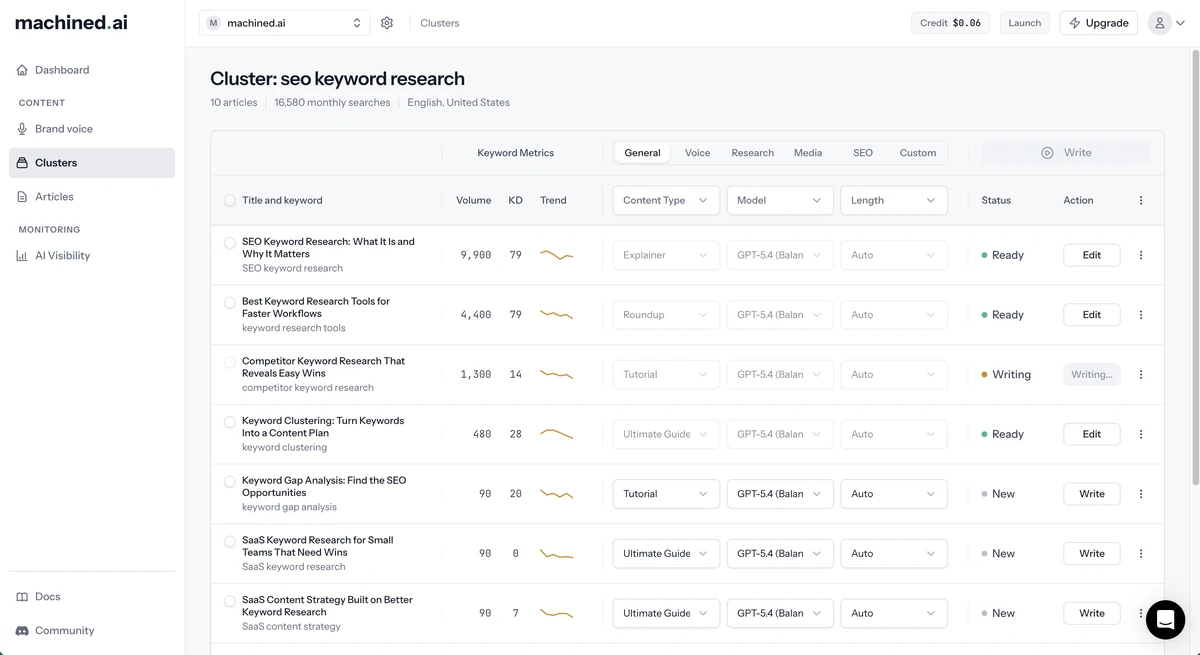
Disclosure: Machined.ai is our product. We’ve applied the same evaluation criteria used for every tool in this guide.
Features
Machined.ai focuses on automating the SEO content “assembly line” rather than generating one-off assets. It automates keyword discovery, intent grouping, cluster structure (pillar + supporting pages), internal linking, and publishing. This means the system produces a connected set of pages instead of isolated articles.
The platform also supports automated research with citations, directed research (source control), and one-click publishing to CMS platforms. The core design reduces keyword cannibalization risk by assigning distinct intents and targets to each article in a cluster.
Pricing
| Plan | Price | Articles | Cost per article |
|---|---|---|---|
| Launch | $19/mo | 30/month | $0.63 |
| Growth | $49/mo | 100/month | $0.49 |
| Pro | $99/mo | 250/month | $0.40 |
| Scale | $249/mo | 750/month | $0.33 |
| BYOK | $99/mo + API costs | 2,000/month | $0.05 + your API costs |
Every new account starts with a 7-day free trial of the Launch plan, no credit card required. Annual billing takes 25% off, which brings Scale down to $0.25 per article. On BYOK, API costs average around ~$0.20 per article — an approximate figure that varies with article length, research depth, images, and model choice.
Machined.ai’s pricing bundles AI generation into the subscription on every paid tier, so the cost per article is fixed and predictable — no token bill to monitor and no API key to set up. The all-in rate improves as volume rises, from $0.63 on Launch down to $0.33 on Scale.
For teams publishing beyond that, the BYOK plan separates software access from AI usage costs: a flat $99/month for the workflow layer covering up to 2,000 articles, with generation paid directly to the model provider as a pass-through cost. That works out at roughly $0.05 per article in platform fees, and generally reduces total cost at scale because usage grows linearly with output rather than forcing upgrades into higher “all-inclusive tiers.”
Primary Differentiation
Machined.ai differentiates on workflow completeness for SEO clusters. Many platforms generate content, but fewer generate strategy, structure, links, and publishing as a single pipeline. Automated internal linking (with contextual anchors) and cluster-aware architecture turn output into an interconnected library instead of a folder of drafts. The research-and-citations layer also pushes content toward credibility signals rather than purely “LLM prose.” The result looks less like a writing assistant and more like a production system for topical authority.
Pain Points
BYOK can make setup harder for some people. In the end you have to manage payments in two platforms, and some teams prefer a single subscription that includes both the software and the AI usage, even if that bundled approach ends up costing more overall. Additionally, the product’s value lands most strongly when content strategy targets SEO scale. Teams optimizing for short-form campaign assets may see less immediate benefit.
Ease of Use
Machined.ai collapses research, clustering, briefs, internal linking, and publishing into one guided pipeline. Teams familiar with SEO content strategy ramp quickly; teams coming from campaign copy may need time to internalize why clusters matter. Once that mental model clicks, the workflow feels repeatable.
Customer Support
Machined.ai offers support via email, live chat, and an active Discord community. The team responds within a few hours and checks all channels daily. Support covers configuration tips, BYOK setup, CMS integrations, and billing questions. There’s also a clear refund policy for users who decide the platform isn’t the right fit.
Platform Reliability
Machined.ai’s reliability profile depends on two layers: the platform itself and the BYOK model provider. The platform can run smoothly yet still face slowdowns if the API provider rate-limits requests or a model endpoint changes behavior. Publishing to a CMS and using webhooks means relying on other systems, so it becomes important to spot problems quickly and have a way to try again if something fails.
Copy.ai vs. Machined.ai
Copy.ai emphasizes GTM automation workflows across sales and marketing, with workflow credits and large-seat tiers built for broader operational automation. Machined.ai narrows the scope to SEO production, but it goes deeper in that lane by automating clustering, internal linking, research, and publishing as one system. Copy.ai can cover many asset types; Machined.ai covers fewer asset categories but builds stronger structure and scale for organic search programs.
For teams where search-driven acquisition matters, Machined.ai can function as the system that turns topics into an interconnected content library without heavy manual coordination.
Pros
- Produces cluster-based SEO content with automated internal linking and publishing workflows
- Strong research-and-citations layer for credibility-oriented long-form content
Cons
- On the BYOK plan, you manage your own API key, usage and rate limits
- Less focused on short-term GTM assets than dedicated campaign/workflow tools
We Tried It. Here’s Our Verdict
We tested Machined.ai on “benefits of cold plunge therapy” with research enabled. The platform generated a full content cluster around the topic in about a minute. We selected one article from that cluster, and generation took another minute, producing a comprehensive 2,000-word article with structured H2s/H3s and inline citations.
From there, we could publish directly to a connected CMS or refine the draft in the built-in editor, which includes inline AI for updating sections one by one. The output had a stronger “SEO article” shape than most general tool, structured for search intent rather than generic prose.
Here’s an example of the content with inline research and citations:
Learn how cold plunges affect your body
Researchers describe a cluster of reactions that kick in almost immediately: rapid constriction of your blood vessels, decreased metabolic activity, hormonal shifts, changes in blood flow patterns, and activation of your immune system. These responses have been documented in sports medicine research as the main drivers of recovery benefits (Mayo Clinic). In a 2023 study from Bournemouth University, a 5 minute whole body immersion at 20°C increased heart rate and breathing volume within 30 seconds, which is a classic sympathetic stress response. It tended to stabilize within five minutes as the body adapted (PMC). On the mental side, that same study found a single 5 minute immersion increased positive feelings like energy, alertness, pride, and inspiration, and decreased negative feelings such as distress and nervousness right after getting out (PMC).
Best for: SEO teams and agencies that want to scale topic clusters quickly while keeping structure, linking, and publishing consistent.
Jasper
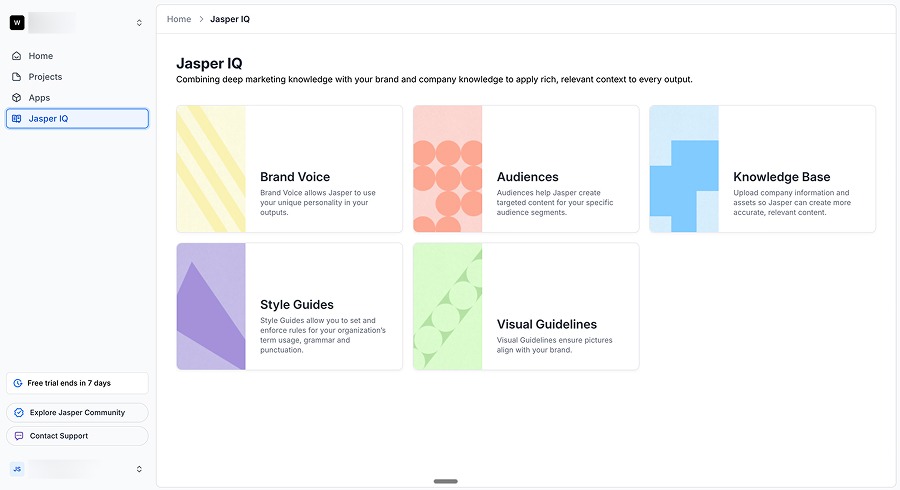
Features
Jasper positions itself as an enterprise marketing platform rather than a single writing surface. It highlights brand context, brand guardrails, agent-style workflows, and multiple creation workspaces designed for teams that need controlled output across many channels. The platform also includes image tooling and a no-code environment for building repeatable marketing apps and workflows. The feature set targets brand consistency and operational scale as much as it targets raw generation.
Pricing
| Plan | Price | Notes |
|---|---|---|
| Pro | $69/seat/mo ($59 billed annually) | Free trial available |
| Business | Custom | Enterprise features, custom onboarding |
Jasper’s pricing anchors around a per-seat model, with a Pro tier that starts at $69 per seat per month and a Business tier that is custom priced, and its site emphasizes demo/trial flows and enterprise-ready governance. Per-seat structures like this can scale cost quickly as more stakeholders join, especially for marketing organizations that want broad access. In practice, Jasper behaves like a platform purchase rather than a solo-writing subscription. That cost structure fits teams that value governance and brand safety more than low-cost volume.
Primary Differentiation
The platform differentiates on marketing organization readiness: governance, guardrails, and brand knowledge embedded into the system. It aims to reduce “brand drift” across many marketers and channels by centralizing style guidance and context. Its app/workflow concept supports repeatability, which matters for organizations that produce high volumes of assets under tight brand constraints. Compared with SEO-only systems, Jasper’s differentiation lands in cross-functional marketing operations rather than search-centric content pipelines.
Pain Points
Per-seat pricing can create budget friction, especially when teams want occasional or broad access across many roles. Platform breadth can also dilute the “best-in-class” feeling for any single workflow, since the system tries to cover many marketing specialties. Output quality varies depending on how well teams configure the brand context and instructions, and onboarding can require real time investment. Additionally, enterprise tooling often adds complexity that smaller teams may not want.
Ease of Use
Jasper’s interface feels polished and marketer-centric, with guided pathways and templates that reduce blank-page anxiety. The learning curve centers on configuring brand context and workflows rather than prompting. Once that setup exists, new team members ramp faster, but without it, teams drift into ad-hoc usage and lose consistency.
Customer Support
Jasper emphasizes onboarding and enablement for enterprise buyers, including implementation support and training. For smaller teams on lower tiers, support is more self-serve with documentation and standard ticketing.
Content Quality
Jasper produces readable, “marketer voice” output that feels less sterile than many SEO-first tools. It generates on-brand variations well when brand context is configured properly. The tradeoff: its generalist approach doesn’t anchor long-form articles with the same research depth as specialized SEO systems. Output still benefits from editorial review for claims and specificity.
Copy.ai vs. Jasper
Copy.ai emphasizes GTM automation and workflow credits tied to repeatable jobs across marketing and sales. Jasper sits in a similar “marketing platform” category, but it leans harder into enterprise guardrails, brand knowledge, and multi-workspace marketing operations.
Copy.ai’s core identity often centers on operational workflows, while Jasper’s centers on brand-safe, enterprise-grade marketing execution across teams. Both can serve as a centralized marketing AI layer, but Jasper fits organizations that prioritize brand governance and platform standardization.
Pros
- Strong brand governance and marketing-team workflows under one platform umbrella
- Produces readable, marketer-friendly drafts with consistent tone when configured well
Cons
- Per-seat platform economics can escalate as teams scale access
- SEO-specific depth and research structure can lag behind specialized SEO systems
We Tried It. Here’s Our Verdict
We tested Jasper on the same “benefits of cold plunge therapy” topic. The output was more personality-driven than many SEO-first tools, with strong readability and a polished, marketer-friendly tone. The platform felt “marketing-native” in how it frames workflows and brand context.
The main limitation: SEO depth. The draft didn’t push the same structured, research-backed density that specialized SEO systems produced. Jasper works best as a brand-controlled marketing platform rather than a pure SEO production engine.
Here’s an example from our test:
From professional athletes to Silicon Valley CEOs, it seems like everyone is suddenly obsessed with freezing water. Social media feeds are flooded with videos of people grimacing as they lower themselves into ice-filled tubs, swearing by the transformative power of the “cold plunge.” But is this chilly trend actually beneficial for your health, or is it just another wellness fad destined to melt away?
Best for: Marketing teams that need brand-safe content operations across many channels and stakeholders. For a detailed comparison, see our Copy.ai vs Jasper AI guide.
Writesonic
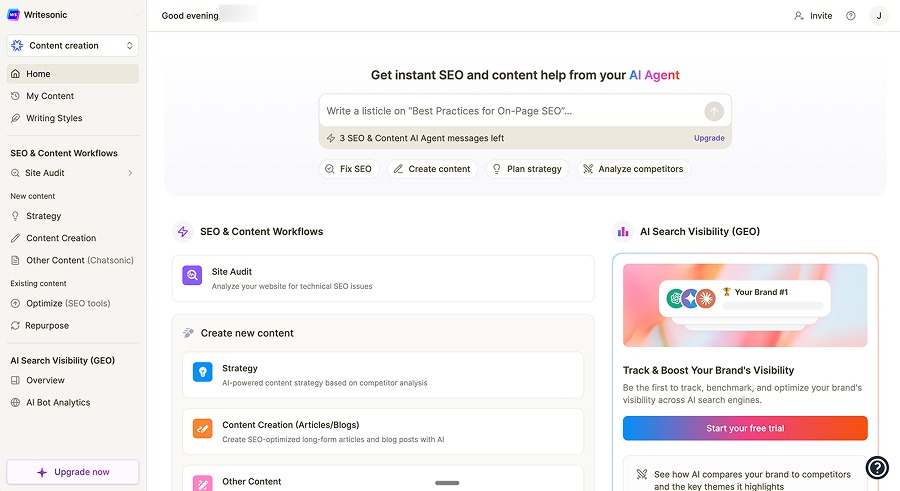
Features
Writesonic presents itself as a full SEO platform that brings together research, content creation, audits, and tracking in one place. It includes keyword and competitor intelligence, site auditing, content workflows, and integrations that support ongoing optimization and visibility monitoring. The platform also frames its tracking around AI-search visibility themes, while still offering the standard tools most SEO teams expect. Its goal is to function closer to an SEO suite than a writing-only tool.
Pricing
| Plan | Price |
|---|---|
| Lite | $49/mo |
| Standard | $99/mo |
| Professional | $249/mo |
| Advanced | $499/mo |
| Enterprise | Custom |
Writesonic prices its tiers at $49 per month for its Light product, $99 per month for its Standard level, $249 per month for its Professional plan, and $499 per month for its Advanced offering, with discounts available for annual subscriptions. Each tier has limits on the number of articles, projects, and users, which may cause budgetary friction for agencies that manage multiple websites. The pricing fits teams that want bundled SEO capabilities, but costs can rise quickly for multi-client scenarios.
Primary Differentiation
The main advantage of using Writesonic comes from combining content creation with research and broader SEO tools in a single system. This setup can reduce the need to juggle separate platforms for keyword research, audits, and writing. It also provides a more guided SEO workflow than a basic writing assistant. Teams get the most benefit from Writesonic when they want their content production and SEO operations to run side by side instead of splitting them across multiple tools.
Pain Points
Generation speed surfaced as a real friction point in hands-on testing. Slow runs introduced a significant waiting period that broke production rhythm. Restrictive limits around articles, projects, and users can also force plan upgrades faster than expected, especially for agencies. The platform sometimes leans into clickbait-styled framing that may not fit every brand. Moreover, the promise of “one platform” only works when the team actually uses the full set of tools, rather than treating it as just another writing tool added on top of their existing SEO stack.
Ease of Use
Writesonic provides a guided flow that prompts for topic inputs, research selection, and outline options. The structure helps non-experts produce complete drafts without manual planning. The UI works best when teams embrace the full workflow rather than jumping between tools.
Customer Support
Writesonic’s support experience matters most around SEO features like audits, integrations and tracking rather than writing alone. Higher plans often come with better enablement because customers at that level run broader SEO programs and need faster troubleshooting. Support value truly shows up when integrations such as Search Console and WordPress fail or with inconsistent tracking metrics. A suite product like Wordsonic lives or dies on support responsiveness because more modules create more potential failure points.
Content Quality
In hands-on testing, Writesonic produced a solid long-form draft with strong practical guidance and curated research detail. It included specific stats and warnings that many tools missed, which suggests the research stage can add real value when sources get selected carefully. The content sometimes carried a more sensational title style than purely SEO-focused editorial standards prefer. Overall, the quality felt competitive, but teams should still expect editorial review for tone, claims, and brand alignment.
Copy.ai vs. Writesonic
Copy.ai centers on automating repeatable go-to-market processes across marketing and sales, with its plans designed to support larger teams and high-volume operational workflows. Writesonic overlaps where marketing teams want repeatable content production, but it leans much harder into SEO-suite functionality with features such as audits, tracking, and keyword research.
Copy.ai offers broader GTM use cases, while Writesonic offers deeper SEO operations under one roof. As a result, for teams that evaluate tools by search performance and SEO operations, Writesonic fits the “platform” expectation better than most AI content generators.
Pros
- Strong SEO-suite positioning with research, audits, and creation in one platform
- Output included specific practical details and useful nuance
Cons
- Slow generation can bottleneck production cadence
- Tier limits on projects, users, and articles can increase total cost at scale
We Tried It. Here’s Our Verdict
When testing Writesonic, we particularly liked the research depth and practical detail in the draft. The content showed real specificity, including stats and safety nuances that many tools missed. The biggest negative came from speed because generation took long enough to interrupt a production workflow. Writesonic felt strong as an SEO suite, but the slow content run time and tier limits will create friction for high-volume teams.
Here’s an example from our test:
Cold plunge benefits have captivated fitness enthusiasts despite the seemingly torturous experience of immersing yourself in water as cold as 50°F or lower. While voluntarily subjecting yourself to freezing temperatures might sound intimidating, there’s compelling science behind why so many people are embracing this chilly practice. Research shows the benefits of cold plunge extend far beyond just bragging rights. Cold plunge health benefits include reduced exercise-induced muscle damage and decreased inflammation, which subsequently minimizes soreness and helps restore physical performance.
Best for: SEO teams that want creation plus SEO operations like research, audits, and tracking in one platform and can tolerate plan limits.
Cuppa.ai
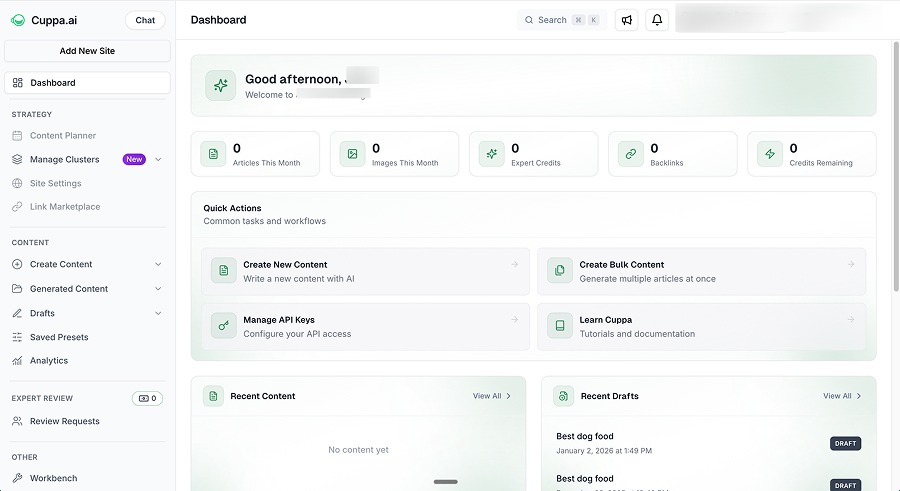
Features
Cuppa.ai operates as an SEO content platform with a strong editor and a multi-provider model approach. It supports multiple model providers and includes an editing experience that emphasizes SERP context, outline preview, and in-editor assistance. The platform also includes publishing options (including WordPress and automation tooling) and a workflow designed around SEO-specific content formats. The editor experience stands out as a primary feature, not an afterthought.
Pricing
| Plan | Price | Seats |
|---|---|---|
| Hobby | $38/mo | 1 |
| Power User | $75/mo | 1 |
| Business | $150/mo | 3 |
| Agency | $250/mo | 10 |
| Agency+ | $938/mo | 30 |
| Enterprise | Custom | Custom |
7-day free trial. BYOK required for AI generation.
Cuppa.ai offers six plans priced at $38 per month for its Hobby tier, $75 for its Power User tier, $150 for its Business tier, $250 for its Agency tier, $938 for its Agency+ tier, and custom pricing for its Agency Custom (Enterprise) tier. Each plan comes with a 7-day free trial and BYOK requirements, meaning the subscription covers software and credits while model usage runs through an API key. Hobby and Power User tiers have one available seat, while higher tiers allow three, 10, and 30 seats for one monthly fee.
Each tier has access to the platform’s full suite of content generation templates and includes unlimited words, chat, and images, but Cuppa gates bulk features and GSC connections behind higher tiers. Cuppa also only unlocks webhooks, automated backlink plans, and access to the Link Marketplace (a curated in-app platform that provides users with direct access to pre-vetted domains where they can purchase backlinks) on the Business plan or above.
Primary Differentiation
Cuppa differentiates on editor UX and flexibility across models. It emphasizes a workflow where SERP-derived context and structural decisions live close to the writing surface, which helps teams move from outline to polished draft quickly. Additionally, Cuppa’s multi-provider support can reduce dependence on a single model vendor. The platform’s strength is most valuable for teams who want hands-on editing and control rather than pure one-click generation.
Pain Points
Feature gating can shift the value equation, especially when advanced research and clustering require higher tiers and external API setups. BYOK adds a similar operational overhead seen in other key-based platforms and when workflow lacks semantic planning, bulk generation can drift into “template substitution” behavior rather than true strategy-driven clustering. Furthermore, teams that want a fully hands-off pipeline may find Cuppa’s strengths skew toward editing and refinement rather than autopilot execution.
Ease of Use
Cuppa.ai feels designed for marketers who want to see context while editing, outlines, SERP cues, and in-editor assistance reduce guesswork. The platform supports iterative refinement, making it easier to shape drafts without switching tools. BYOK and tier-based feature access add some setup complexity, but once configured, the workflow feels efficient.
Customer Support
Cuppa provides stronger support at higher tiers, especially for agencies running multiple sites. Support quality matters most around model setup, research add-ons, and publishing integrations.
Content Quality
When we tested Cuppa, it produced a long, comprehensive draft with strong practical guidelines and a natural flow. The output competed well on structure and coverage, especially when the workflow included SERP context. Gated research features caused the draft to lose citation density and specific source-backed claims. Overall, though, Cuppa’s quality felt high for a content platform, with the editor making refinement faster than with more basic tools.
Copy.ai vs. Cuppa.ai
In practice, the difference between Copy.ai and Cuppa.ai shows up in how each tool fits into daily operations. Cuppa overlaps with Copy.ai where teams need repeatable content production, but it leans toward SEO-focused workflows and a best-in-class editor rather than broader sales and marketing automation.
Copy.ai functions as a general GTM engine, while Cuppa serves as a content workspace with strong SERP context. Teams that treat content as a core production line may prefer Cuppa’s editing and search-guided flow over a more expansive GTM platform.
Pros
- Outstanding editor UX that speeds refinement and improves consistency
- Output demonstrates strong long-form draft depth and practical guidance
Cons
- Advanced research and strategy capabilities are gated behind higher tiers and require extra setup
- BYOK introduces operational overhead for teams that prefer bundled usage
We Tried It. Here’s Our Verdict
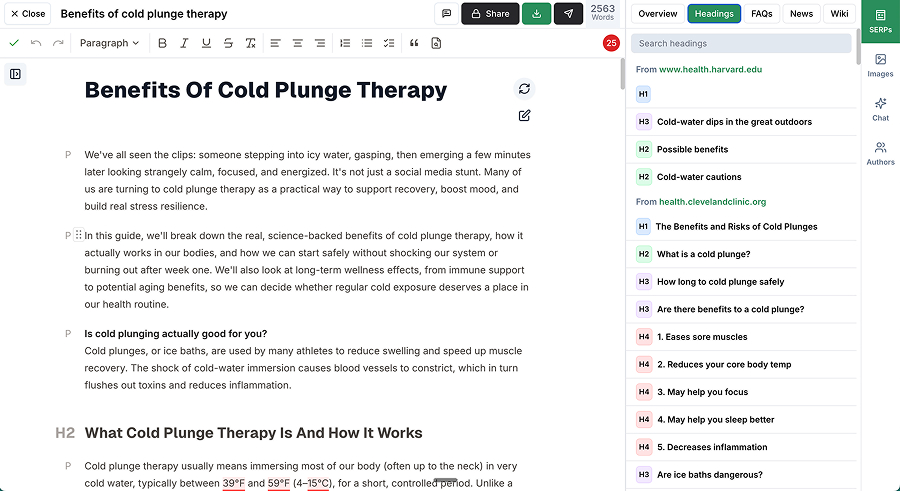
We came away from our test of Cuppa impressed by the editor experience and the overall depth of the generated draft. The workflow made it easy to see structure before generation and refine the result without constant prompt iterations. The biggest drawback came from tier gating around advanced research and strategy features, which reduced our ability to generate citation-heavy drafts on lower tiers. Cuppa felt like the best hands-on content production experience out of the platforms we tested.
Best for: Content teams that want a powerful editor-driven SEO writing workflow with flexibility across model providers.
Frase
Features
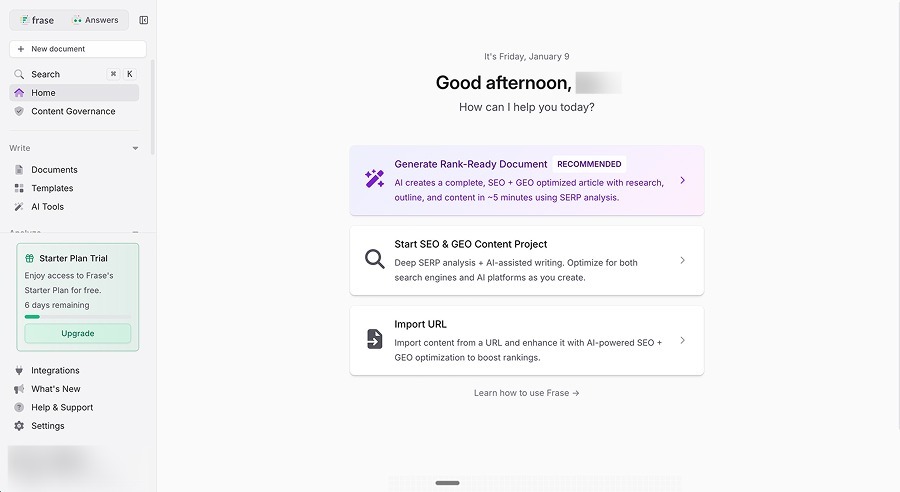
Frase blends content creation with SERP-based optimization and scoring. It supports research from top-ranking pages, outline building, content generation, and optimization workflows that help existing pages improve. It also emphasizes tracking and visibility concepts, including AI-search themes, which positions the tool as both a creation and optimization environment. The product’s strongest identity remains centered on optimizing content for search rankings, with content created added as a supporting feature.
Pricing
| Plan | Price |
|---|---|
| Starter | $49/mo |
| Professional | $129/mo |
| Scale | $299/mo |
| Enterprise | Custom |
Free trial available.
Frase offers four pricing tiers: Starter at $49 per month, Professional at $129 per month, Scale at $299 per month, and Enterprise with custom pricing. Each level ties access to features and monthly content or optimization limits, which makes pricing feel more connected to how much work the team can run through the platform rather than how many people have logins. This structure tends to fit teams that want predictable monthly capacity for writing and optimization rather than purely seat-based access.
Primary Differentiation
Frase differentiates itself by tying its optimization and scoring tools directly to what is currently ranking in search results. It can import existing content, score it against competitor coverage, and guide updates toward measurable targets. That makes it valuable for content refresh cycles and optimization programs, not just brand new writing. The dual focus on creation and optimization helps teams that care about performance maintenance rather than pure publishing speed. As a result, Frase functions best as an optimization hub with generation support.
Pain Points
Hands-on usage can surface UI friction in generation flows, especially when the platform runs multi-step processes and rendering issues appear. Tier-based limits can make it harder for high-volume teams to publish at their desired pace. Optimization scores can incentivise writing for the tool rather than writing for readers, especially when teams chase 100% scores. The platform’s editor can feel more utilitarian than other modern content workspaces that invest heavily in the writing and editing experience.
Ease of Use
Frase is fairly approachable for SEO-minded teams because the interface centers on SERP research, topics, and scoring. The optimization dashboards reduce ambiguity by showing clear targets and gaps. For teams without SEO fluency, the scoring can still be useful, but it may feel dense without context on why terms matter. Ease improves when teams use Frase as a structured editor for refresh cycles rather than as a pure article generation tool.
The learning curve for Frase also depends on SEO familiarity. SEO teams will recognize terms like SERP analysis, term coverage, scoring loops, and topics immediately. Non-SEO teams can still learn the platform, but they need internal rules for how much to trust the score and how to preserve brand voice. Once these norms exist, Frase becomes easier to operationalize. The platform rewards process discipline and consistent editorial standards.
Customer Support
This is one area that Frase stands out quite a bit from the rest, and unfortunately not in a good sense. If you take a look at their TrustPilot reviews you’ll see some concerns around their customer support and responsiveness. Despite this, we think the tool is still good at what it does so hopefully the lack of support isn’t a deterrent.
Content Quality
In content generation, Frase can produce readable, structured drafts, especially when guided by SERP research. The output often lands as a good starting point rather than a polished final publication because the tool can prioritize coverage breadth over distinctive voice. Content quality improves when teams treat the system as a draft-and-optimize loop, not a one-and-done content generator. The biggest quality risk with Frase comes from chasing tool scores instead of reader value, which can create repetitive phrasing.
Copy.ai vs. Frase
When comparing Copy.ai and Frase, the main contrast shows up in how each platform supports ongoing work. Frase focuses on analyzing what ranks in search and guiding updates to improve coverage and relevance over time. Copy.ai spans a wider range of content and operational use cases, while Frase stays centered on the mechanics of making long-form pages perform better in search. Teams that care most about maintaining and improving organic performance use Frase as a dedicated optimization layer rather than a broad content operations platform.
Pros
- Strong SERP-driven optimization and scoring workflows for refresh programs
- Useful structure for turning competitor coverage into actionable content updates
Cons
- Generation and UI flow can introduce friction during iteration
- Plan limits can constrain scale for high-volume publishing teams
We Tried It. Here’s Our Verdict
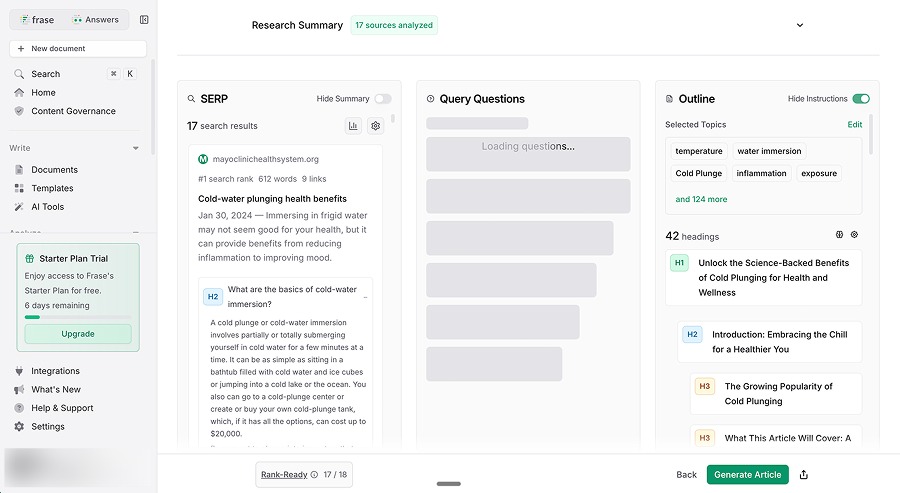
When we tested Frase, we liked the overall structure and concept of SEO/GEO scoring as an operational guide. The generation workflow showed friction in the UI experience, which slowed iteration more than expected. The resulting draft quality felt solid but not best-in-class, and the tool’s own scoring did not always align with readability. Frase felt most valuable as an optimization and refresh tool rather than a primary content engine.
Best for: SEO teams running ongoing content refresh and optimization programs that need measurable guidance.
SEO.ai
Features
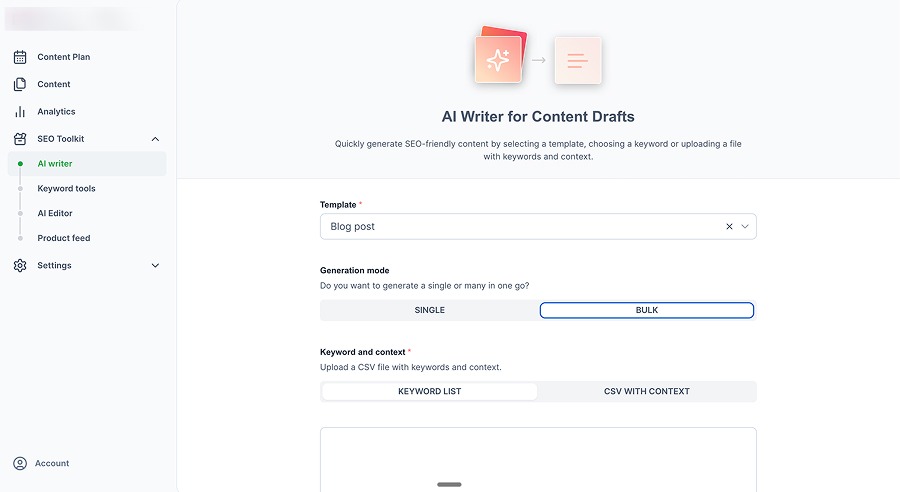
SEO.ai sells a true “autopilot” approach to content generation. It analyzes a site, builds a publication plan, researches topics, writes articles, inserts internal links, generates feature images, and publishes to the site. Its positioning resembles an automated publishing system that runs on a regular schedule rather than a workspace where people actively write and experiment with drafts.
It also claims broad CMS support, including major site platforms and ecommerce systems, which supports hands-off execution. The platform’s value comes from simplifying choices and running SEO as a predictable, scheduled process.
Pricing
| Plan | Price |
|---|---|
| Single Site | $149/mo |
| Multi Site (3) | $299/mo |
| Multi Site (5) | $449/mo |
| Multi Site (10) | $749/mo |
| Multi Site (10+) | Custom |
$1 trial available for Single Site plan.
Two basic pricing tiers exist for SEO.ai users: its Single Site plan in one language for $149 per month and its Multi Site plan starting at up to three websites or languages for $299 per month. The Multi Site plan scales to four websites or languages for $449 per month, 10 websites or languages run $749 per month, or more than 10 websites or languages at a custom price. Users can trial the single-site plan for $1, which lowers initial testing friction. All tiers include all features, as pricing is tied to the number of websites rather than usage caps.
Primary Differentiation
SEO.ai differentiates on “set-and-forget” content operations. Instead of optimizing for maximum control, it optimizes for minimal involvement. The platform follows the same loop each time, moving through gap analysis, planning, research, drafting, linking, adding images, and publishing. This predictability makes it attractive for small teams that want steady output without building an internal content engine.
Pain Points
The same automation that makes the product appealing can also frustrate teams that want control. Fixed workflows reduce the ability to adjust length, depth, structure, or editorial stance when topics require nuance. Limited transparency on keyword selection and prioritization can also create trust issues for SEO teams that want to validate strategy. Autopilot systems can also push content that feels “business-first,” even when the best SEO move is educational, not promotional.
Ease of Use
The platform’s setup flow emphasizes simplicity. Users connect the site, let the platform infer context, and let the calendar run. That design eliminates most of the day-to-day work that burdens content teams. The UI suits operators who want approvals and scheduling rather than deep editing. Ease of use stays high precisely because customization stays low.
By keeping the workflow simple, the product also makes onboarding straightforward. Teams mostly need to learn how to approve drafts, manage schedules, and adjust how content gets published. The strategic learning curve remains because teams still need to evaluate whether the autopilot plan matches business goals and search opportunities, but operationally, it ramps quickly.
Customer Support
Autopilot platforms like SEO.ai depend heavily on good onboarding and support because early setup choices shape everything that happens later. Support is critical for CMS connections, publishing permissions or diagnosing why a generated content plan does not match business priorities. Human SEO specialists also periodically review what the system produces, adding an extra layer of quality control and guidance alongside the automation. This extra support reduces the sense of risk, even though the limited control can still feel like a leap of faith for some teams.
Content Quality
Most teams find that autopilot content lands in a consistent “good enough” band rather than a “best possible” band. The platform includes built-in research, structure, internal links, and images, which makes the content easier to push without heavy editing. The risk is homogenization in that content can sound similar across topics and lack distinctive editorial angles. Quality improves when teams review drafts before publishing and treat the platform as a production assistant rather than a fully autonomous writer.
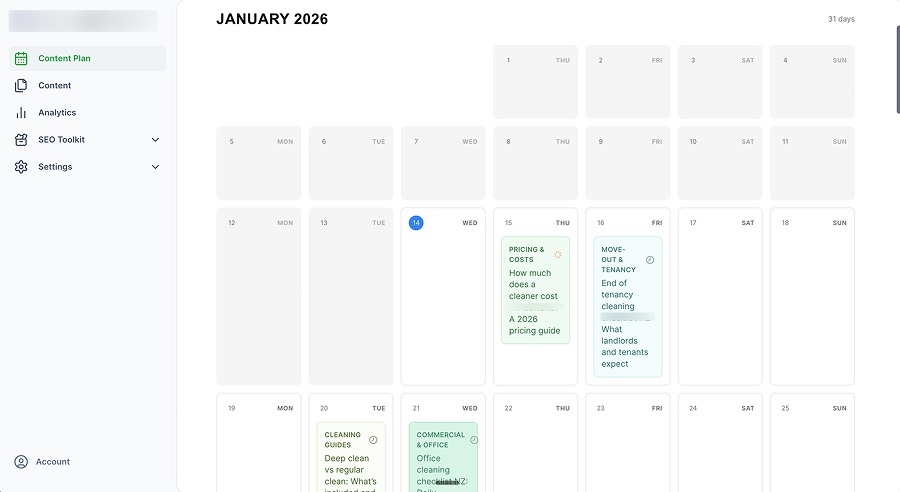
You can see in the image below that the content ideas and titles are very similar and would potential cannibalize each other.
Copy.ai vs. SEO.ai
The main difference between Copy.ai and SEO.ai shows up in how much ownership each tool expects from the team. Copy.ai invites teams to build and manage a wide range of automated tasks across marketing and sales. SEO.ai focuses on running a single, repeatable SEO publishing process with minimal input once it is set up.
For organizations that want steady search content without creating internal systems to manage it, SEO.ai can feel more like a service that runs in the background than a toolbox that needs constant configuration.
Pros
- True autopilot workflow that handles research, linking, images, and publishing
- Simple pricing and low operational overhead for small teams
Cons
- Limited control over structure, depth, and strategy decisions
- Can produce homogenized output when the workflow runs the same way every time
We Tried It. Here’s Our Verdict
We tested SEO.ai’s autopilot approach and found a genuine “set it and let it run” philosophy. The system consistently combined research, internal links, and images into a repeatable publishing workflow. The biggest drawback came from limited configurability, which restricted the ability to steer depth, structure, or editorial stance. Overall, SEO.ai seems to work best as a low-touch engine for steady publishing rather than a tool for differentiated thought leadership.
Here’s an example from our test:
The idea is simple: brief, controlled exposure to cold water, repeated often enough that your body adapts. It also pairs surprisingly well with a busy household schedule. When your week is packed, a short cold plunge can feel like a fast reset, the kind that leaves you clearer, calmer, and ready to get on with the next thing on the list.
Best for: Small teams that want consistent SEO publishing without building an internal content operations workflow.
Outranking
Features
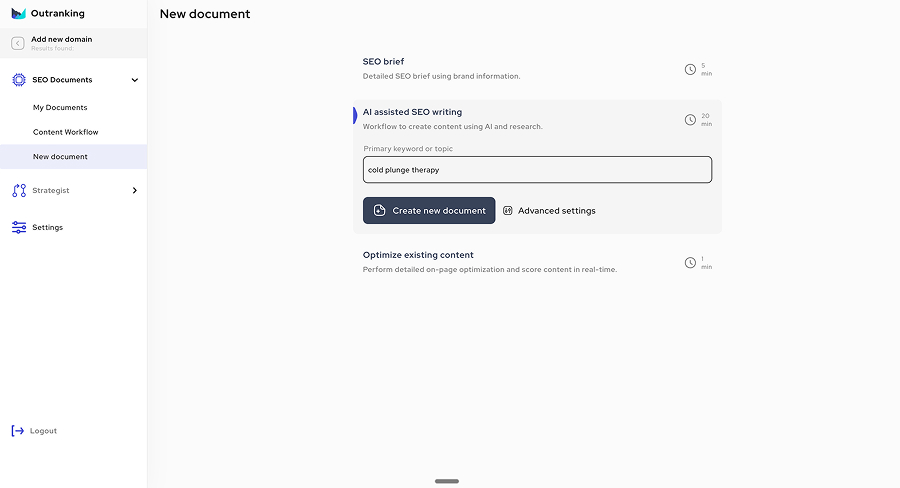
Outranking blends SEO briefs and AI writing into a single platform built around SEO documents. It creates actionable briefs with keyword guidance, clear content goals like recommended length and structure, and side-by-side views of competitor page headings, then generates drafts tied to those briefs. It also includes inline content suggestions that function like an editing roadmap rather than just showing a single optimization rating. The product targets teams that want structured guidance plus a draft without paying enterprise prices for planning-only tools.
Pricing
| Plan | Price | SEO Documents |
|---|---|---|
| Starter | $25/mo | 5/month |
| SEO Writer | $79/mo | 15/month |
| SEO Wizard | $159/mo | 30/month |
| Custom | Custom | Custom |
Outranking structures its pricing around a fixed number of briefs and drafts each month rather than unlimited content generation. Plans start at $25 per month for a Starter tier that includes five SEO documents, move up to a $79 per month SEO Writer plan with 15 SEO documents, and then to a $159 per month SEO Wizard plan with 30 SEO documents, with a custom-priced enterprise tier for larger teams. Higher tiers also unlock more automation, additional user seats, and advanced linking features. This setup works well for teams that want a predictable number of monthly deliverables, even though Outranking gates the most powerful automation tools behind the highest tier.
Primary Differentiation
One of Outranking’s standout features is the way the platform combines structured briefs with built-in editing guidance. Instead of showing only an optimization score, it highlights specific additions and changes that can improve the draft. This brief-first approach keeps writing aligned with a clear plan and helps teams maintain consistent quality. It fits neatly into the gap between tools that only provide strategy and those that only generate text.
Pain Points
Feature gating can disappoint teams that expect all headline features at entry pricing. If the system produces content that doesn’t meet its own targets, teams often have to step in and rewrite the content by hand unless they pay for higher-tier automations. Link and external source suggestions can vary in quality, which forces editorial judgment. Additionally, teams that need to publish at high volume may find the document-based pricing too restrictive.
Usage Caps or Limits
Outranking’s caps come in the explicit form of a monthly quota of SEO documents by tier. It also sets user seat counts by tier, which matters for collaboration. That structure suits teams that budget content deliverables in fixed monthly blocks and the main limitation is that high-volume publishing can quickly outgrow the document quota model.
Customer Support
Outranking users report that support is especially important as they scale their content production. This support helps teams understand the tool’s goals, align output with brand standards, and resolve issues when exports, plugins, or integrations behave inconsistently. A structured platform like Outranking works best when support not only fixes problems but also teaches teams how to use the system effectively.
Copy.ai vs Outranking
Copy.ai and Outranking primarily differ in how each tool structures day-to-day work. Outranking focuses on standardizing SEO briefs, drafts, and optimization steps, while Copy.ai spans a wider range of automated tasks across marketing and sales.
Outranking emphasizes consistency and guided revision within SEO writing, while Copy.ai prioritizes flexibility across many types of content and workflows. Teams that value clear structure and actionable editing guidance often find Outranking closer to a dedicated SEO platform than a general content automation tool.
Pros
- Actionable briefs and inline improvement suggestions that speed editing
- Clear document-based workflow that standardizes SEO drafting
Cons
- Feature gating concentrates the best automation features at higher pricing tiers
- Drafts can require editorial work to improve differentiation and research depth
We Tried It. Here’s Our Verdict
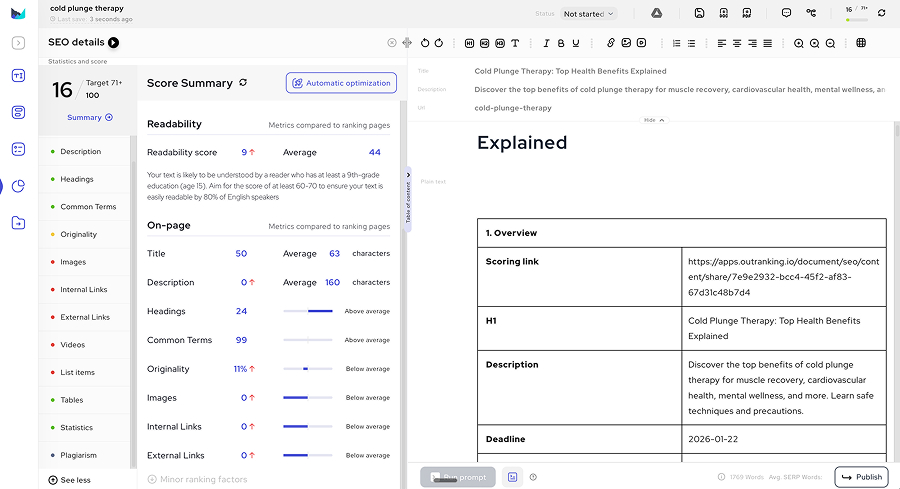
During our test of Outranking, we liked the brief usability and the inline suggestions that made editing decisions easier. The draft quality landed as a workable first draft, but it did not consistently hit research depth or unique insight without additional input. Feature gating stood out as a significant pain point, since the more desirable automation benefits were locked behind the highest tier. Outranking felt like a pragmatic SEO workflow tool with strong planning guidance rather than a premium content generator.
Here’s an example from our test:
In recent years, the invigorating practice of cold plunge therapy has surged in popularity, emerging as a go-to wellness strategy for many seeking physical rejuvenation and mental clarity. This guide will walk you through everything you need to know about this chilling trend—from its roots and health benefits to safety concerns and complementary practices.
Best for: Content teams that want brief-first SEO drafting with clear revision guidance at predictable monthly deliverable counts.
Best Copy.ai Alternative by Use Case
- For high-volume SEO publishing: Machined.ai (automated clustering, internal linking, and publishing workflows)
- For brand-focused marketing teams: Jasper (voice consistency, guardrails, and multi-channel campaigns)
- For SEO suite with audits and tracking: Writesonic (research, creation, and optimization in one platform)
- For editor-driven SEO workflows: Cuppa.ai (best-in-class editor UX with SERP context)
- For content optimization and refresh: Frase (SERP-driven scoring and optimization workflows)
- For hands-off autopilot publishing: SEO.ai (set-and-forget content operations)
- For brief-first SEO drafting: Outranking (actionable briefs with inline improvement guidance)
Frequently Asked Questions
Is there a free version of Copy.ai?
No, Copy.ai no longer offers a free plan. As of 2026, their pricing starts with a “Chat” plan at $29 per month, with Enterprise plans available at custom pricing for larger teams.
Is Copy.ai better than Jasper?
It depends on your priorities. Copy.ai excels at GTM automation and workflow-driven content across sales and marketing teams, with a more accessible price point. Jasper leans harder into enterprise brand governance, multi-workspace marketing operations, and consistent voice control across channels. Copy.ai fits teams that want operational automation; Jasper fits teams that prioritize brand safety and platform standardization. For a detailed comparison, see our Copy.ai vs Jasper AI guide.
Is Copy.ai better than ChatGPT?
Copy.ai and ChatGPT serve different purposes. ChatGPT is a general-purpose conversational AI that can handle a wide range of tasks but requires more prompting and lacks built-in marketing workflows. Copy.ai is purpose-built for marketing and sales content, with templates, workflows, and team collaboration features designed for go-to-market operations. Teams that want structured, repeatable content production often find Copy.ai more efficient than building custom prompts in ChatGPT. For more details, see our Copy.ai vs ChatGPT comparison.
How much is Copy.ai per month?
Copy.ai’s Chat plan starts at $29 per month, with Enterprise plans available at custom pricing. The platform uses a workflow-credit system, which can affect cost predictability depending on usage volume. Annual billing typically offers discounts compared to monthly pricing.
Final Takeaway
The tools that truly compete with Copy.ai are platforms that shape how teams plan, produce, and deliver content at scale. Some alternatives stand out by automating SEO strategy and publishing, while others focus on brand governance, optimization, or hands-on editorial control. The right choice depends on how much structure, automation, and oversight a team wants in its daily workflow.
For teams where search-driven acquisition matters most, Machined.ai offers the deepest automation for SEO clusters and publishing. For marketing teams that need brand-safe operations across channels, Jasper provides the governance and consistency tools that Copy.ai lacks. And for teams that want to complement Copy.ai rather than replace it, Frase adds the SERP-driven optimization layer that keeps content performing over time.