
Surfer SEO Alternatives: 10 Content Optimization Tools Compared
 Machined Content TeamReviewed by Nick Wallace
Surfer SEO has earned its position as the go-to content optimization platform, built around SERP-driven scoring, a real-time Content Editor, and on-page audit tools. Its strength is helping teams meet measurable optimization standards for individual pages.
But optimization is only one part of a content workflow. Some teams need deeper keyword research, others want content generation built into the same tool, and many are looking for lower-cost alternatives that cover similar ground. The tools below address these gaps from different angles.
Quick Summary: Looking for Surfer SEO alternatives? Clearscope leads for enterprise optimization ($129+/mo), NeuronWriter is the closest budget swap ($19–$97/mo annual), and Frase balances research with writing ($49–$299/mo). If you've outgrown pure optimization, Machined handles content clustering and topical authority ($29–$99/mo), while SE Ranking consolidates your entire SEO stack (~$52+/mo).
To help you compare fairly, we've split the alternatives into two groups based on why you might be looking:
If you want the same core job done differently — page-level content scoring, SERP analysis, and editorial optimization with different pricing, features, or workflow: Clearscope, NeuronWriter, Frase, and Content Harmony.
If you've outgrown what Surfer does — and need tools that handle strategy, generation, full-stack SEO, or topical authority alongside or instead of page-level scoring: MarketMuse, SE Ranking, Writesonic, Scalenut, Outranking, and Machined.
No single tool replaces everything Surfer does, and several work best alongside it rather than instead of it. The right choice depends on where your workflow has the biggest gap.
Why Look for Surfer SEO Alternatives
Surfer SEO is a strong tool, but several recurring pain points push teams to explore alternatives:
Pricing scales steeply. Surfer's plans range from $59 to $359 per month across five tiers (Discovery, Standard, Pro, Peace of Mind, and Enterprise), with Enterprise pricing at $999. For freelancers, small teams, or businesses that only optimize a handful of pages per month, those costs are difficult to justify — especially when AI writing features cost extra on top of the base subscription.
Content generation is an add-on, not a core feature. Surfer's strength is optimization, not writing. Teams that want to research, draft, and optimize in a single workflow often find themselves paying for Surfer's editor alongside a separate AI writing tool, which adds cost and creates handoffs between systems.
Keyword research lacks the depth of dedicated tools. Surfer's built-in keyword research handles topic clustering and content ideas, but it falls short on keyword difficulty scoring, SERP volatility, long-tail discovery, and competitive gap analysis. Many teams still need Ahrefs or Semrush alongside Surfer for strategic keyword work.
No native rank tracking. Surfer doesn't monitor how your content performs after publishing. Teams that want to track keyword positions, identify declining pages, or measure content ROI need yet another tool in the stack.
Content scoring can feel inconsistent. Surfer's optimization scores are helpful as directional guidance, but users frequently report that recommendations can push toward keyword-heavy writing that prioritizes hitting a number over producing naturally readable content.
These limitations don't make Surfer a bad tool — they make it a specialized one. The alternatives below address different combinations of these gaps depending on whether a team prioritizes workflow consolidation, strategic planning, content clustering, or cost efficiency.
What to Look for in a Surfer SEO Alternative
Before evaluating individual platforms, it helps to know which capabilities matter most for your workflow. Not every alternative needs to match Surfer feature-for-feature — the right choice depends on where Surfer's gaps hurt your process the most.
Content editor and optimization scoring. If your primary use for Surfer is its Content Editor, look for alternatives that offer real-time SERP-driven scoring, semantic keyword suggestions, and structured optimization guidance. This is the core of what makes Surfer useful, and any replacement needs to match or exceed it.
Research and briefing depth. Some teams use Surfer mainly for SERP analysis and content briefs. If that's your workflow, prioritize tools that offer competitor analysis, search intent mapping, and structured outline generation — even if they lack a polished content editor.
Content generation capabilities. Surfer optimizes content but doesn't produce it at scale. If you want a platform that handles both drafting and optimization, look for tools that integrate AI writing with SEO guidance rather than treating them as separate features. For a broader look at the generation side of this equation, see our guide to the best AI writing tools.
Topical authority and content clustering. If your strategy is less about optimising individual pages and more about building interconnected content ecosystems around topics, look for tools that handle keyword clustering, automated internal linking, and cluster generation as core features rather than afterthoughts.
Publishing and workflow automation. Teams producing high volumes of content benefit from platforms that connect directly to CMS systems, automate internal linking, and reduce the manual steps between a finished draft and a live page.
Pricing model and scalability. Consider whether fixed monthly caps, per-article pricing, or usage-based models best fit your production rhythm. A platform that costs less per month but limits output to 10 articles may cost more in practice than one with higher base pricing and no hard caps.
Direct Alternatives: Same Core Job, Different Tool
These are the closest like-for-like alternatives to Surfer SEO. Each one focuses on content scoring, SERP analysis, and editorial optimization as its primary function. If you want the same workflow with different pricing, a different interface, or a slightly different feature emphasis, start here.
Clearscope
What It Does Differently
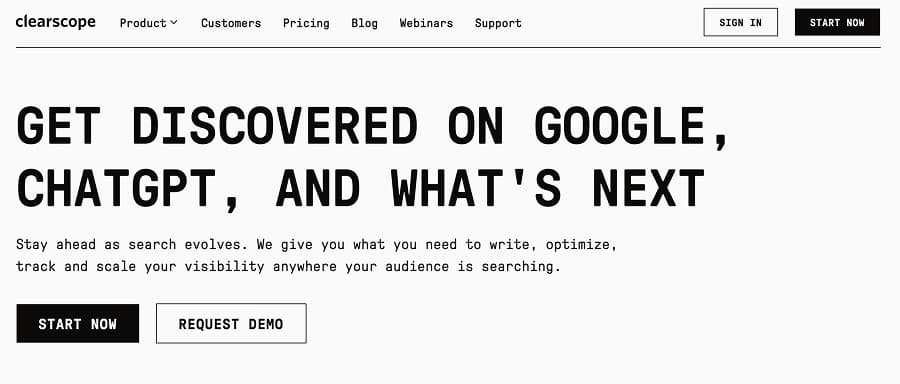
Clearscope positions itself as an optimization and monitoring layer for content portfolios. It tracks topics, inventories pages, and surfaces recommendations for improving coverage and performance. The AI writing component functions more as an editorial assistant than a full content generator. As a result, teams often pair it with separate writing or automation tools when they need to move from insights to large-scale content production.
Pricing
Plans start at a premium tier, with a $129 per month Essentials plan and a $399 per month Business plan. It also offers a custom-priced Enterprise plan for businesses that produce content at scale. Monthly allowances cover AI drafts, topic exploration, tracked topics, and content inventory pages, while the Enterprise option adds crawler whitelisting and single sign-on capabilities.
Surfer SEO vs. Clearscope
Clearscope overlaps with Surfer in significant areas. Both emphasize optimization and SERP alignment. Surfer often wins on hands-on Content Editor workflows, while Clearscope takes the prize on portfolio-level monitoring and reporting. The choice for teams often comes down to whether they prioritize page-level scoring or site-wide operational visibility.
We Tried It
Due to paid access requirements, we were unable to assess Clearscope's full capabilities, but evaluation of the platform's workflows and public user feedback confirmed its reputation as a reliable enterprise optimizer rather than a content factory. The platform feels purpose-built for in-house SEO teams managing hundreds of URLs rather than agencies chasing publishing volume.
Pros
- Excellent portfolio-level monitoring and optimization workflows
- Strong reputation for platform stability and onboarding support
Cons
- Premium pricing limits accessibility for smaller teams
- AI drafting volume remains tightly capped
Best for: In-house SEO teams that need operational visibility and continuous optimization across large content libraries.
NeuronWriter
What It Does Differently
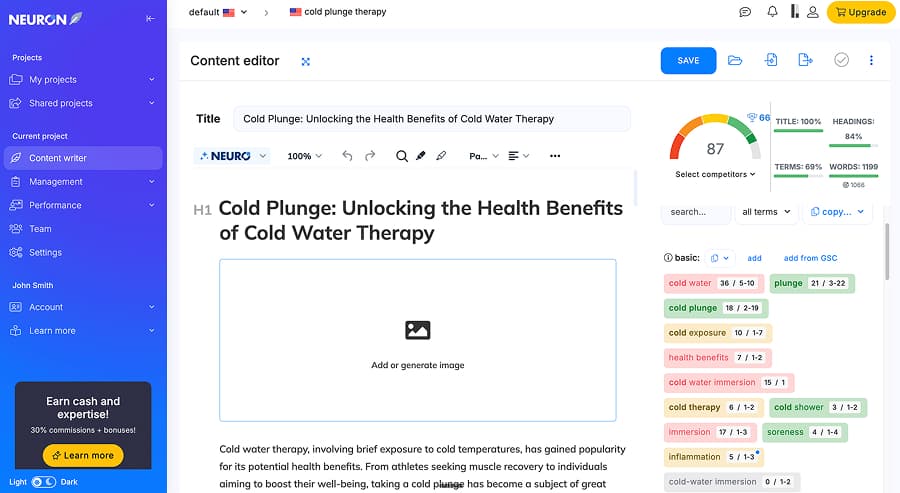
NeuronWriter is the closest budget alternative to Surfer's core workflow. It offers NLP-driven content scoring, SERP analysis, competitor content breakdowns, and an in-editor optimization grade that updates as you write — the same real-time feedback loop that defines Surfer's Content Editor, but at a fraction of the price. It also includes AI writing assistance, internal linking suggestions, and a plagiarism checker on higher tiers.
Pricing
NeuronWriter offers five tiers: Bronze at $23 per month ($19 annually) for 2 projects and 25 content analyzes, Silver at $45 per month ($37 annually) for 5 projects and 50 analyzes, Gold at $69 per month ($57 annually) for 10 projects and 75 analyzes, Platinum at $93 per month ($77 annually) for 25 projects and 100 analyzes, and Diamond at $117 per month ($97 annually) for 50 projects and 150 analyzes. Advanced features like integrations, plagiarism checking, and advanced AI templates are reserved for Gold and above.
Surfer SEO vs. NeuronWriter
Both tools center on the same core workflow: analyze the SERP, score your content against competitors, and guide optimization in real time. Surfer's dataset is larger and its scoring model more granular, with 500+ on-page signals. NeuronWriter's analysis is narrower but covers the fundamentals that matter most — NLP keyword recommendations, competitor heading structures, and content scoring — at roughly a fifth of the price. For teams that find Surfer's scoring useful but can't justify the cost, NeuronWriter is the most direct downgrade-without-losing-the-workflow option available.
We Tried It
We tested NeuronWriter hands-on. The optimization side works as expected: you pick your competitors, and it builds a scoring panel with term tracking and color-coded keyword density guidance. The Google Search Console integration is a practical touch, letting you pull real search terms directly into your optimization panel. Content sharing is useful for agencies, with read-only access at lower tiers and full edit access at Gold and above.
The scoring is where it gets interesting. NeuronWriter's recommendation engine suggested using our target keyword roughly 5–10 times, but the built-in AI writer used it 36 times — and still scored 87 out of 100. That disconnect between what the scorer recommends and what the generator produces highlights a gap between the two features. The optimization panel is the stronger half; the content generation (called Neuro AI) is serviceable but not as reliable, and output benefits from manual editing before publishing.
Pros
- Real-time NLP content scoring that mirrors Surfer's core workflow at a fraction of the price
- Useful Google Search Console integration for pulling real keyword data into the editor
Cons
- Disconnect between scoring recommendations and AI-generated output quality
- Advanced features gated behind mid-tier and higher plans
Best for: Freelancers, solo SEOs, and small teams that want Surfer-style optimization scoring at a budget-friendly price.
Frase
What It Does Differently
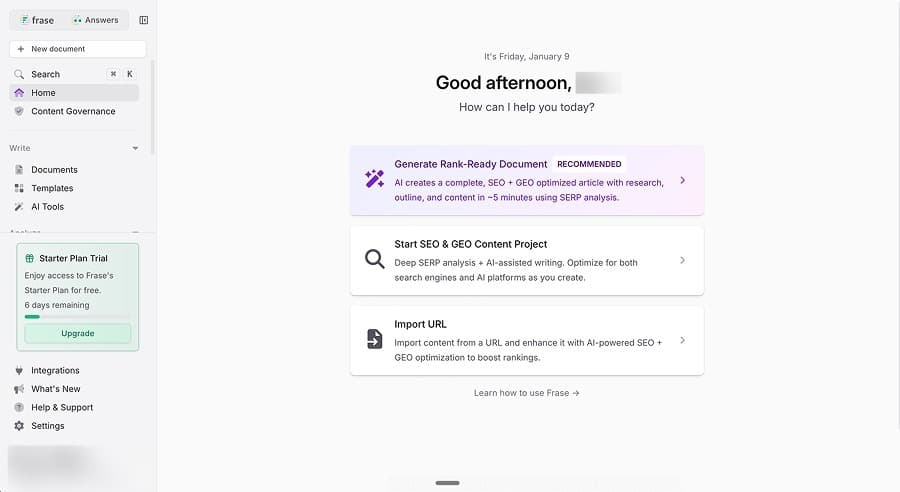
Frase blends SERP research, outline building, and content generation into a single flow. It also supports URL import and auto-optimization, which allows teams to refresh existing pages instead of only creating new ones. These features position Frase between a writer and an optimizer. As a result, it works best for teams that want a unified workspace for drafting, updating, and refining SEO content without managing multiple specialized tools.
Pricing
Plans start at $49 per month on the Starter plan for 10 AI-optimized articles and scale to $299 per month on the Scale plan for 100 articles, with a Professional option at $129 per month for 40 articles. Seats scale with tier, starting at one on the Starter plan. Higher tiers include tracking and multi-brand support, while lower plans can add tracking and monitoring as paid add-ons. There is also an Enterprise plan option with custom features and pricing.
Surfer SEO vs. Frase
Frase and Surfer both operate in the SERP-first category. Surfer leads with a more rigid, metric-driven Content Editor, while Frase offers greater flexibility in drafting and content refresh workflows. Frase appeals to teams that want creation and optimization in one interface, while Surfer appeals to teams that want a stricter optimization benchmark.
We Tried It
Testing produced readable long-form output and solid SERP-based outlines, but the generation experience included workflow interruptions that required several restarts. The URL import feature stood out as useful for content refresh projects. The platform performed best as an optimization and update tool rather than a system built for high-volume production.
Pros
- Excellent for refreshing and optimising existing content via URL import
- Combines drafting and optimization in a single interface
Cons
- Occasional platform stability issues during generation
- Monthly article caps limit aggressive publishing schedules
Best for: Teams that focus on improving and updating content rather than producing large volumes of new pages.
Content Harmony
What It Does Differently
Content Harmony focuses specifically on the briefing and grading stages of content production. Its workflow moves from keyword report to content brief to content grader, with each step designed to standardize how teams research, plan, and evaluate content. The platform analyzes competitor headings, questions, entities, and visual content to produce briefs that are more detailed than most AI-generated outlines. It then grades finished drafts against an AI-driven topic model. Content Harmony doesn't generate content — it tells your writers exactly what to cover and scores how well they covered it.
Pricing
Content Harmony uses a credit-based model tied to Content Workflows. Plans start at $50 per month for 5 workflows ($42 annually), $99 per month for 12 workflows ($89 annually), $199 per month for 25 workflows ($179 annually), and $299 per month for 50 workflows ($269 annually). Enterprise plans for higher volumes start at $1,000 per month. Credits roll for 90 days rather than expiring monthly. A $10 trial gives access to 10 workflows with no time limit or auto-renewal, making it easy to test without commitment.
Surfer SEO vs. Content Harmony
Both tools grade content against SERP data, but they emphasize different parts of the workflow. Surfer's strength is its real-time editor — you write or paste content and watch the score change as you edit. Content Harmony's strength is the brief itself, which is more structured and detailed than Surfer's outline features. Teams that want a strict writing-time optimization loop lean toward Surfer; teams that want better upfront planning and writer guidance lean toward Content Harmony.
What Users Say
Content Harmony's briefs are consistently praised as the most detailed in the category. Users describe the grading as less aggressive than Surfer's, which can reduce the temptation to over-optimize. The $10 no-expiry trial is frequently cited as a low-risk way to evaluate the workflow. The main trade-off is the absence of AI content generation, so teams need writers in place to execute the briefs the platform produces.
Pros
- Produces highly detailed, structured content briefs for writers
- Content grading is less likely to encourage over-optimization
Cons
- No AI content generation — requires writers to execute the briefs
- Per-workflow pricing can feel expensive for high-volume teams
Best for: Content teams and agencies that want to standardize their briefing process and improve consistency across multiple writers.
Beyond Optimization: Tools for Broader Content Workflows
The tools below aren't direct replacements for Surfer's content scorer. They're alternatives in a different sense — tools you'd consider if your needs have shifted from "how do I optimize this page?" to "how do I plan my content strategy?", "how do I generate and publish content efficiently?", or "how do I build topical authority across a whole category?" If Surfer feels like one piece of a puzzle that's gotten too large, these tools address the bigger picture.
MarketMuse
What It Does Differently
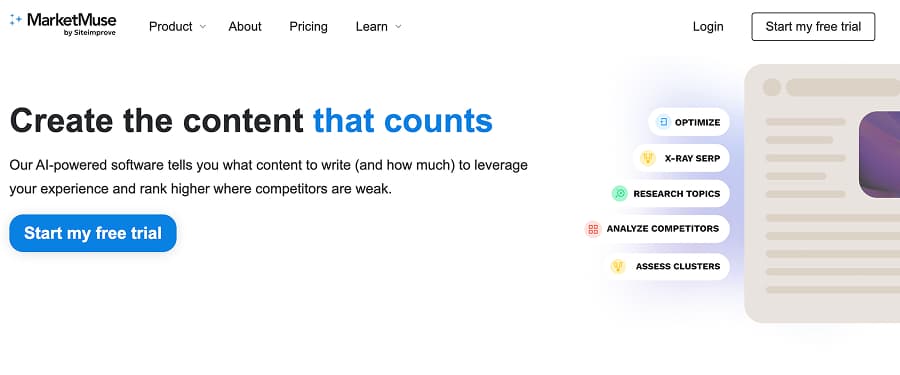
MarketMuse focuses on strategic guidance rather than full article generation, producing in-depth briefs, topic models, and content plans that direct human writers. Its output blends competitive analysis and search intent mapping with guidance on which unique topics and angles to cover, creating a planning layer that shapes what gets written before drafting begins. Rather than generating articles, MarketMuse keeps its focus on defining what to write and why through cluster analysis and detailed content planning documents. Teams still need separate writing and publishing workflows to turn those plans into live content.
Pricing
MarketMuse offers four tiers that run from $99 per month for five briefs to $499 per month for 20 briefs. The cost per brief rivals the cost of a full AI-generated article on other platforms, which reframes MarketMuse as a strategy investment rather than a production tool. This pricing structure tends to make the most sense for organizations with dedicated editorial teams that can turn detailed guidance into high-quality content at scale.
Surfer SEO vs. MarketMuse
Surfer focuses on refining drafts to better match the SERP, while MarketMuse operates earlier in the process by defining what a page should cover before writing begins. This difference means Surfer answers how well a page aligns with competing results, whereas MarketMuse addresses which topics and angles a page needs to win overall coverage. As a result, many teams pair the two tools to support both strategy and execution.
We Tried It
Evaluation confirmed MarketMuse's position as the strongest strategy and briefing platform of the products we tested. The value showed up in the depth of planning output, not in content production, and as such, the platform fits best in organizations with writers and editorial processes already in place. In our test, the strategic documents delivered exceptional depth, but required patience, with longer processing times that can slow planning cycles when teams need fast iteration.
Pros
- Best-in-class briefs and topic strategy tools
- Strong enterprise onboarding and support
Cons
- No content generation, which creates execution gaps
- High cost per brief for small teams
Best for: Enterprise teams that want premium content strategy and have writers to execute it.
SE Ranking
What It Does Differently
SE Ranking is a full SEO platform that competes more with Semrush and Ahrefs than with Surfer directly. It includes rank tracking, site audits, keyword research, backlink analysis, competitive research, and a content marketing suite with AI writing and content scoring. What makes it relevant as a Surfer alternative is that its content optimization features — while not as deep as Surfer's — are bundled into a broader platform at a lower total cost. For teams currently paying for Surfer plus a separate rank tracker plus a separate keyword tool, SE Ranking can consolidate that stack.
Pricing
SE Ranking uses a modular pricing model where costs depend on the number of tracked keywords and check frequency. The Essential plan starts at approximately $52 per month (annual billing) for core SEO tools across up to 10 projects. The Pro plan starts at approximately $95 per month and adds content marketing features, historical data, and 3 user seats. The Business plan starts at approximately $115 per month with higher usage limits, API access, and 10 seats. Add-ons include an Agency Pack ($50 per month), Content Marketing suite ($23 per month), and AI search tracking. A 14-day free trial is available.
Surfer SEO vs. SE Ranking
Surfer is purpose-built for content optimization — its Content Editor, SERP Analyzer, and scoring model are deeper and more refined than SE Ranking's content tools. SE Ranking's advantage is breadth: rank tracking, site audits, backlink analysis, keyword research, and AI search visibility monitoring all live in one platform. Teams choosing between them are really deciding whether they need the best content optimizer or a good-enough optimizer bundled with everything else.
What Users Say
SE Ranking's content marketing suite is solid but secondary to its rank tracking and audit capabilities. Users consistently praise the value-for-money ratio, particularly for teams that would otherwise pay for three or four separate tools. The AI search tracking feature — which monitors visibility across Google AI Overviews, ChatGPT, Gemini, and Perplexity — is frequently highlighted as a differentiator that other tools in this category don't offer.
Pros
- Consolidates rank tracking, audits, keyword research, and content tools in one platform
- AI search visibility tracking included in the Pro plan at no extra cost
Cons
- Content optimization features are not as deep or granular as Surfer's
- Modular pricing can become complex as add-ons accumulate
Best for: Teams that want to consolidate their SEO tool stack into a single platform, even if content optimization isn't as granular as Surfer's.
Writesonic
What It Does Differently
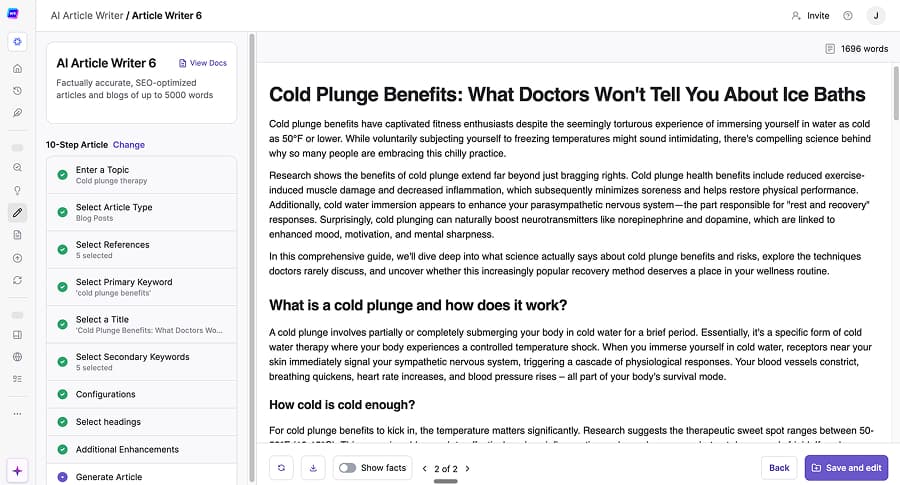
Writesonic behaves more like a full SEO platform than a writing tool. It includes keyword research, competitor analysis, site audits, visibility tracking, and AI-driven content creation. This wide footprint places it closer to tools like Semrush than to lightweight AI writers. This breadth can help teams use fewer tools, but it also makes the platform feel more complex than simple writing software.
Pricing
Plans range from $49 per month for 15 articles on Writesonic's Lite tier to $499 per month for 75 articles on its Advanced tier. The platform also offers two middle-tier plans: its $99 per month Standard tier (30 articles) and its $249 per month Professional tier (50 articles). Enterprise customers can take advantage of Writesonic's custom-priced level that includes additional model access, multiple languages, and AI visibility actions. Projects and users remain capped even at premium levels, which can constrain agencies managing many client sites.
Surfer SEO vs. Writesonic
Surfer centers on page-level optimization, while Writesonic aims to span the full SEO lifecycle from research through publication. This difference makes Surfer feel lighter and more focused in day-to-day editorial workflows, while Writesonic presents a broader, more complex environment that trades speed and simplicity for consolidation. Teams choosing between them often weigh whether depth in a single function matters more than having everything in one place.
We Tried It
Testing confirmed strong research-backed output, but generation speed consistently slowed production. The platform delivered substance and structure, but the wait time created friction for bulk workflows. Writesonic felt best suited for teams that want a single SEO platform and can tolerate slower turnaround.
Pros
- Combines research, audits, and content creation in one system
- Solid output quality with curated research inputs
Cons
- Slow generation affects production reliability
- Restrictive project and user limits for agencies
Best for: SEO teams that want a broad, consolidated platform instead of a focused optimizer or writer.
Scalenut
What It Does Differently
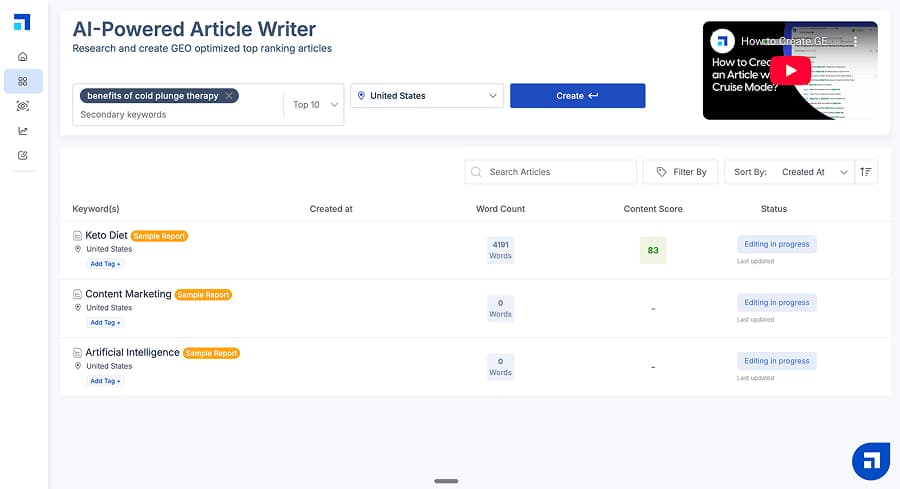
Scalenut produces highly structured long-form articles, often including FAQs, tables, and summary sections by default. The platform combines writing, keyword planning, content optimization, and basic monitoring into one interface. This design can speed up initial drafts for teams that value consistency and completeness, but it may feel rigid for editors who prefer more control over structure and formatting.
Pricing
Plans start at $59 per month on the Starter plan, $89 per month on the Plus plan, and $199 per month on the Professional plan. The per-article cost becomes attractive at higher tiers, but hard caps still define monthly production. Seats also scale by tier, starting at one seat at the entry level and moving to four seats at the highest level.
Surfer SEO vs. Scalenut
Surfer stands out for granular, score-driven optimization workflows, while Scalenut differentiates through more complete, highly structured first drafts. This contrast means that teams that want a strict, metrics-led editing environment often favor Surfer, while those looking for strong initial drafts paired with basic optimization tend to lean toward Scalenut. The choice usually comes down to whether precision in refinement or speed in content creation matters more to the editorial process.
We Tried It
Our test of Scalenut produced the most structurally complete draft in the group, with tables and FAQ sections that reduced editing time. Keyword clustering felt shallow, but article quality held up well. The platform delivered reliable output for drafting, even if strategy intelligence lagged behind automation-first tools.
Pros
- Strong long-form structure with minimal setup
- Positive support reputation and stable generation
Cons
- Basic clustering and vague source attribution
- Hard monthly caps limit growth
Best for: Teams that want reliable, well-structured SEO drafts with built-in optimization.
Outranking
What It Does Differently
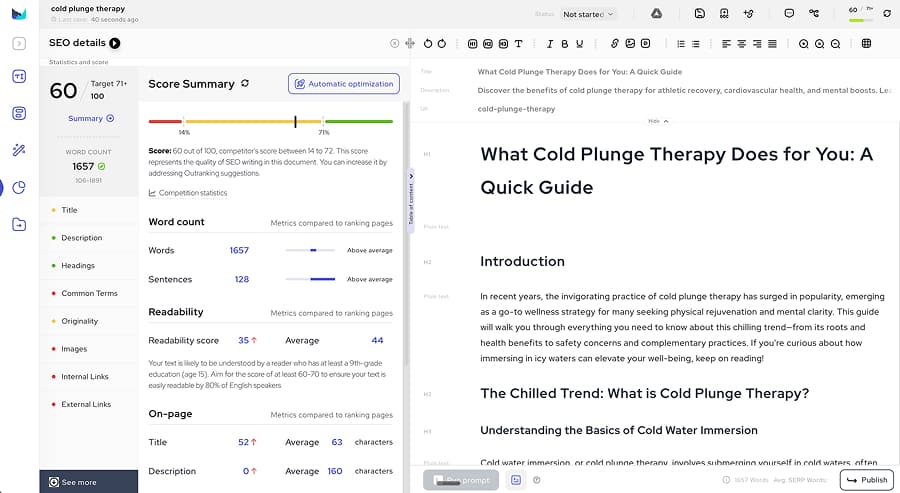
Outranking focuses on actionable SEO briefs that lead directly into AI-assisted drafting. It includes competitive heading comparisons, suggested topic and keyword coverage, and inline editorial suggestions that highlight what to improve next. This design encourages a linear workflow where strategy, drafting, and optimization happen in a single pass rather than across separate tools. Teams that value step-by-step guidance often find this structure easier to operationalize across multiple writers and projects.
Pricing
Plans start at $19 per month for four documents and scale to $159 per month for 30 documents, with advanced automation features reserved for the top tier. There is also a custom-priced plan for agencies and enterprises. Outranking's mid-level plan at $79 per month unlocks higher document limits and collaboration tools, but many workflow automations remain restricted until teams upgrade.
Surfer SEO vs. Outranking
Surfer focuses on optimization metrics and scoring, while Outranking focuses on guiding the writing process through briefs and prompts. Surfer suits teams that want measurable on-page standards. Conversely, Outranking works best for teams that want a writing-first workflow with SEO guidance layered in. The choice often comes down to whether a team prioritizes strict performance benchmarks or a more guided, editorial-led path to SEO-compliant content.
We Tried It
Testing showed usable briefs and helpful inline suggestions, but the draft did not consistently meet optimization targets without manual cleanup. Feature gating created friction between marketing claims and plan reality. In our test, the generated article required structural and formatting fixes before it felt publishable, reinforcing that the tool still expects an active editorial pass rather than a one-click workflow.
Pros
- Practical briefs and inline editorial guidance that clarify structure and revision priorities
- Affordable entry point for brief-driven workflows
Cons
- Generated drafts need manual cleanup to meet optimization targets
- Many useful features are locked behind higher-tier plans
Best for: Teams that want guided, brief-to-draft SEO workflows at an accessible entry price.
Machined
What It Does Differently
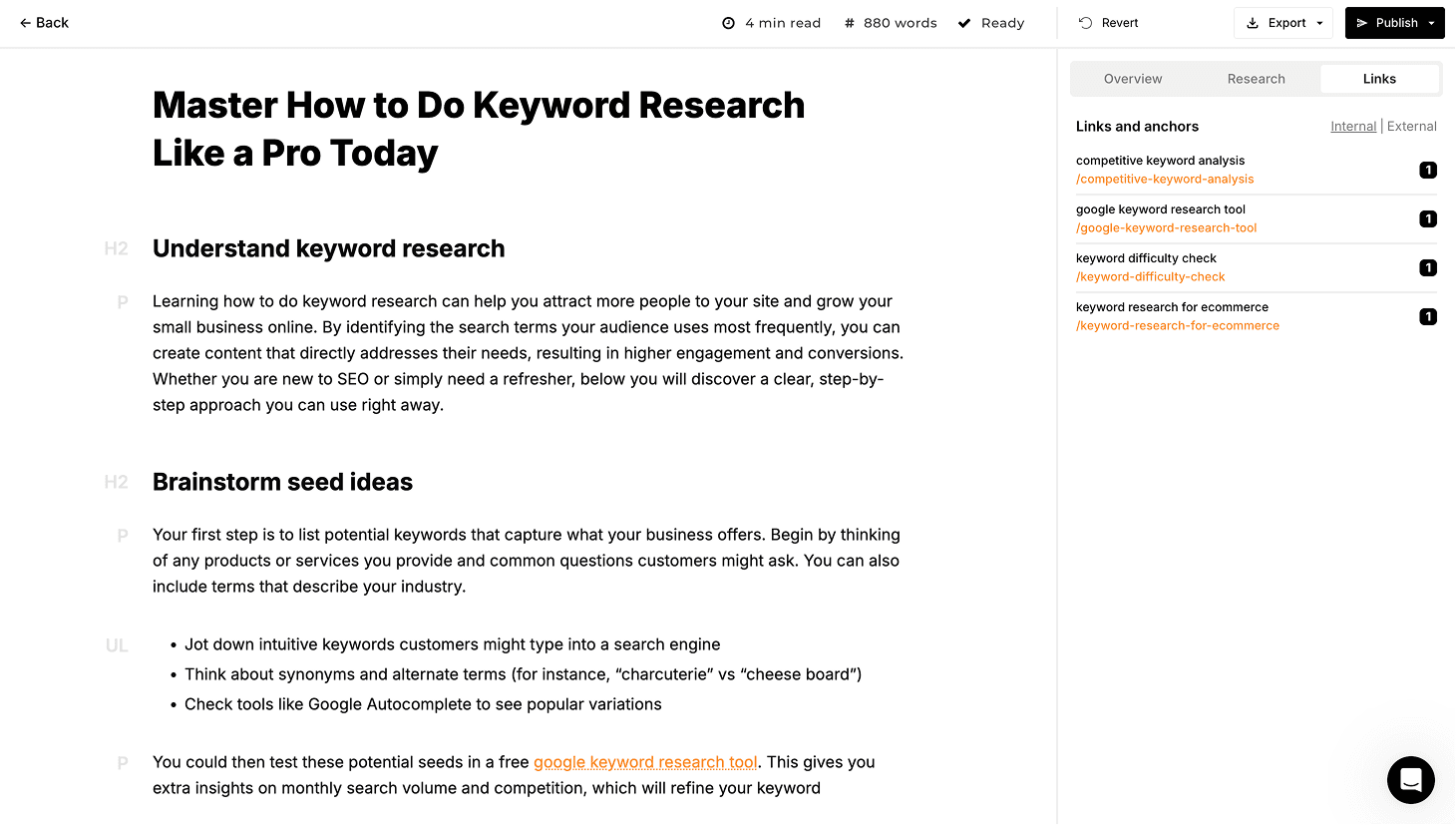
Machined approaches content from a different angle than Surfer. Where Surfer optimizes individual pages against SERP benchmarks, Machined builds interconnected content clusters designed to establish topical authority across a subject area. The platform handles keyword research, topic clustering, long-form article generation, and automated internal linking in a single workflow — producing coordinated content libraries where every piece supports the others through intentional topic coverage and internal link architecture.
The distinction matters: Machined isn't a page-level optimizer. It's a cluster-level execution tool. Teams that already know what topics they want to dominate use Machined to execute that strategy systematically, then layer in editorial review and optimization tools like Surfer where individual pages need refinement. For more on how internal linking supports SEO performance, see our internal linking guide.
Pricing
Machined's paid plans start at $19/month with AI generation included, so there's no API key to manage. A separate Bring Your Own Key (BYOK) plan at $99/month covers 2,000 articles, with content generation costs coming from your own Anthropic, OpenAI, Google, or OpenRouter key — averaging around $0.20 per article — an approximate figure that varies with article length, research depth, images, and model choice. Paid plans at $29 per month (Starter), $49 per month (Professional), and $99 per month (Unlimited) increase cluster and article limits and add automation depth, including directed research, AI image generation, custom brand voices, and direct CMS publishing to WordPress and Webflow.
Surfer SEO vs. Machined
These tools solve different problems at different levels of the content workflow. Surfer operates at the page level: paste in a draft, score it against the SERP, refine until the metrics improve. Machined operates at the topic level: define a subject, generate a cluster of interlinked articles that build authority across it, and publish directly to your CMS. Surfer answers "is this page optimized?" Machined answers "does this site have the content ecosystem it needs to compete for this topic?"
Many teams use the two together. Machined builds the content library; Surfer helps refine individual pages within it.
We Tried It
Testing confirmed that Machined's cluster generation workflow handles research, article generation, internal linking, and CMS publishing in a single automated pass. The internal links use keyword-targeted anchor text rather than generic phrases, and the cluster structure creates topical coverage rather than isolated articles. The BYOK pricing model kept costs predictable and significantly lower than platforms that mark up API access.
The main trade-offs: output quality varies depending on model choice and prompt configuration, and generated content still benefits from editorial review before publishing — particularly for topics that require nuance or technical accuracy. The BYOK setup also adds an onboarding step that some teams find unfamiliar. The platform is focused on SEO content clustering and doesn't handle ads, emails, social content, or broader marketing tasks.
Pros
- Automates content cluster generation, internal linking, and CMS publishing in a single workflow
- BYOK pricing keeps generation costs transparent and significantly lower than markup-based competitors
Cons
- Output quality depends on model choice and prompt settings; editorial review recommended before publishing
- BYOK setup adds an onboarding step that less technical teams may find unfamiliar
Best for: SEO specialists, agencies, and publishers who want to build topical authority through clustered, interlinked content — not just optimize individual pages.
Comparison Chart
| Tool | Pricing | Core Strength | Main Limitation | Best Use Case |
|---|---|---|---|---|
| Clearscope | Essentials: $129/mo · Business: $399/mo · Enterprise: Custom | Portfolio monitoring and optimization | Premium pricing | Enterprise content teams |
| NeuronWriter | $19–$97/mo (annual) | Budget Surfer-style scoring | Smaller dataset | Freelancers and small teams |
| Frase | Starter: $49/mo · Professional: $129/mo · Scale: $299/mo · Enterprise: Custom | Content refresh and SERP research | Stability during generation | Content update workflows |
| Content Harmony | $50–$299/mo · Enterprise: $1,000+/mo · $10 trial (10 workflows) | Structured content briefs | No AI generation | Briefing and editorial teams |
| MarketMuse | $99–$499/mo | Topic strategy and planning | No content generation | Enterprise strategy teams |
| SE Ranking | Essential: ~$52/mo · Pro: ~$95/mo · Business: ~$115/mo | Full SEO stack consolidation | Content tools lack depth | All-in-one SEO workflows |
| Writesonic | Lite: $49/mo · Standard: $99/mo · Professional: $249/mo · Advanced: $499/mo · Enterprise: Custom | Broad SEO platform | Slow generation speed | Consolidated SEO platforms |
| Scalenut | Starter: $59/mo · Plus: $89/mo · Professional: $199/mo | Structured first drafts | Basic clustering | SEO draft production |
| Outranking | Starter: $19/mo · Mid: $79/mo · Top: $159/mo · Enterprise: Custom | Brief-to-draft workflows | Feature gating | Guided SEO writing |
| Machined | 7-day free trial · Launch: $19/mo · Growth: $49/mo · Pro: $99/mo · Scale: $249/mo · BYOK: $99/mo + API costs | Content clustering and topical authority | SEO content only | Topic authority building |
Pricing as of February 2026. Many tools offer discounts for annual billing.
TL;DR
Closest like-for-like Surfer replacement: Clearscope for enterprise teams, NeuronWriter for budget-conscious teams. Both mirror Surfer's core scoring workflow at different price points.
Best for research-first workflows: Frase for combined research and writing, Content Harmony for structured briefing without AI generation.
Best for consolidating your tool stack: SE Ranking bundles rank tracking, audits, keyword research, and content tools in one platform at competitive pricing.
Best for building topical authority: Machined handles the content strategy and execution that Surfer doesn't attempt — keyword clustering, automated content generation, internal linking, and CMS publishing — making the two tools complementary rather than competitive.
Bottom line: Surfer SEO is excellent at page-level optimization, but "alternatives" often means the search has moved beyond scoring individual pages. The right choice depends on whether your biggest gap is optimization depth, content generation, strategic planning, or topical authority — and in many cases, the most effective setup pairs Surfer with a complementary tool rather than replacing it entirely.
About the Authors

Machined Content Team
AuthorOur content team combines detailed research and industry knowledge to create comprehensive, unbiased, and useful articles for anyone ranging from small business and startup owners to SEO agencies and content marketers.
Nick Wallace
ReviewerLong time SEO professional with experience across content writing, in-house SEO, consulting, technical SEO, and affiliate content since 2016. Nick reviews all content to ensure accuracy and practical value.