
Best AI Writing Tools: 29 Tools Reviewed, Tested & Compared
Every "best AI writing tools" list makes the same mistake: it throws Jasper, Surfer SEO, Grammarly, and ChatGPT into one pile and ranks them as if they're competing for the same job.
They're not.
Comparing Surfer SEO to Jasper is like comparing a two-seater sports car to a stationwagon. Both useful, but very different. Sadly I don't own a two-seater sports car, but if I did, I wouldn't be using it for the school run.
In this article I've reviewed 29 AI writing tools across six categories (more on these categories below).
A note on who's writing this. You're reading this on Machined. It is also an AI content writing tool and it's included in this list. We think we're pretty great, however we definitely don't think we're the best at everything: some tools here beat us in specific areas and we call it out. Our goal is to be as unbiased as possible, and after many hours testing these AI content writing tools we do think we've earned a spot in the SEO Content Writing category.
Before I compare anything, let's sort out what you actually need.
How I Categorised 29 AI Writing Tools
As mentioned before, I don't think there is much value in generalizing that "these are all AI content writing tools" like you may find elsewhere. Although true, they have very different core functionalities and "the right tool" really depends what problem you are trying to solve.
A tool built for ad copy won't help you rank on Google. One that monitors rankings may not write your articles. And a grammar checker isn't competing with an SEO content platform.
Some tools span multiple categories. Surfer SEO has AI content generation, Neuroflash produced the longest article in my testing, and Neuron Writer can write as well as score. But each tool has a core strength, and that's where I've placed it. You'll notice this most in the SEO Optimisation and Marketing sections, where several tools offer content writing as a feature but not a core focus.
Here's how I've grouped the 29 tools in this guide (select each section below to reveal the tools):
Frequently listed tools we'd skip: ClosersCopy, DashWord, and Writecream didn't meet our standards. Longshot AI has shut down and GrowthBar was acquired. See more details
Based on hands-on testing, not affiliate rankings. Updated February 2026.
SEO Content Writing: Tools that generate long-form blog posts and articles built to rank. This is the most crowded category, and the one I tested most deeply. Includes Machined, Frase, ScaleNut, Writesonic, Cuppa.ai, Koala, WordHero, GravityWrite, and Outranking.
Autopilot SEO: Minimal input, automated publishing. Trade control for convenience. Includes SEO.ai and Outrank.
SEO Optimisation & Monitoring: These may or may not write content. The core focus is on existing content: they score, optimise, and track it. Complementary to writing tools, not replacements. Includes Surfer SEO, Clearscope, Marketmuse, SearchAtlas, and Neuron Writer.
Marketing & General Writing: Broader AI writing tools not purpose-built for SEO. Good at what they do, but if you're here for ranking content, these normally aren't the answer. Includes Jasper, Copy.ai, Anyword, Hyperwrite, Rytr, Neuroflash, and Peppertype.
Writing Improvement & Editing: Make your existing content better. Different job entirely. Includes Grammarly, ProWritingAid, Hemingway, and Wordtune.
Creative & Academic: Fiction and research papers. Completely different workflows. Includes Sudowrite and Jenni AI.
Where Each Tool Actually Focuses
Many tools cover more than one category. Although I've separated content writing, optimisation, and monitoring into distinct sections, plenty of tools offer capabilities across multiple areas. I've placed each tool in the category that best represents its core strength, but that doesn't mean it's the only thing they do.
Surfer SEO and Clearscope, for example, are fundamentally optimisation and monitoring platforms. They've both added AI content generation, but that's not why you'd choose them. You'd choose them for their SERP analysis and content scoring. The same applies to SearchAtlas: excellent keyword research tools, but the content generation was personally not my favourite. I see them as a very strong tool as an Ahrefs competitor more than content writer.
Setting aside the creative, academic, and writing improvement tools (which serve clearly different purposes), the remaining SEO and marketing tools all sit somewhere on a spectrum. Each one covers multiple areas but typically focuses on one or two. This visual breaks down how each tool distributes its effort across five dimensions: keyword research, long-form creation, optimisation, monitoring, and short-form marketing.
(These are my estimations from either using or reviewing the tools, and while it is not an exact science it should hopefully give you a feel for where each tool excels.)
SEO Content Writing
Generate full long-form SEO articles with user control over outlines, length, and voice
Autopilot SEO
Hands-off content generation with minimal user input — set it and forget it
SEO Optimization & Monitoring
Tools that help you score, optimize, and track content — but don't focus on writing it
Marketing & General Writing
Broader writing tools built for marketing teams — some produce long-form, all excel at short-form
Percentages are approximate based on product focus, not feature counts.
Tools that are mostly green (content writing) solve a completely different problem than tools that are mostly yellow and purple (optimisation and monitoring). Choosing the wrong type wastes your budget. Start by identifying which stage of the SEO workflow you need the most help with, then pick a tool that specialises there.
SEO Content Writing Tools
This is a crowded category with lots of competition. These tools generate long-form blog posts and articles designed to rank in search engines.
What separates good from bad here isn't just the writing. It's the research quality (does it pull from authoritative sources or hallucinate citations?), the structural flexibility (rigid templates or adaptable outlines?), and how much control you keep versus how much the tool decides for you.
I tested every tool in this section by generating an article on the same topic, cold plunge therapy benefits, using comparable settings. I'll show you the results tool by tool first, then put them all side by side in the Cold Plunge comparison section that follows.
Cuppa.ai
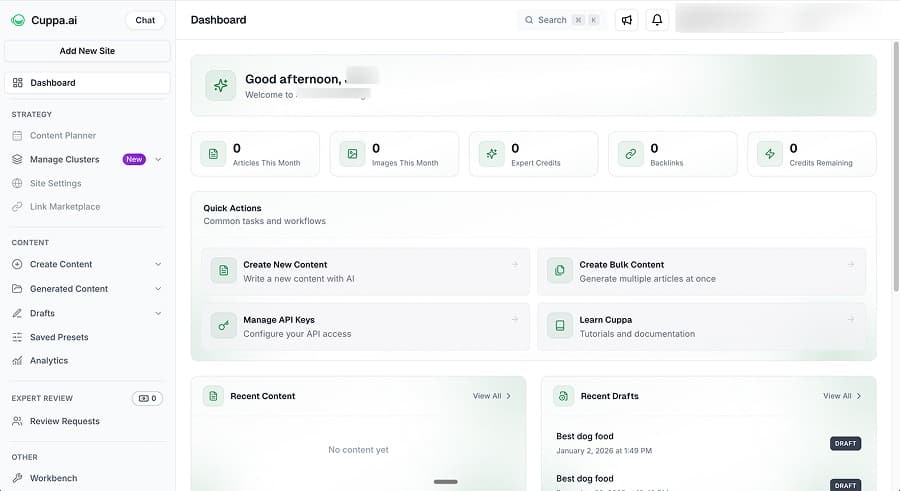
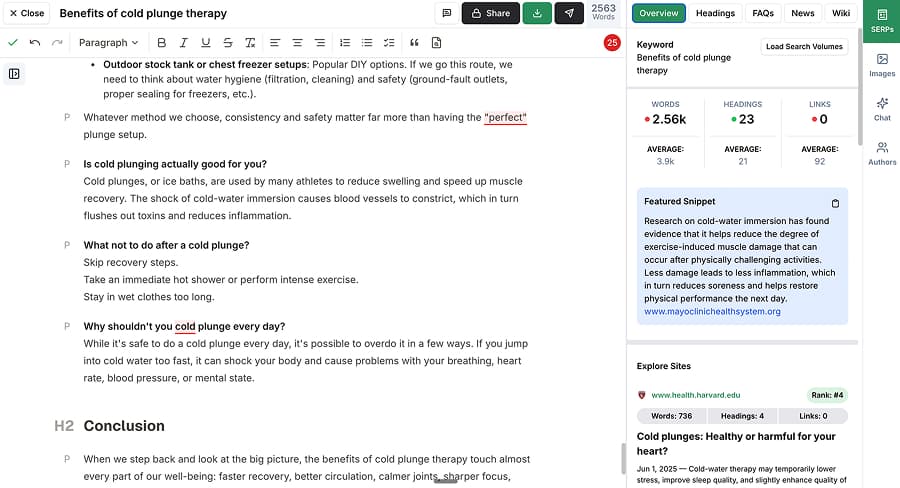
Cuppa is a BYOK (bring your own key) content platform, and the first thing you notice is the editor. It's the most polished editing experience I tested. A SERP sidebar sits alongside your content showing headings from competing pages, People Also Ask questions can be inserted with a single click, and there's a chat function that lets you select text and ask the AI to refine it without leaving the editor. If you spend most of your time editing and optimising rather than generating from scratch, this is the tool that respects that workflow.
The content type selector goes beyond the usual "blog post" option. You can generate general articles, listicles, reviews, how-to guides, recipe articles, local service pages, and local news. There's also a programmatic keywords feature for bulk generation where you define a template like {type} marketing for {business} in {geo} and set your variables. In practice, though, it's basic variable substitution. It collates the combinations but doesn't do any keyword research or intent analysis behind the scenes. Useful if you already know exactly what you want to generate, but it won't help you figure out what to write.
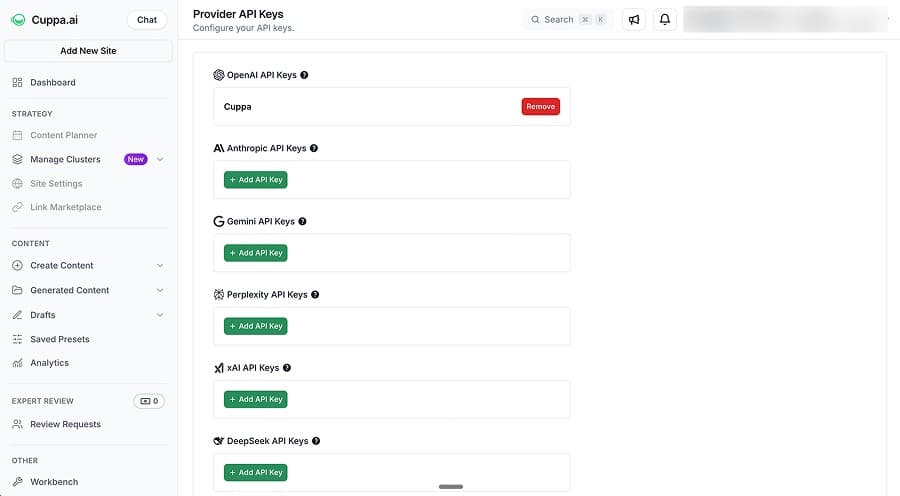
BYOK support is the widest I've seen, covering OpenAI, Anthropic, Google Gemini, Perplexity, xAI, and DeepSeek. But "bring your own key" means exactly that. Research capability requires your own Perplexity API key and is gated behind the $75/month tier.
Clustering is also locked at $75+. So the entry price of $38/month gets you content generation with a great editor, but no research and no strategy features. You're paying for the interface, not the intelligence behind it.
Here's a sample from my cold plunge test:
We've all seen the clips: someone stepping into icy water, gasping, then emerging a few minutes later looking strangely calm, focused, and energized. It's not just a social media stunt. Many of us are turning to cold plunge therapy as a practical way to support recovery, boost mood, and build real stress resilience.
That's strong, readable copy. The full article came in at around 2,200 words in 1 to 2 minutes, with a conversational first-person tone and a comprehensive structure covering physiology, practical DIY options (stock tanks, chest freezers, cold showers), and a comparison of cold plunge versus cryotherapy versus ice packs. No citations though, since research was gated on my plan.
Cuppa starts at $38/month for the Hobby tier (content generation only, no research). Power User at $75/month adds research via your own Perplexity API, clusters, and 1 GSC site. Business at $150/month gets you 3 seats and 3 GSC sites. Agency tiers run from $250 to $938/month. All tiers are BYOK, so you pay API costs on top.
⚖️ Verdict: Cuppa has the best editor UX in this category and produces quality content that sits alongside the top tools I tested. The catch is that everything beyond basic generation costs extra, and "extra" means both higher tier pricing and managing your own API keys for research. If you're comfortable with that setup and you value the editing experience, it's a strong choice. If you want research and strategy included out of the box, you'll need to look elsewhere.
🎯 Best for: SEO professionals who want excellent editor UX and are comfortable managing BYOK API keys across multiple providers.
Frase
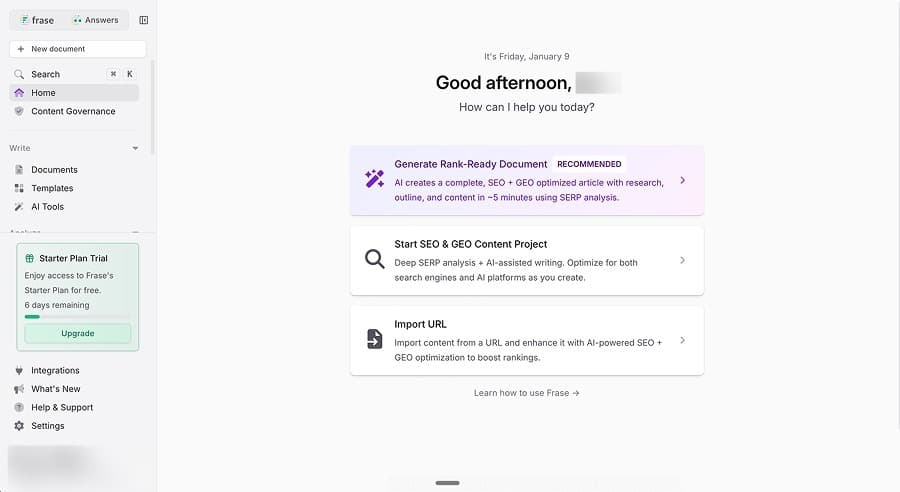
Frase is an SEO content platform that tries to close the loop between creation and optimisation. You write (or generate) content, the tool scores it against the pages currently ranking, and you refine based on specific gaps. It's a workflow that makes sense in theory, and the research side genuinely delivers. The SERP analysis pulls from the top 20 results, surfacing questions, headings, and statistics from competing pages. During my test, it referenced Mayo Clinic, Harvard Health, and Kaiser Permanente without prompting.
The content type selector is a nice touch. Instead of a generic "write article" button, Frase asks whether you're creating a blog post, guide, pillar page, product page, or service page. That's genuine thought about content purpose, and it's something most tools skip entirely.
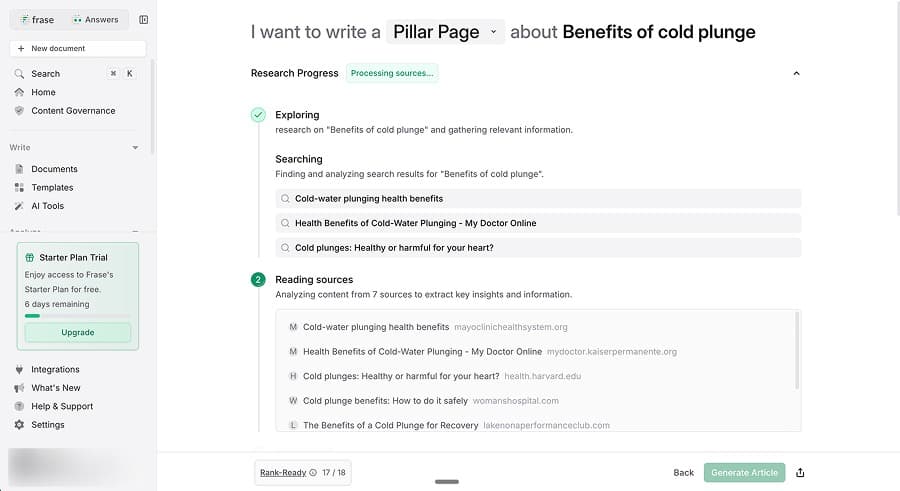
Where it gets messy is the generation itself. I ran into rendering problems and stuck generation screens during testing. The output came in at around 2,000 words in 2 to 3 minutes, professional in tone with a listicle structure and sparse citations. Frase's own "Rank-Ready" scoring system rated it 17 out of 18, which sounds impressive until you look at the optimisation score: one UI showed 67%, another showed 76%, and I couldn't determine which was authoritative. Either way, the tool's AI couldn't meet its own optimisation standard. When a tool's output fails its own scoring system, it raises questions about what those scores are actually measuring.
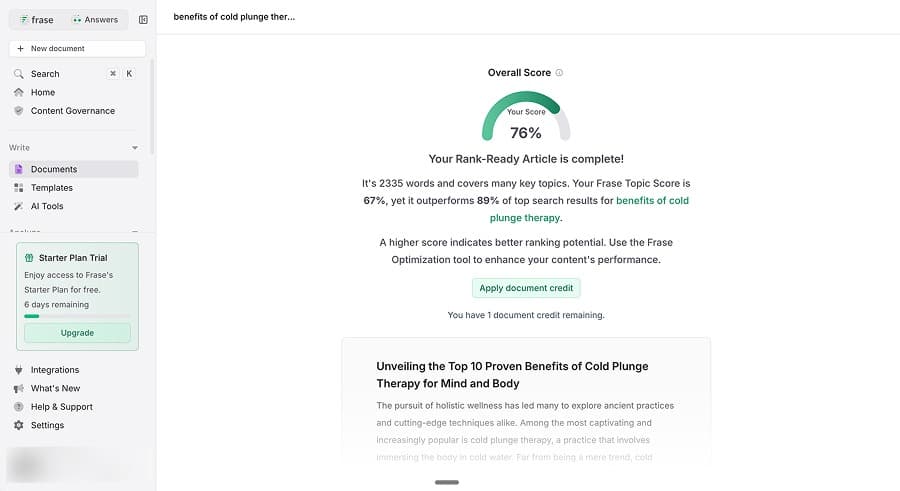
Here's a sample of what the generation produced:
The cold causes rapid vasoconstriction, meaning your blood vessels narrow significantly. This process redirects blood flow away from the extremities towards your vital organs, aiming to conserve core body heat and protect essential functions. This change in blood circulation is a primary driver behind many of the perceived benefits of cold plunges.
Technically accurate, reads well, but notice the academic register. Another heading from the same article: "Sympathetic Nervous System Activation and Catecholamine Release." Not generic fluff by any means, but potentially too clinical for a general audience.
Frase starts at $45/month for 1 user and 15 articles ($3.00 per article). The Professional tier at $115/month gets you 3 users and 75 articles ($1.53 per article). AI tracking is an expensive add-on at $50 to $150 per month. No free plan.
⚖️ Verdict: Frase is stronger as an optimisation tool than a generation tool. If you already have content and want to improve it against competitors, the research and scoring features earn their price. For creating net-new content at scale, the article limits and UX friction slow you down.
🎯 Best for: SEO professionals who need content optimisation and performance monitoring more than high-volume creation.
Interested to go deeper on Frase and similar tools? Check out our Frase alternatives comparison for more.
GravityWrite
GravityWrite is the budget option in this category, and it's surprisingly competent for the price. At $19/month for roughly 50 articles, you're looking at about $0.38 per article. That undercuts everything else in this list by a wide margin. The question is whether the output justifies publishing or just filling a content calendar.
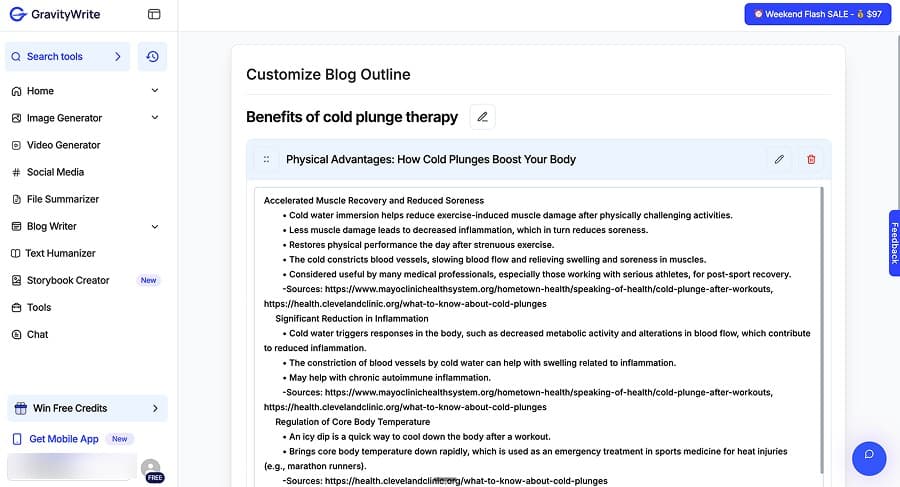
The answer is somewhere in between. The writing is natural and readable, with good H2/H3 structure even on the limited free tier (which caps you at 2 headings, making it essentially a demo). Citations are a genuine strength. During my test, the tool pulled hyperlinked references from Mayo Clinic and Cleveland Clinic and wove them into the content rather than dumping them in a bibliography. It also quoted named experts like Dr. Mark Harper and Dr. Thea Gallagher, which adds a layer of credibility you don't see from most tools at any price point.
Here's a sample from the output:
"At its core, cold plunge therapy involves submerging yourself in water that is 50°F or colder for a few minutes. This can be done in a specialized tub, a lake, or even your own bathtub filled with cold water and ice. When you enter the cold water, your body has an immediate reaction. The cold causes your blood vessels to constrict, a process called vasoconstriction."
Readable, specific, and it explains the science without getting too academic. But read three or four GravityWrite articles side by side and you'll notice the pattern. The paragraphs are all similar sizes, the structure follows the same rhythm, and the output feels homogenised. It's not bad writing, but it's recognisably templated. If you're publishing ten articles on related topics, they'll start to blur together.
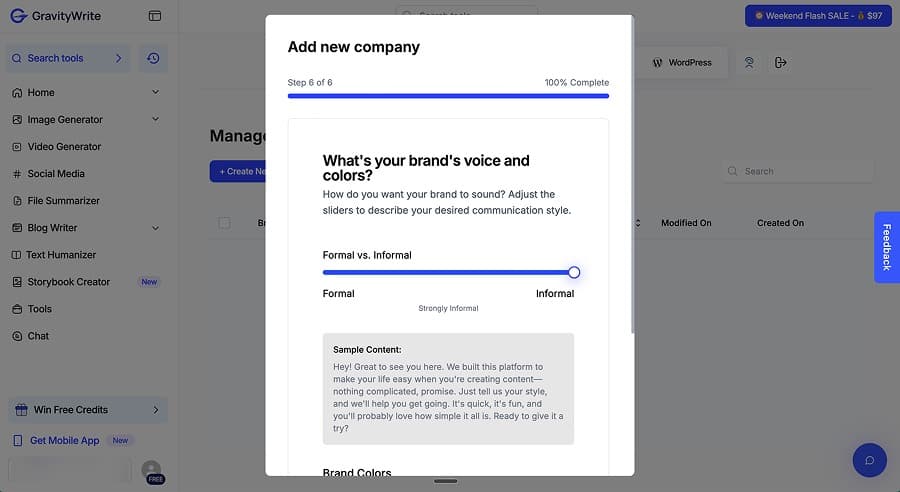
You can add your own keywords and brand mentions during setup, which is a nice touch, but the tool doesn't do any strategic thinking for you. It generates a single article well, but it won't help you plan what to write next or how your content fits together across a site.
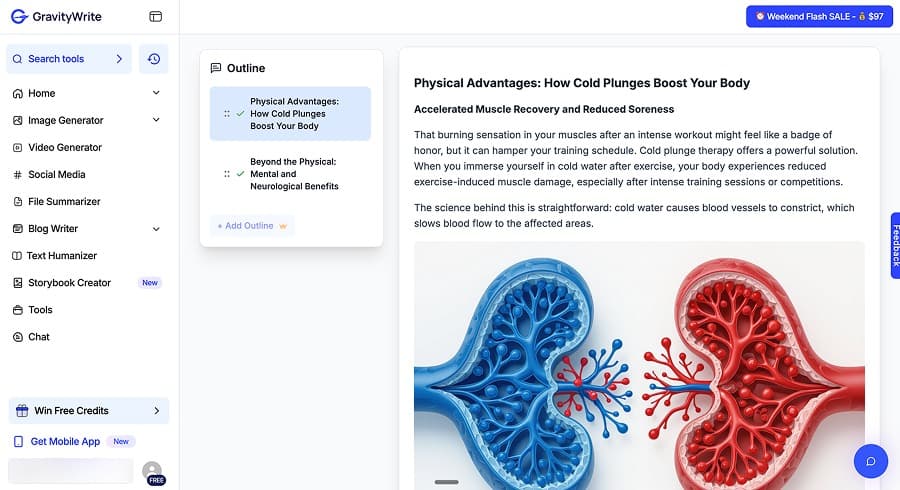
The AI images are included but abstract. Mine looked vaguely like blood vessels or capillaries, which is at least in the right conceptual neighbourhood for cold plunge therapy, but it's more decorative filler than useful visual content.
GravityWrite starts free (1,000 words, effectively one article). Starter is $19/month for 100,000 words. Pro is $79/month for 300,000 words. Auto headings, which let the AI decide the structure rather than capping you at 2, require the $49/month tier.
⚖️ Verdict: If your priority is volume on a budget with decent citation quality, GravityWrite is hard to beat on value. The output is competent and the research integration is better than tools charging three times as much. But the homogenised feel means your articles won't stand out from each other, and there's nothing beyond the article itself to help you think strategically about your content.
🎯 Best for: Budget-conscious bloggers and volume content creators who need quantity with decent citation quality.
Koala
Koala is the tool that makes you wonder why other AI writers charge so much. The free plan gives you 15,000 words per month with GPT-5 Mini, real-time search, and Amazon product roundup integration. That's enough to produce 5 to 8 articles monthly without spending anything. Move to the $9/month Essentials tier and you get 50,000 words with GPT-5.2 and Claude 4.5. For context, tools with comparable output quality are charging $45 to $100 per month for fewer articles.
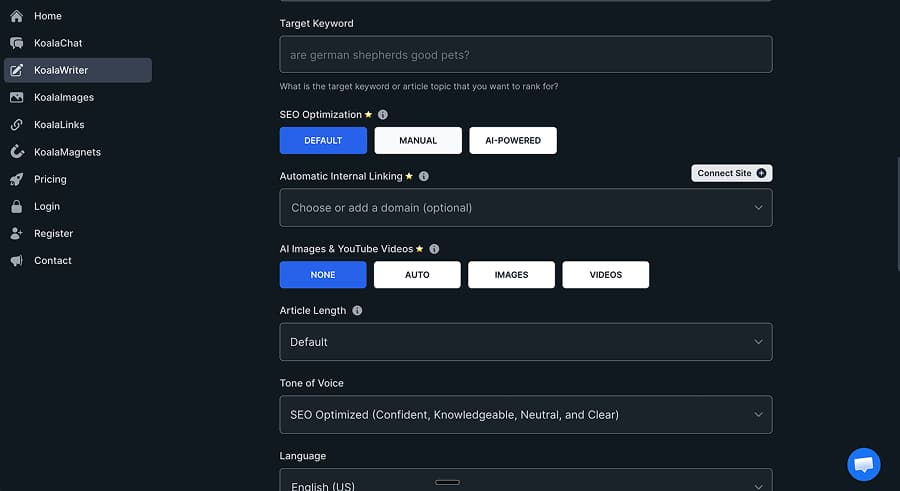
The content quality exceeded my expectations. My cold plunge test produced around 3,000 words in about 2 minutes with a conversational but authoritative tone. What stood out was the angles it chose to cover. It included a myths section debunking common misconceptions ("Myth: Colder is always better"), referenced specific research including a PLOS One analysis of 11 studies, and built a practical comparison of professional versus DIY cold plunge setups with actual price ranges. It also added a comparison table and safety warnings for specific populations. Those are the kinds of editorial choices that separate useful content from generic filler, and most tools at two or three times the price don't get there.
Here's a sample from the output:
Myth: Colder is always better. While it might seem logical that colder water leads to greater benefits, research tells a different story. A PLOS One meta-analysis examining 11 studies found that water temperatures between 10 and 15 degrees Celsius were effective for most recovery benefits.
That's specific, well-sourced, and genuinely useful to a reader. It's not padding a word count or restating the obvious.
Koala is a pure content writer, and it leans into that. All paid plans include AI SEO optimisation that extracts keywords from top-ranking pages behind the scenes, and there's an outline editor if you want to shape the structure before generation. But there's no content scoring interface, no SERP sidebar, and no real-time competitor data while you write. Deep research and the AI inline editor are gated behind the $49/month Professional plan. If you're looking for an optimisation workflow alongside your writing, you won't find it here. But if you just want the article, Koala focuses on doing that well.
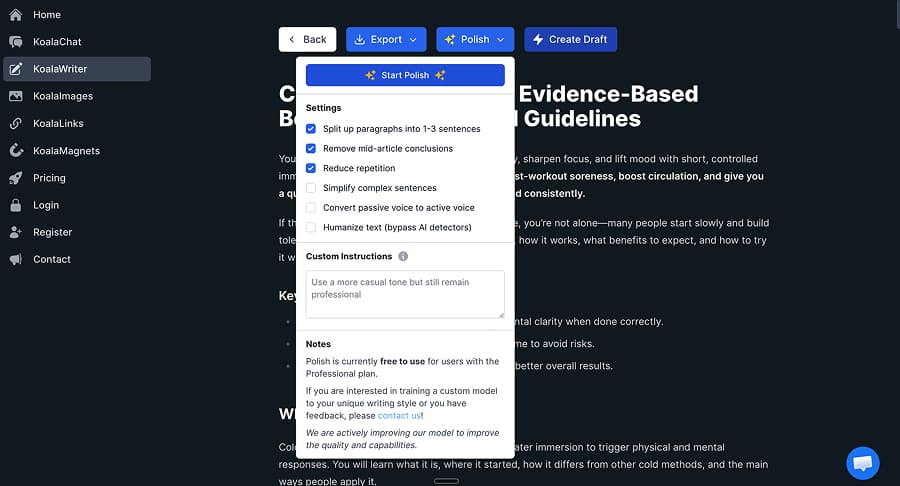
Koala's free plan is surprisingly generous: 15,000 words/month with GPT-5 Mini, a basic post editor, and WordPress and webhook integrations. The $9/month Essentials tier adds 50,000 words, GPT-5.2 and Claude 4.5, and SERP-based keyword extraction, where Koala analyses top-ranking pages and pulls relevant keywords into your article. It's doing the same thing as the content optimisation tools, just in the background rather than through a visible scoring interface. Professional at $49/month adds deep research and an AI-powered inline editor. Beyond that, the higher tiers ($99 to $500/month) scale on word count and chat messages rather than adding new features.
⚖️ Verdict: Koala punches well above its weight, especially at the free and entry-level tiers. The content quality is genuinely good, better than several tools costing three to five times more. The lack of clustering, linking, and optimisation features means it's a writing tool, not an SEO platform. But if you need solid individual articles at an excellent price, Koala delivers.
🎯 Best for: Bloggers, affiliate marketers, and solo content creators who want high-quality article generation without the overhead of a full SEO platform.
Machined
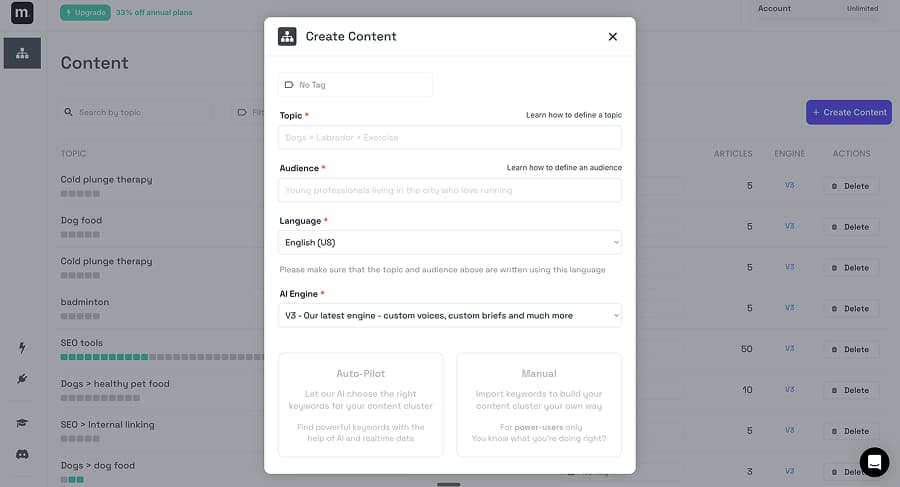
This is where we need to be honest about our own product. Machined is an SEO content automation platform, and its core strength is the pipeline rather than any single feature. You put in a seed keyword, and it handles keyword research, topic clustering, article generation, internal linking, and publishing as a single system. Instead of generating isolated articles, it produces interconnected clusters designed to build topical authority. That's the pitch. Here's what I actually found when I ran the same cold plunge test.
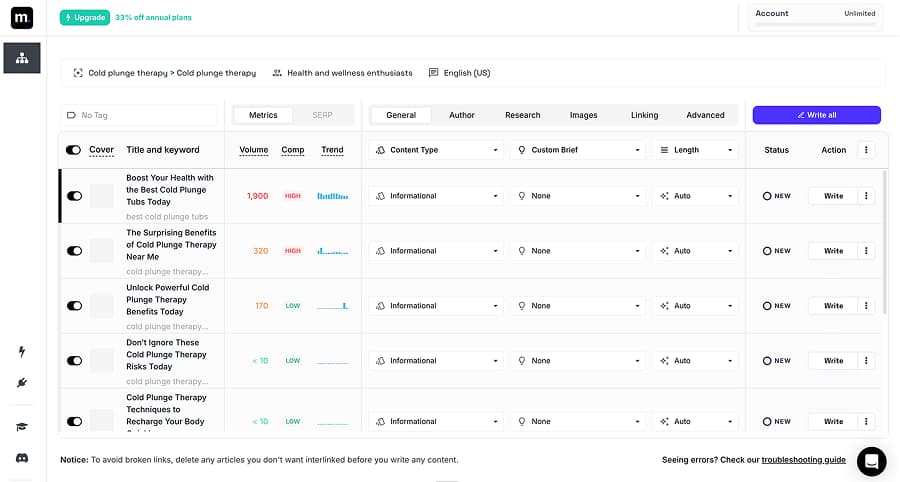
The output came in at around 2,200 words in about 60 seconds with an authoritative, action-oriented tone. Research and citations are included on all tiers, and my test article had 10+ integrated citations from medical and scientific sources. It also surfaced a sauna combo therapy angle that none of the other tools picked up on. The clustering is where Machined genuinely differentiates. Rather than generating a single article and leaving you to figure out what to write next, it maps out related topics, groups keywords by intent, avoids cannibalisation, and links the articles together automatically. If your strategy is topical authority through volume, that workflow saves significant time.
Here's a sample from the output:
Cold plunge therapy, also known as cold water immersion, involves submerging the body in water typically between 3 and 15 degrees Celsius. A 2023 study published in the International Journal of Circumpolar Health found that regular cold water immersion was associated with reduced inflammation markers and improved cardiovascular response.
Direct, well-sourced, and gets to the point without padding. The citation is integrated into the text rather than dumped in a bibliography or left as a placeholder.
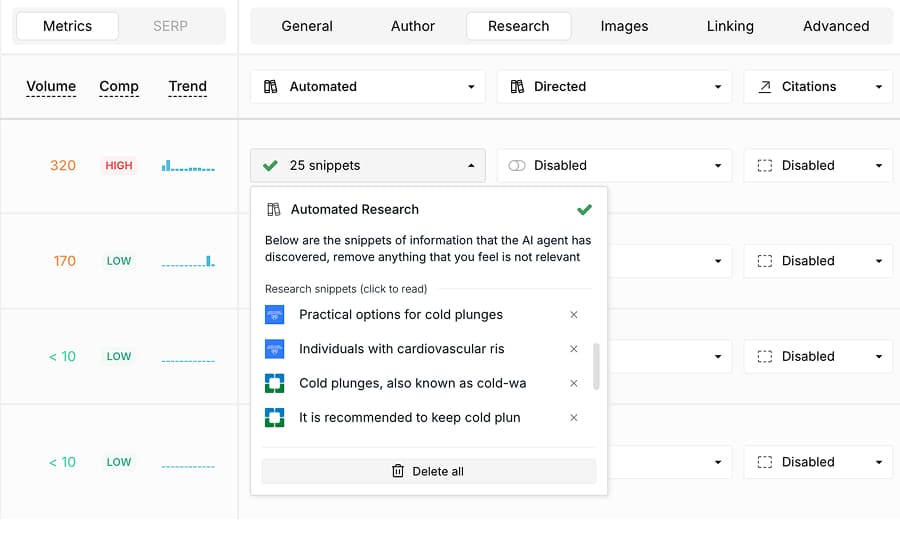
Like Koala, Machined is a content generation tool, not a content optimisation platform. There's no scoring interface to compare your article against competing pages, no SERP sidebar while you edit, and no real-time optimisation workflow. If you want to score and refine content against what's currently ranking, Frase or Surfer do that and Machined doesn't. And the cluster-driven workflow means Machined is purpose-built for SEO content strategy, it won't help you with ad copy, emails, or social posts.
Machined starts with a 7-day free trial of the Launch plan, with no credit card required. Launch is $19/month for 30 articles ($0.63 per article), Growth is $49/month for 100 articles ($0.49/article), Pro is $99/month for 250 articles ($0.40/article), and Scale is $249/month for 750 articles ($0.33/article). AI generation is included in all of them — you're not paying separately per article to the model provider. Annual billing takes 25% off, bringing Scale down to $0.25 per article. There's also a BYOK plan at $99/month for 2,000 articles, where you connect your own Anthropic, OpenAI, Google, or OpenRouter key and pay that provider directly, which works out cheaper again at high volume.
⚖️ Verdict: We built Machined for teams that need to publish SEO content at scale without rebuilding the same research, clustering, and linking process every time. It's the strongest option if your strategy is cluster-based topical authority. It's not the right choice if you need a polished single-article editor or content optimisation scoring.
🎯 Best for: SEO teams, agencies, and publishers focused on building topical authority at scale through interconnected content clusters.
Outranking
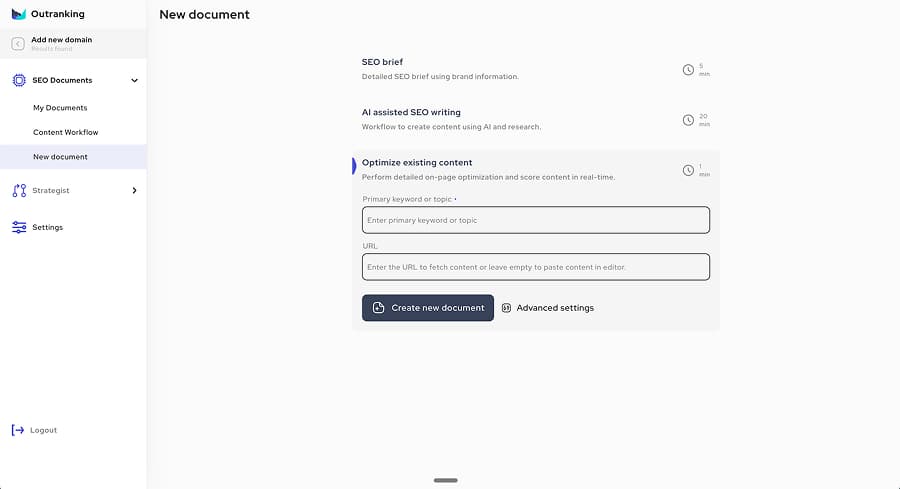
Outranking does something most tools in this category don't: it tells you what to fix. While other tools give you a score and leave you guessing, Outranking's inline editor shows specific suggestions for what to improve, what to add, and where gaps exist as you write. That's a genuinely different approach, and for content teams working with editors or writers who need clear direction, it's valuable.
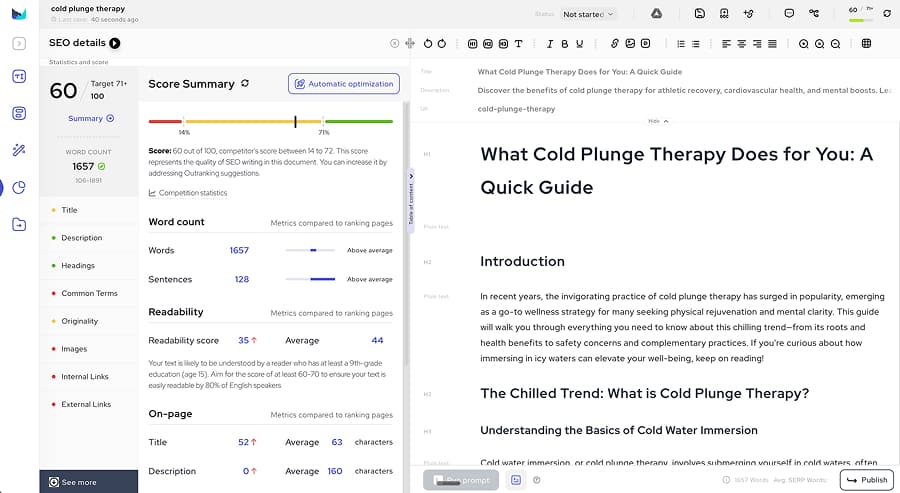
The content briefs are the other strength. At roughly $5 per document, you get a condensed, actionable brief that includes topic modelling, questions to answer, a content structure outline, brand angle guidance, and tone recommendations. Comparing it to Marketmuse (which charges around $20 per brief and delivers an exhaustive data dump), Outranking gives writers what they actually need to start writing rather than everything there is to know about a topic. There's a strong argument that usable direction beats comprehensive research.
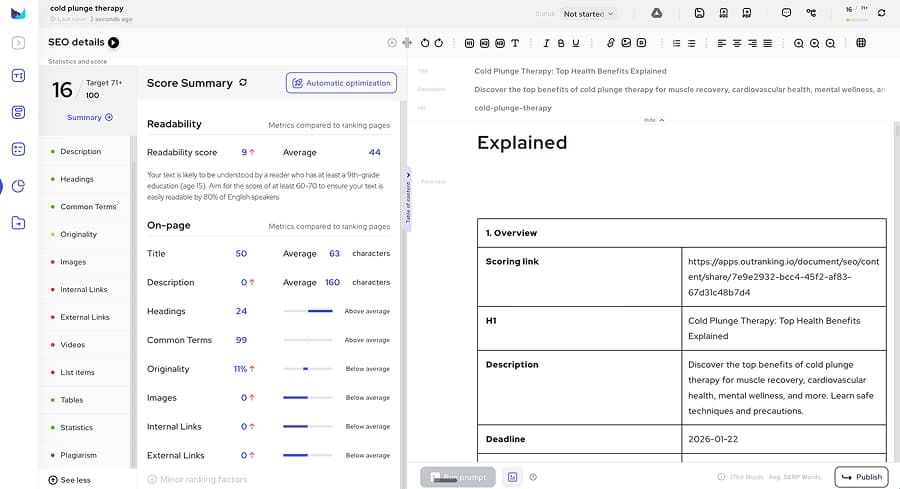
The problem is what happens when you let the tool write. My cold plunge test generated around 1,450 words in about 3 minutes with a professional tone and decent heading structure. No citations and no research attribution. Outranking's own optimisation tool scored the AI-generated content at 60 out of 100, against the tool's own recommended target of 71+. The output fell beneath its own minimum threshold.
Here's an example from the output:
In recent years, the invigorating practice of cold plunge therapy has surged in popularity, emerging as a go-to wellness strategy for many seeking physical rejuvenation and mental clarity. This guide will walk you through everything you need to know about this chilling trend—from its roots and health benefits to safety concerns and complementary practices.
The feature gating is also steep. The best automation features, auto-optimisation and auto-linking, are locked behind the $159/month SEO Wizard tier. At $79/month you get 15 documents but no automation. I also ran into poor external link suggestions, with the tool recommending Terms of Service and Privacy Policy pages as references for a health article.
Outranking starts at $19/month for 4 documents ($4.75/doc). SEO Writer is $79/month for 15 documents ($5.27/doc). SEO Wizard at $159/month gets you 30 documents with auto-optimise and auto-link unlocked.
⚖️ Verdict: Outranking's inline improvement suggestions and affordable, actionable briefs are genuinely useful features that most competitors lack. But gating the best automation behind $159/month, combined with AI-generated content that can't meet the tool's own scoring threshold, makes it a better brief and editing tool than a content generator.
🎯 Best for: Content teams who want affordable, actionable briefs with clear improvement guidance and don't need bulk generation.
See how Outranking and Machined compare in our Machined vs Outranking article
ScaleNut
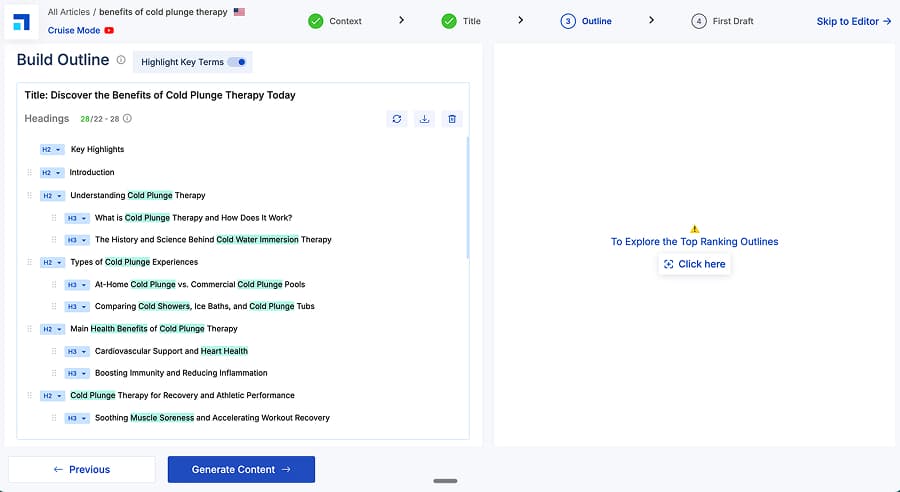
ScaleNut produced the longest, most structured article in my entire test. Roughly 3,000 words in about 90 seconds, with comparison tables, a FAQ section, and a comprehensive heading hierarchy. If you judge tools purely on single-article output quality, ScaleNut is hard to beat.
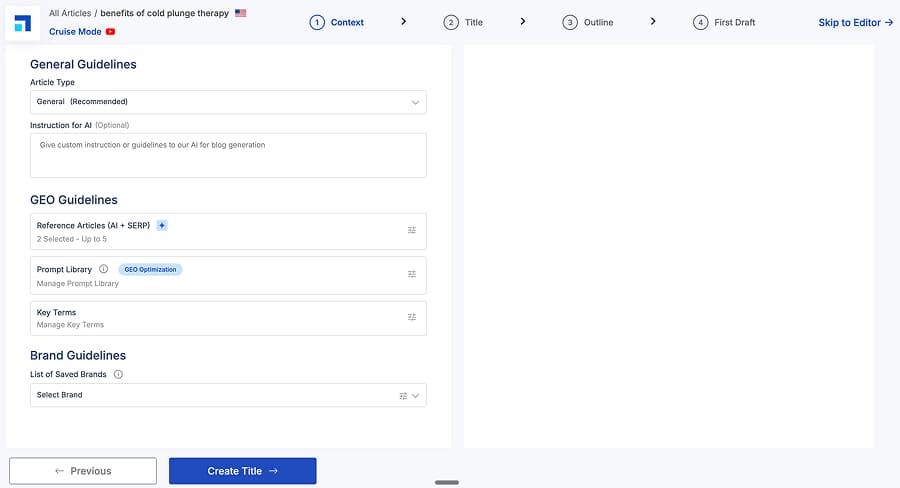
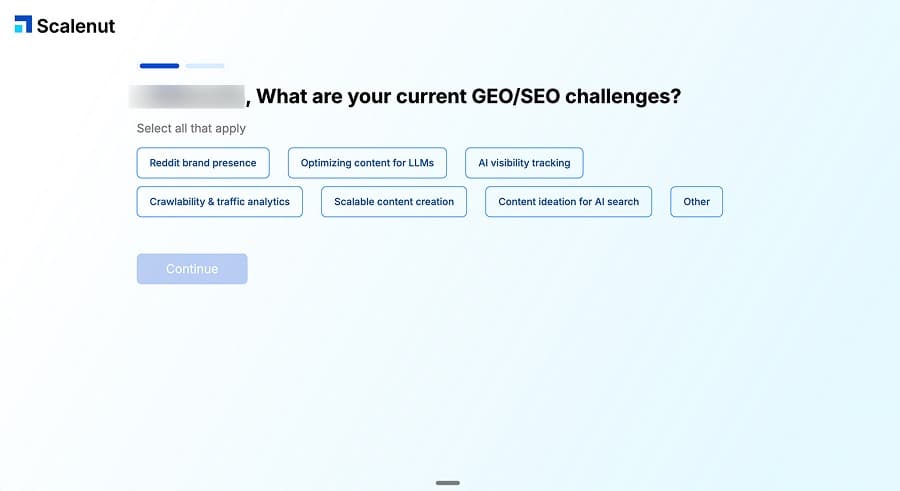
The platform includes keyword research, a content optimiser, and a GEO Watchtower feature for tracking how your content appears in AI search results. The editor supports AI-assisted editing, video and image embedding, and internal linking when you connect a domain. During setup, it pulls competing pages and lets you select research sources before generating. The workflow feels considered.
Here's a sample from the output:
Cold plunge therapy involves submerging yourself in water that is 50°F or colder for a few minutes. This can be done in a specialized tub, a lake, or even your own bathtub filled with cold water and ice. When you enter the cold water, your body has an immediate reaction. The cold causes your blood vessels to constrict, a process called vasoconstriction.
Readable, specific, and it explains the science without getting too academic. The article also included a practical comparison of cold plunge methods, safety guidelines, and history. ScaleNut's own scoring rated the output at 81%, which is the highest self-score I saw from any tool that measures its own content.
Where it falls short is scale and clustering. Article caps are restrictive: 5 at $49/month, 30 at $103/month, 75 at $193/month. If you need to publish at volume, the maths gets expensive quickly. Keyword clustering exists but functions more like a keyword dump than intelligent grouping. There's no similarity scoring, no cannibalisation detection, and no angle differentiation between articles. Research attribution is also vague. The content mentions studies but doesn't link to them directly. And the featured image for my test article showed a spa pool instead of a cold plunge, which is a small detail but tells you something about how the image selection works.
ScaleNut starts at $49/month for 5 articles ($9.80/article). Growth is $103/month for 30 articles ($3.43/article). Pro is $193/month for 75 articles ($2.57/article). A free trial is available.
⚖️ Verdict: If you need a small number of very high-quality individual articles, ScaleNut is one of the best options I tested. It is one of the more expensive tools in the category though, and article limits are restrictive across all tiers. The quality ceiling is high; the volume per tier is low.
🎯 Best for: SEO professionals who prioritise individual article quality over volume, and teams doing content optimisation alongside creation.
WordHero
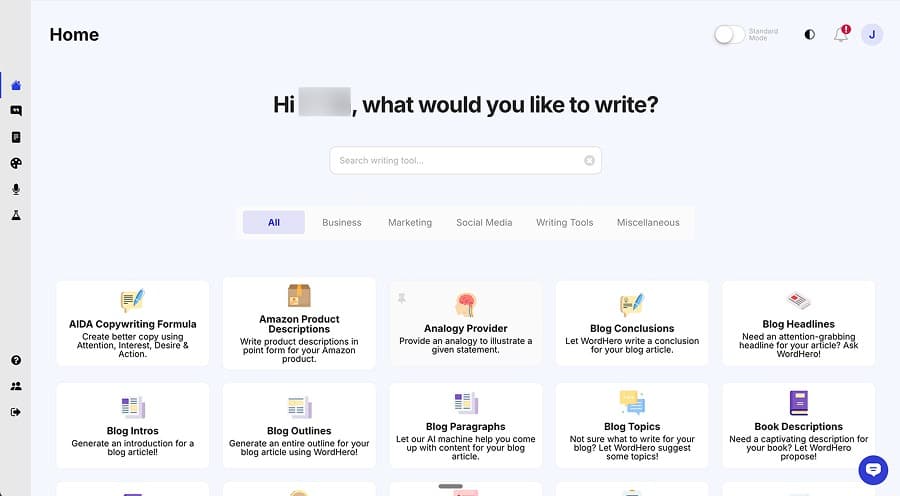
WordHero keeps things simple. The UI is clean, the workflow is straightforward, and the output is readable. You create a project, enter a keyword, generate a brief, and get an article. No complex dashboards, no overwhelming feature sets. If you want a no-fuss AI blog writer, this is what that looks like.
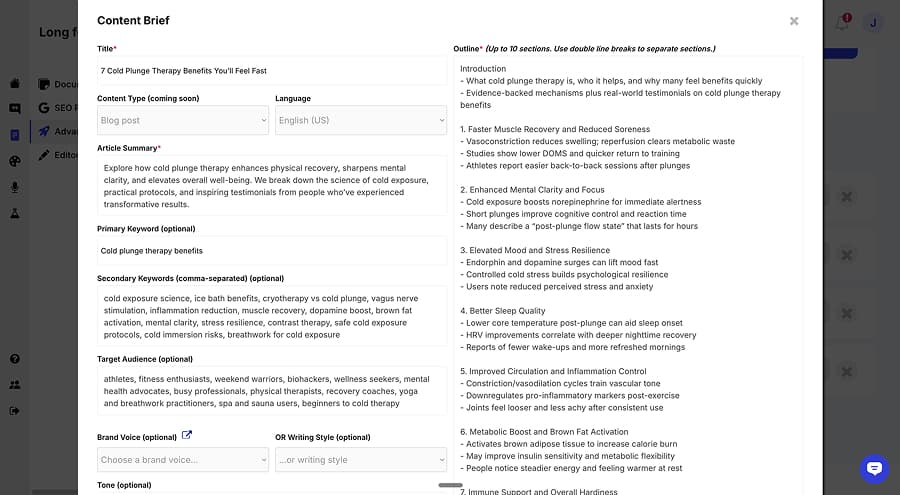
The content itself starts strong. My cold plunge test opened with a genuinely engaging hook and included real-world examples: a marathoner's recovery routine, a therapist's perspective, a startup founder's morning ritual. The tone is conversational and practical. At around 2,500 words in about 90 seconds, the generation is fast and the output is a reasonable length.
Here's where it gets predictable. Every section follows the exact same four-paragraph structure: introduction, explanation, example, summary. Section after section, the same pattern. Read one section and you've essentially read the template for all of them. It doesn't feel like writing that adapts to the content. It feels like content that's been poured into a mould. I also noticed a numbering error where the output jumped from section 2 to section 4, which suggests QA issues in the generation process.
There's no research, no citations, no SERP analysis, and no internal linking. The editor is basic. WordHero advertises 80+ writing tools, but they're not context-aware. They require separate inputs rather than working from your current article. The insert keywords feature adds semantic terms like "vagus nerve stimulation" and "dopamine boost" but the insertion feels forced and degrades readability rather than improving it.
The tiered model approach is interesting. The Creator plan at $49/month gives you unlimited articles on GPT-4o and approximately 15 per month on GPT-5. Infinity at $99/month adds 5 user seats and 50 brand voices. No free trial, but there's a 14-day refund policy.
⚖️ Verdict: WordHero is fine for quick, readable blog posts when you don't need research depth or SEO tooling. The rigid template structure is the main issue. If you're publishing at volume, every article will feel structurally identical. It's a serviceable tool, not a standout one.
🎯 Best for: Bloggers who want simple, fast content generation without a learning curve and don't need SEO features.
Writesonic
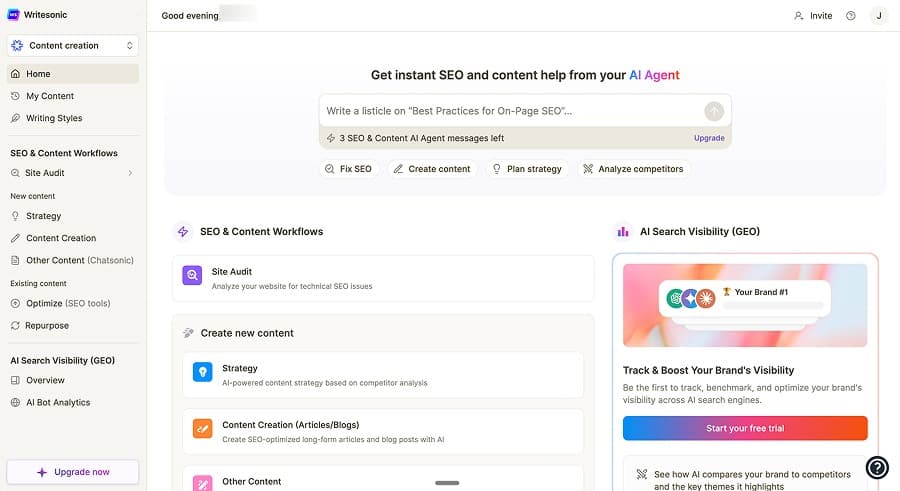
Writesonic is the closest thing to an all-in-one SEO suite in this category. It's not just a content writer. It includes site audits, competitor analysis, Google Search Console integration, keyword research, and a research process that curates sources with practical guidance. WordPress integration works on all plans. If you want a single tool that covers content creation and SEO operations, Writesonic tries to be that tool.
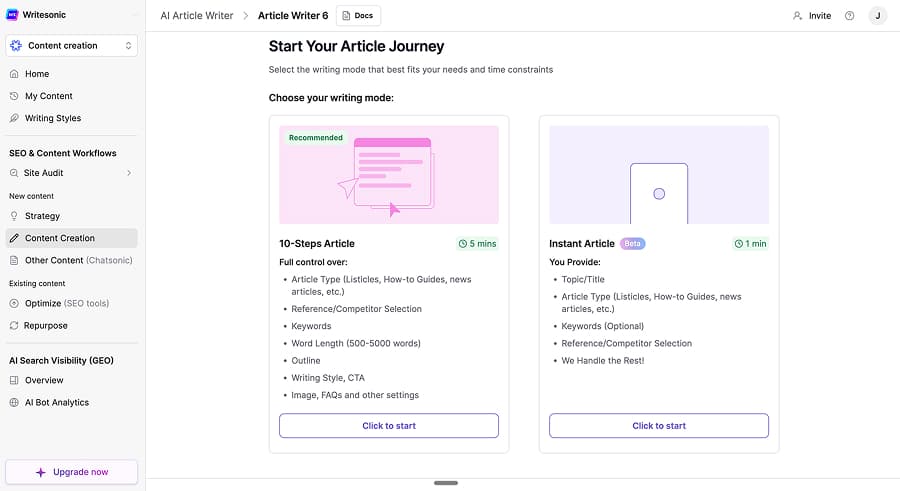
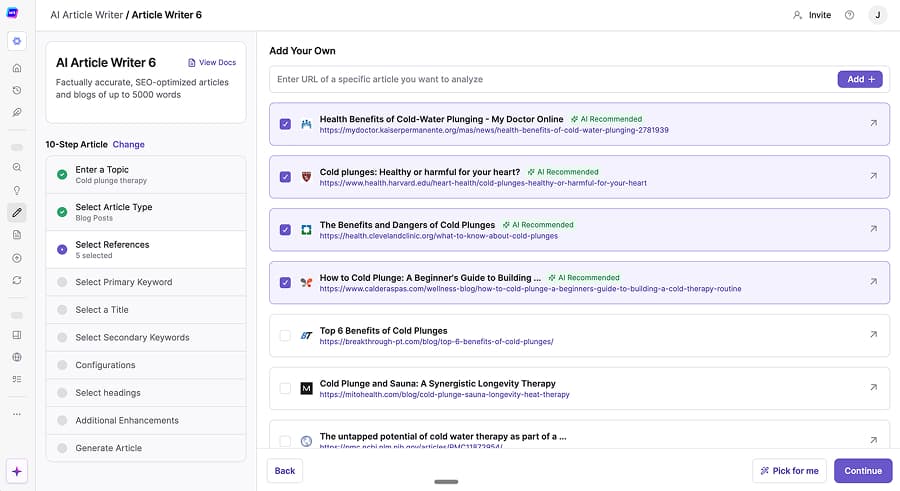
The research side is genuinely good. During my cold plunge test, the tool pulled curated sources and presented them alongside practical recommendations, including specific equipment suggestions with context. The output had a Q&A style structure that felt natural and reader-friendly. SEO recommendations were actionable rather than just numbers on a dashboard.
Here's a sample from the output:
For most people, the ideal cold plunge temperature ranges between 50 to 59 degrees Fahrenheit. Start with shorter sessions of 1 to 2 minutes and gradually work up to 10 minutes as your body adapts. Always have a warm towel or robe nearby and never plunge alone if you're new to the practice.
Practical, specific, and the kind of advice a reader can actually use. The full article came in at around 1,750 words with a practical tone and decent structure.
The problem is speed. Content generation took 5 to 10 minutes per article in my testing, compared to under 2 minutes for most competitors. If you're writing lots of articles, that's the difference between spending an afternoon and spending a couple of days. Article limits compound the issue: 15 at $49/month, 75 at $499/month. Beyond that, project limits are tight at 1 to 3 depending on tier, internal linking is only available on higher plans, and the title generation tends to lean toward clickbait rather than something you'd actually publish. There are no AI images either.
Writesonic starts at $49/month for 15 articles ($3.27/article). Standard is $99/month for 30 articles ($3.30/article). Professional is $249/month for 50 articles ($4.98/article). Advanced is $499/month for 75 articles ($6.65/article).
⚖️ Verdict: Writesonic is a capable SEO platform with genuinely useful research and audit features. But the generation speed is a dealbreaker if you're producing content regularly. A $499/month plan that limits you to 75 articles, at 5 to 10 minutes each, is hard to justify when faster tools exist at a fraction of the cost.
🎯 Best for: SEO professionals who want an all-in-one platform and prioritise research quality over generation speed.
The Cold Plunge Test: Same Article, 17 Tools
I generated an article on cold plunge therapy benefits using every tool on this list that can produce long-form content. Same topic, same intent. Here's what came back.
| Tool | Words | Time | Citations | Self-Score | Quality |
|---|---|---|---|---|---|
| Cuppa.ai | ~2,200 | 1-2 min | None (higher tiers) | - | High |
| Koala | ~3,000 | 2-3 min | Inline | - | High |
| Machined | ~2,200 | 1-2 min | Inline | - | High |
| ScaleNut | ~3,000 | 1-2 min | None | 81% | High |
| GravityWrite | ~850 | 1-2 min | Inline | - | Good |
| Jasper | ~1,300 | 1-2 min | Inline | - | Good |
| Neuroflash | ~4,500 | 3-4 min | Appendix | - | Good |
| Outranking | ~1,450 | 2-3 min | None | 60% | Good |
| SEO.ai | ~1,600 | 2-3 min | None | 72% | Good |
| Writesonic | ~1,750 | 5-10 min | Inline | - | Good |
| Anyword | ~700 | 1-2 min | None | 86% | Average |
| Frase | ~2,000 | 2-3 min | None | 67% | Average |
| Hyperwrite | ~1,100 | 1-2 min | Appendix | - | Average |
| SearchAtlas | ~1,200 | 8-10 min | Inline | 65% | Average |
| Word Hero | ~2,500 | 1-2 min | None | - | Average |
| Neuron Writer | ~1,200 | 2-3 min | None | 87% | Below Average |
| Writecream | ~900 | 1-2 min | None | 53% | Poor |
Outrank tested on a different topic (house cleaning) using its autopilot system, producing ~3,200 words. Covered separately in the Autopilot section.
A few things jump out from this data.
Word count varies 6.4x across tools
From Anyword's ~700 words to Neuroflash's ~4,500. But longer isn't necessarily better. Neuroflash's 4,500 words were padded with verbose transitions and repetitive keyword phrases. Outrank's 3,200-word autopilot article included keyword-stuffed strategy suggestions, and WordHero's 2,500 words followed the same rigid four-paragraph template throughout. Koala and ScaleNut's ~3,000 words were genuinely impressive: Koala with myths debunking and specific research citations, ScaleNut with tables and FAQ sections. Length alone tells you very little.
The same models underneath, significantly different outputs
Most of these tools use OpenAI, Claude, or Gemini variants. The raw writing ability is essentially the same. But the prompting, structure, research, and post-processing layers produce dramatically different results. That's proof that the workflow layer, not the model, is what you're paying for.
Citation quality varied
Machined and Hyperwrite embedded 10+ references from medical and scientific sources. GravityWrite linked to Mayo Clinic and Cleveland Clinic with named experts. Writecream produced placeholder links that went nowhere. Most tools fell somewhere between sparse and non-existent. If your content needs credibility signals, this matters.
Tools that scored themselves poorly
Several tools include their own optimisation scoring. Here's how their own content performed by their own metrics:
- Writecream: 53%
- Outranking: 60%
- SearchAtlas: 65%
- Frase: 67%
- SEO.ai: 72%
- Anyword: 86%
- ScaleNut: 81%
- Neuron Writer: 87%
These scores measure keyword density and structural patterns, not whether the content is actually good or will actually rank. Neuron Writer is a good example. The scoring system recommended using the term "cold water" 5 to 10 times. The AI used it 36 times. Yet the article still nearly aced the test. Based on my own judgement of the article quality, it was one of the weaker outputs across all the tools I tested. If the score doesn't catch that, what is it measuring?
Your KPIs should be traffic, conversions, and revenue, not whether or not you're passing an SEO tool's grading system.
Autopilot SEO Tools
These tools follow a different philosophy: minimal input, automated content generation. You provide your website, and the tool analyses your industry to identify content you can create around it. From there, it builds a content calendar targeting keywords relevant to your brand and handles the rest: research, generation, sometimes even publishing directly to your CMS.
The trade-off is predictable. Less input means less differentiated output. That doesn't make these tools useless; if you need content on a single niche and your priority is consistency over differentiation, autopilot has a place. But you're giving up control over strategy, structure, and quality, and the output reflects that.
Outrank
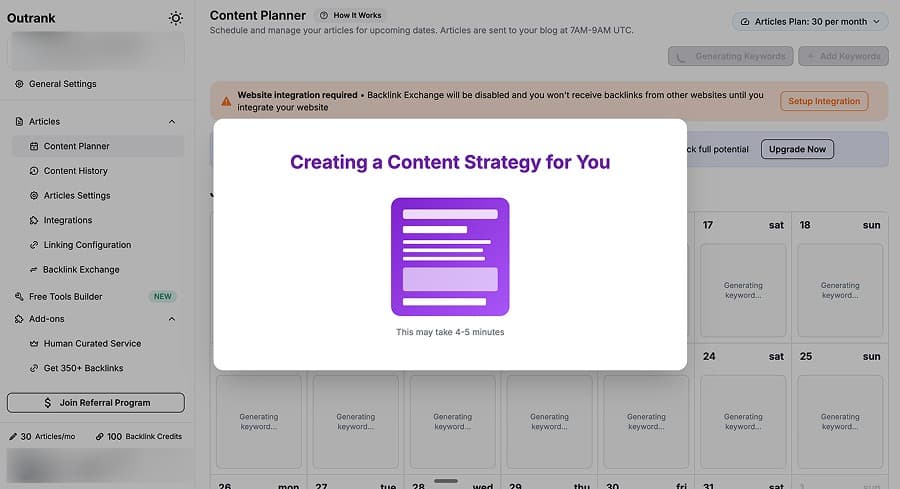
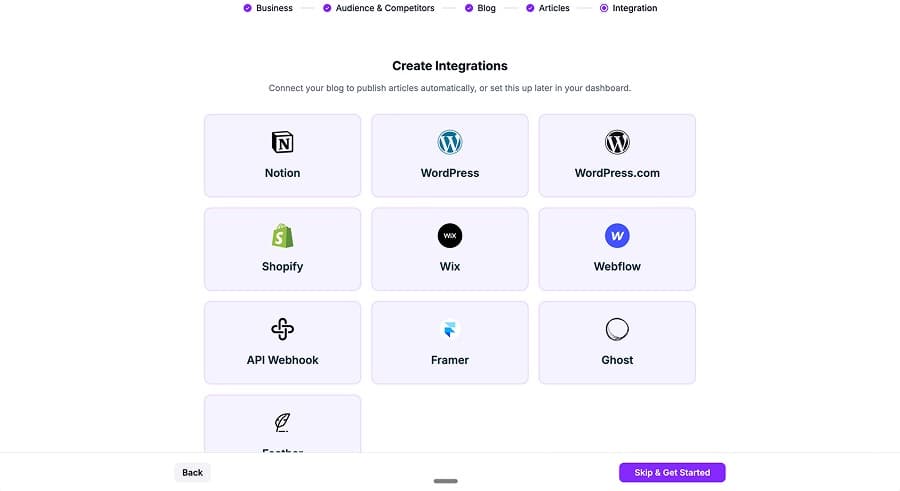
Outrank is a full autopilot platform. You provide your website, it analyses your industry, builds a content calendar, and generates long-form articles with automatic internal linking pulled from your sitemap. It supports roughly 8 CMS integrations and unlimited team seats at all tiers, so the publishing side is well covered.
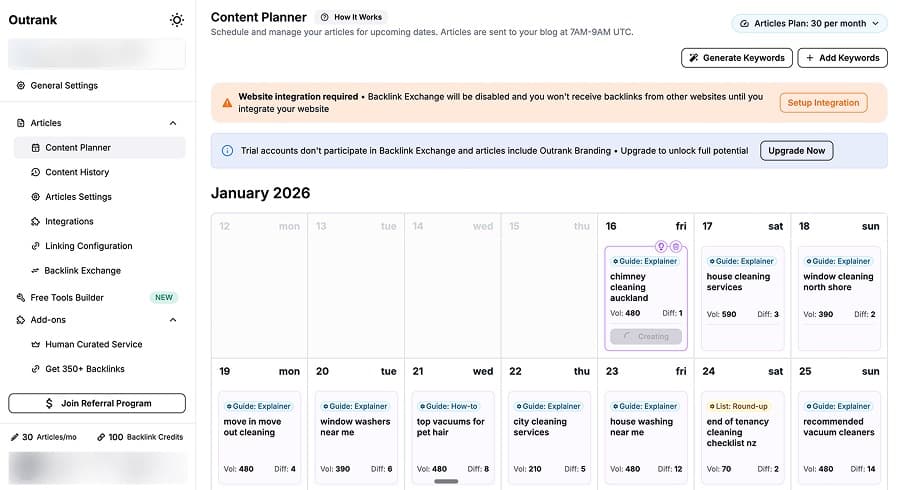
Individual article quality is impressive. The website I tested with was a house cleaning company, and one of the articles the tool chose to create was about chimney cleaning. Despite the questionable topic selection, the article itself was well executed: roughly 3,200 words with a conversational tone, good structure, and internal links already in place to other site content like spring cleaning tips and water blasting guides. Localisation works well (I tested with New Zealand English). The articles read naturally and include tables, FAQ sections, and strong calls to action.
Here's a sample from the output:
Picture this: a classic winter evening, curled up in front of a warm, crackling fire. It's the perfect picture of comfort and safety. But lurking just out of sight, a hidden danger could be building up inside your chimney. For homeowners all over, knowing what that risk is can bring genuine peace of mind.
Readable and engaging, with a tone that fits the audience. As a pure content generator running on autopilot, it does a solid job at the individual article level.
The strategy layer is where Outrank lets itself down. For this house cleaning website, it created a content calendar with an article a day, and many of those articles were repeated, covering the same keywords. "Home cleaning service" appeared three times, "move-out cleaning" appeared four times. The tool generated 30+ near-duplicate keywords where realistically 10 to 12 articles would have covered the topic. During testing, the tool also embedded an irrelevant video for one of the articles, though that's a minor issue since YouTube videos aren't the core of what Outrank is trying to do.
Outrank starts at $99/month for 30 articles ($3.30/article). Growth is $184/month for 60 articles ($3.07/article). Pro is $259/month for 90 articles ($2.88/article). There's a $1 trial for 3 days.
⚖️ Verdict: Outrank produces good individual articles at a reasonable per-article cost. But the automation tends to generate more content than a topic may need, with overlapping articles covering the same keywords. You'd end up cannibalising your own content with a lot of very similar pages.
🎯 Best for: Businesses wanting hands-off content production who don't mind over-generating and pruning later.
SEO.ai
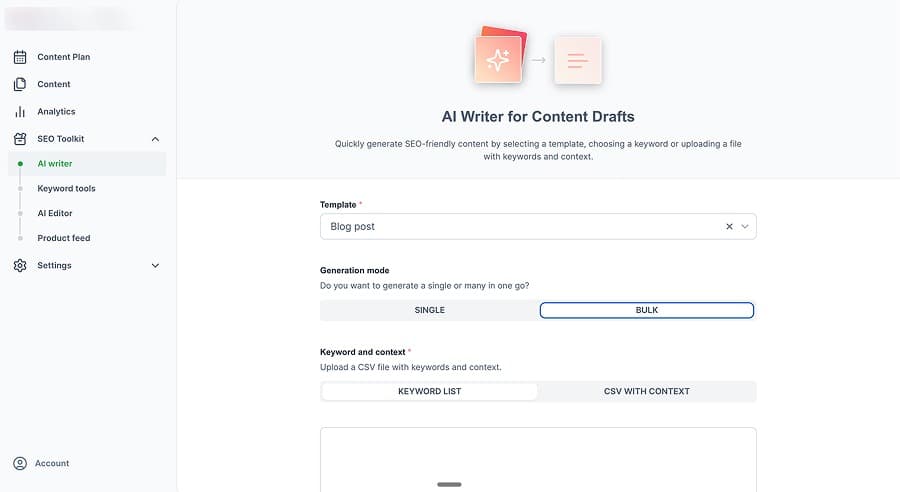
SEO.ai is about as hands-off as it gets. Connect your CMS (WordPress, Shopify, Webflow), set a publishing schedule, and it generates and publishes content automatically. Semantic keyword research is built in. Internal linking pulls from your sitemap. It supports roughly 50 languages, one per site. If "set it and forget it" is what you want, this is the closest any tool gets to delivering on that promise.

The trade-off is control. Output is fixed at roughly 1,500 to 1,600 words with no length adjustment. Every article gets a forced business tie-in, which was awkward in my cold plunge therapy test where it tried to connect ice baths to whatever business profile I'd set up. Customisation overall is very limited. Its own content scored around 72% on its own optimisation metric. And at roughly $18.60 per article on the entry tier ($149/month for approximately 8 articles), it's expensive compared to similar tools.
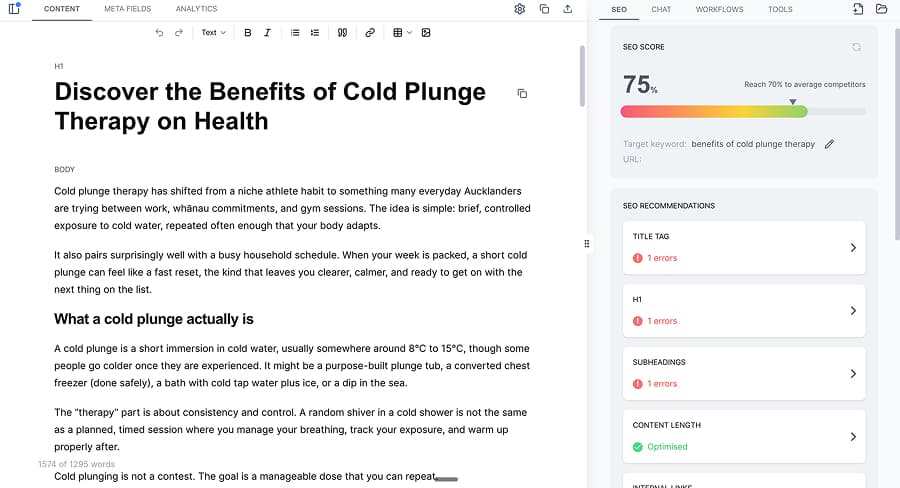
SEO.ai starts at $149/month for a single site (approximately 8 articles, roughly $18.60/article). Multi-site plans run from $299 to $749/month, with the per-article cost improving as you add more sites. There's a $1 trial for 7 days.
⚖️ Verdict: SEO.ai works for small business owners who want zero involvement in content production for a single-niche site. For anyone who wants control over strategy, quality, or output length, the lack of configurability is a problem.
🎯 Best for: Small business owners running single-niche sites who want fully automated content with no ongoing involvement.
SEO Optimisation & Monitoring Tools
Some of these tools don't write content at all, while others do. I decided to group them here because their focus is on scoring, optimising, and tracking rather than generation which is a secondary feature. That includes identifying keywords, tracking GEO or content performance, and content optimisation through editors that score your content and suggest improvements. Think of them as complementary to writing tools, not replacements.
There's real value here. Tools like Surfer SEO and Clearscope provide useful guardrails, and using them versus not using them probably gives you better chances of ranking. But there's a trap: chasing perfect scores while ignoring whether the content is actually useful for the reader.
Get the fundamentals right first, then optimise.
Clearscope
Clearscope is an enterprise content optimisation platform and AI writing assistant. Its core job is scoring and guidance: enter a keyword, get a content report showing what terms to cover, paste your draft into the editor, and watch your content grade update in real time. It also offers internal linking suggestions, content inventory tracking, and AI chatbot visibility monitoring.
I haven't tested Clearscope's features hands-on, but the reviews paint a consistent picture. It holds a 4.9/5 on G2 (91 reviews) and 4.9/5 on Capterra (60 reviews), with no Trustpilot presence. Users consistently praise the intuitive interface, the Google Docs integration, and the customer support (the CEO is reportedly very hands-on). The main complaints are pricing and occasional keyword suggestions that feel forced or irrelevant to the piece being written.
Clearscope has recently added a Draft with AI feature, a guided workflow that helps you set intent, pick a content type, customise tone, generate title options, and edit an outline before producing a full draft. It's positioned as a first-draft accelerator rather than a content engine, and even long-time users report they don't rely on it heavily. The emphasis remains on optimisation, not generation.
Clearscope starts at $129/month for Essentials. Business is $399/month. Enterprise is custom. Per-seat pricing applies, and there's no free trial.
⚖️ Verdict: Clearscope is a well-regarded optimisation tool with excellent reviews, but it's built for teams that already have writers. The AI drafting feature is a recent addition, not the core product. At $129/month with no trial, it's fairly expensive and has positioned itself as an enterprise scoring and guidance tool.
🎯 Best for: In-house SEO teams with established editorial workflows who need optimisation guidance and content monitoring.
Marketmuse
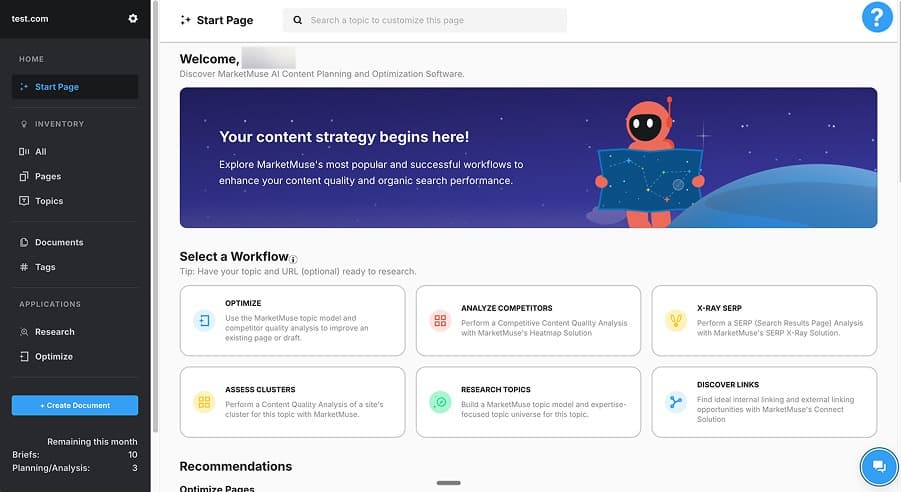
Marketmuse (now owned by Siteimprove) is a content planning and research platform. It doesn't generate content. What it does is tell you what to write, who to write it for, and how to structure it, in more detail than any other tool I tested.
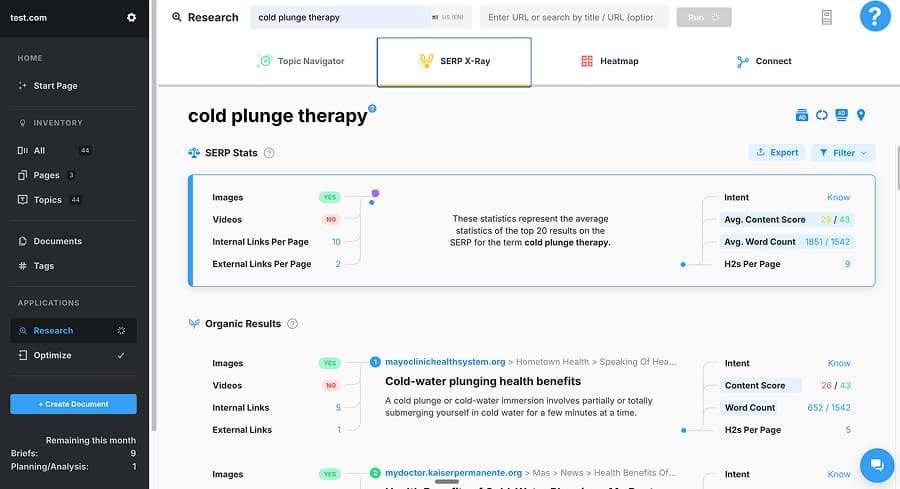
I tested Marketmuse hands-on using my standard cold plunge therapy topic. The content brief it produced was the most comprehensive I've seen across all competitors. It included eight detailed target personas with specific pain points, a topic model covering 50 terms with suggested mention counts, competitive analysis showing market share by domain, an information gain section highlighting gaps in existing competitor content, and a full outline with nine sections, each with recommended questions, points of view, and related topics. It even suggested external links with anchor text. A competent writer could take this brief and produce a strong article without any additional research.
The cluster analysis was equally impressive, surfacing around 50 content opportunities with competitive data, traffic percentages, and keyword groupings. The content plan organised these into 14 content groups with 29 individual content ideas and mapped them across funnel stages. As a strategic planning tool, it's genuinely excellent.
The problems are practical. Processing is slow, with the cluster analysis alone taking around 16 minutes. The optimisation editor is basic and not competitive with Surfer or Clearscope, so you'd likely need another tool alongside it. Signing up requires a work email, filtering out freelancers and individuals. And most importantly, you get zero generated content. Every brief still needs a human writer to execute.
The pricing reflects the enterprise positioning. The free tier gives you 10 queries per month but no briefs and no strategy documents. Optimise is $99/month for 5 content briefs and 1 strategy document. Strategy is $499/month for 20 briefs and 5 strategy documents. That works out to roughly $20 to $25 per brief, which is significant when competing tools include brief-level planning alongside full article generation.
⚖️ Verdict: Marketmuse produces the best content briefs and strategic planning I've tested across any competitor. But it's a planning tool, not a writing tool. At $20+ per brief with no content generation, the value depends entirely on whether you have writers ready to execute. If budget allows, Marketmuse briefs combined with a separate writing tool is a powerful combination. If it doesn't, most AI content tools include brief-level planning at no extra cost.
🎯 Best for: Enterprise content teams with human writers who need strategic direction and are willing to pay for research quality over content generation.
Neuron Writer
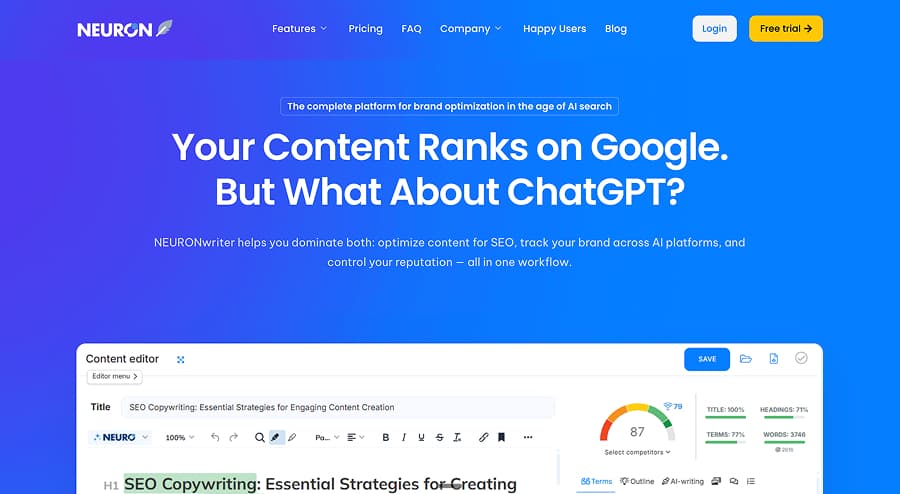
Neuron Writer is a content optimisation tool and AI writing assistant positioned as a budget alternative to Surfer SEO, with AI content generation included. The core pitch is price: $23/month entry versus Surfer's $59, with similar functionality around SERP analysis, competitor selection, and content scoring.
I tested Neuron Writer hands-on and the optimisation side works as expected. You pick your competitors, and it builds a scoring panel with term tracking and colour-coded keyword density guidance. The Google Search Console integration is a practical touch, letting you pull real search terms directly into your optimisation panel. Content sharing is useful for agencies, with read-only access at lower tiers and full edit access at Gold ($69/month) and above.
Neuron Writer is one of the tools that includes content generation (called Neuro AI), though the output is not as strong as its optimisation features. My test on cold plunge therapy produced roughly 1,200 words in about two minutes. The writing reads like a summary of what's already ranking rather than independently researched content. No citations, no unique angles. Here's a sample from the output:
Cold water therapy, also known as cold therapy or cold water immersion, involves intentionally exposing the body to cold temperatures for a short duration. This exposure aims to elicit specific physiological responses and is often achieved through methods such as a cold plunge tub or ice bath.
Functional, but generic. It reads like a condensed version of the top 10 results rather than something a reader would bookmark or share.
More concerning is what happened with the scoring. The tool recommended using "cold water" 5 to 10 times. The AI writer used it 36 times. "Cold water immersion" was recommended once and appeared 15 times. Nearly every tracked term was overused, shown in red and orange on the scoring panel. Despite this, the article still scored 87 out of 100. When a tool's own AI output exceeds its own keyword recommendations by 3.5x and still gets a near-perfect score, the scoring system has a credibility problem. It undermines the one thing the tool is supposed to do well.
Neuron Writer has five tiers. Bronze is $23/month for 2 projects and 25 analyses. Silver is $45/month for 5 projects and 50 analyses. Gold is $69/month for 10 projects, 75 analyses, plus WordPress, Shopify, and BYOK. Platinum is $93/month for 25 projects and 100 analyses. Diamond is $117/month for 50 projects and 150 analyses.
⚖️ Verdict: Neuron Writer delivers Surfer-like optimisation at a lower price point, and for that specific use case it's serviceable. But the AI content generation is noticeably weaker than its other features, and the scoring system's failure to penalise its own tool's keyword stuffing raises questions about the reliability of the scores. If you want budget optimisation and plan to write your own content, it works. If you need strong AI-generated articles, other tools do it better.
🎯 Best for: Budget-conscious SEO professionals who want content optimisation scoring without Surfer's price tag and don't rely heavily on AI content generation.
SearchAtlas
SearchAtlas is a comprehensive SEO platform and AI writing assistant with 60+ tools covering keyword research, site metrics, backlink analysis, competitor analysis, and technical SEO. It positions itself as an alternative to Ahrefs and SEMrush, and in that role, it delivers. The research capabilities are genuinely strong.
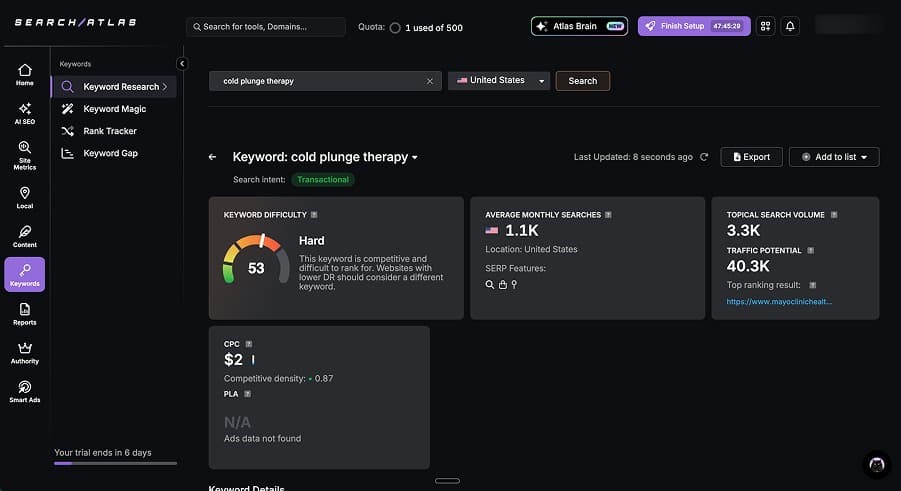
I tested SearchAtlas hands-on and the content generation is where the experience breaks down.
The editor is feature-rich but cramped. With a left nav sidebar, top toolbar, two rows of AI action buttons, a chatbot input at the bottom, and a keyword scoring panel on the right, the actual content area is roughly 40% of the screen. You can see about one heading and two paragraphs at a time. For writing and editing long-form content, it's painful.
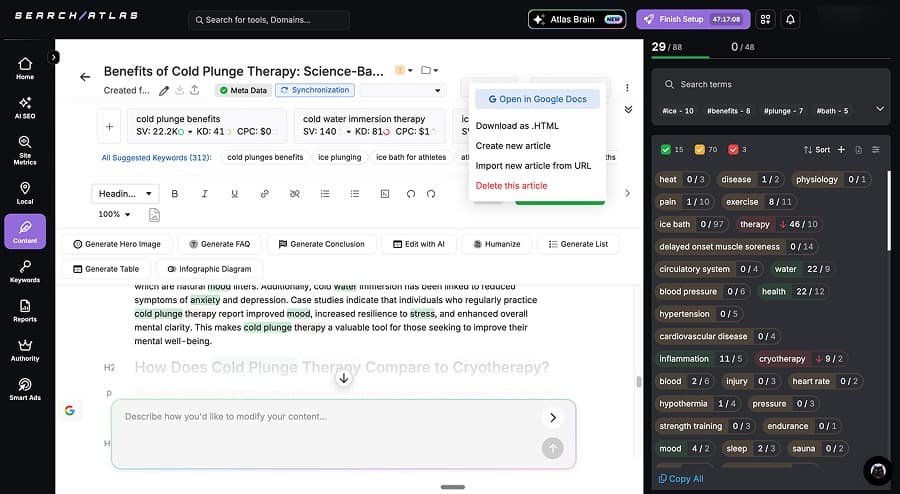
The output itself was around 1,200 words with a rigid structure and about 20% promotional padding tied to the domain entered during setup. On the positive side, it included three academic citations with author names and years, and the AI-generated images were the most contextually accurate of any tool I tested.
SearchAtlas starts at $99/month for 30 articles. Growth is $199/month for 60 articles. Pro is $399/month for 90 articles. Enterprise is $999/month for 300 articles. There's also a 7-day free trial.
⚖️ Verdict: SearchAtlas is a strong research platform that happens to have content generation bolted on. The keyword research, site metrics, and competitor analysis are all solid and genuinely compete with Ahrefs at a lower price point. The content generation workflow is clunky, the editor is cramped, and the output is short and formulaic. Use it for research. Skip the content generation.
🎯 Best for: SEO agencies and in-house teams who need a comprehensive research suite and are comfortable with a tool that requires SEO knowledge to get value from.
Surfer SEO
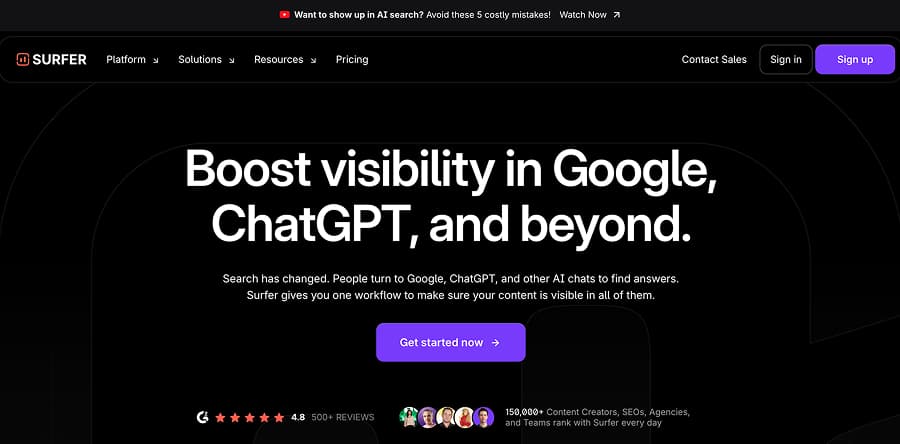
Surfer SEO is widely regarded as the industry standard for content optimisation. I haven't tested it hands-on, but the reviews are consistent and the reputation is well earned. It holds a 4.8/5 on G2 (537 reviews), 4.9/5 on Capterra (417 reviews), and 4.4/5 on Trustpilot (106 reviews). Users consistently praise the Content Editor and real-time scoring. The most common complaints are pricing and the keyword research not being as strong as dedicated tools like Ahrefs or SEMrush.
The core product is optimisation. You enter a target keyword, Surfer analyses the top-ranking pages, and gives you real-time scoring as you write, covering keyword density, headings, word count, and topic coverage. It also offers topical maps for content planning, content audits for existing pages, and integrations with Google Docs, WordPress, Jasper, and Contentful. A Chrome extension adds keyword research on the fly. For teams that already produce content and want data-driven guidance on what to include, Surfer is the benchmark other tools get measured against.
The AI content generation exists but is clearly not the focus. The Essential plan includes just 5 AI articles per month, and Scale gives you 20. At those limits and price points, the unit economics don't work for volume production.
Surfer's pricing starts with Discovery at $59/month, Standard at $119/month, Pro at $219/month, Peace of Mind at $359/month, and Enterprise at $999/month. There's a 7-day money-back guarantee but no free trial.
⚖️ Verdict: Surfer is the optimisation tool most SEO professionals already know, and for good reason. The Content Editor and scoring are best in class. But it's not a content generation tool. Generate with a writing tool, optimise with Surfer.
🎯 Best for: SEO professionals and content teams who need optimisation scoring, content auditing, and real-time writing guidance alongside a separate content generation tool.
Marketing & General Writing Tools
The focus of this guide is SEO content writing, and that's where I spent most of my testing time. But as many AI writing tool lists lump SEO tools together with marketing copywriters, so I've included this section for completeness and to show how I would categorise these differently. These are the top performers in the marketing and general writing space. I still did hands-on testing with many of these products, however from a long-form SEO angle. In any case, these are the tools worth knowing about if your needs extend beyond search-optimised content.
These are broader AI writing tools that aren't purpose-built for SEO. They're great at what they do (brand copy, ad campaigns, marketing automation), but if you're reading this guide because you need SEO and GEO content, this category most likely isn't your answer. Some people use these alongside SEO tools: Jasper for brand copy, Machined for blog content, for example.
You'll notice Neuroflash in this section rather than SEO Content Writing: despite producing the longest article in my Cold Plunge test, its core product is a marketing template system that competes with Jasper, not an SEO content tool.
Anyword
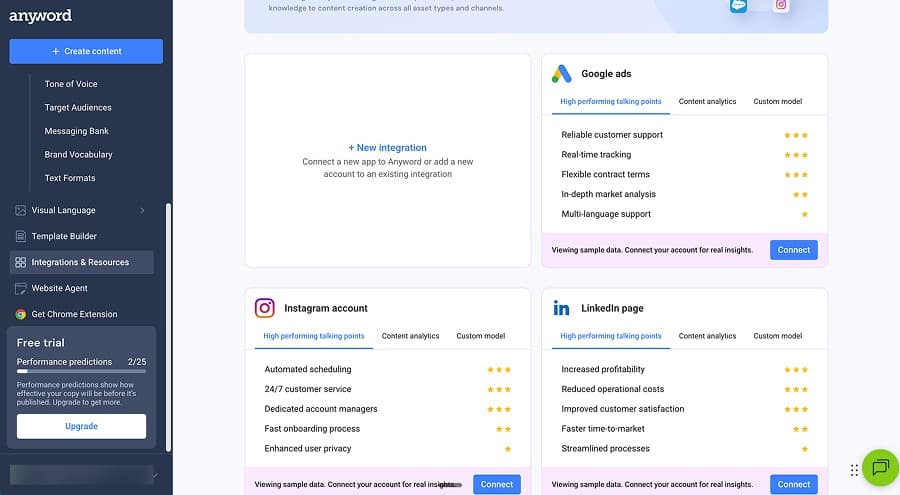
Anyword is a marketing performance platform built around its Predictive Performance Score, which rates content on predicted engagement and conversion rather than search rankings. With a 4.8/5 across both G2 (1,196 reviews) and Trustpilot (5,230+ reviews), users consistently praise its ease of use and the quality of its short-form marketing copy.
Integrations with Meta Ads, Google Ads, LinkedIn, and HubSpot tie directly into marketing workflows, and the per-section scoring (79-93 in our testing) helps fine-tune copy before publishing. The data-driven editor lets you connect your existing ad platforms so AnyWord can learn from past campaign performance and tailor future content accordingly.
When we tested its Blog Wizard hands-on using our standard cold plunge therapy test, the long-form output was noticeably weaker, producing the shortest content of any tool we tested at around 700 words with no SERP research or citations. G2 reviewers echo this, noting the tool works best for shorter content and can become repetitive in longer pieces. That said, long-form SEO content clearly is not what AnyWord is designed for, and as a marketing copy tool, it delivers.
🎯 Best for: Marketing teams optimizing ad copy, landing pages, email subject lines, and campaign content for conversion rather than organic search.
Copy.ai
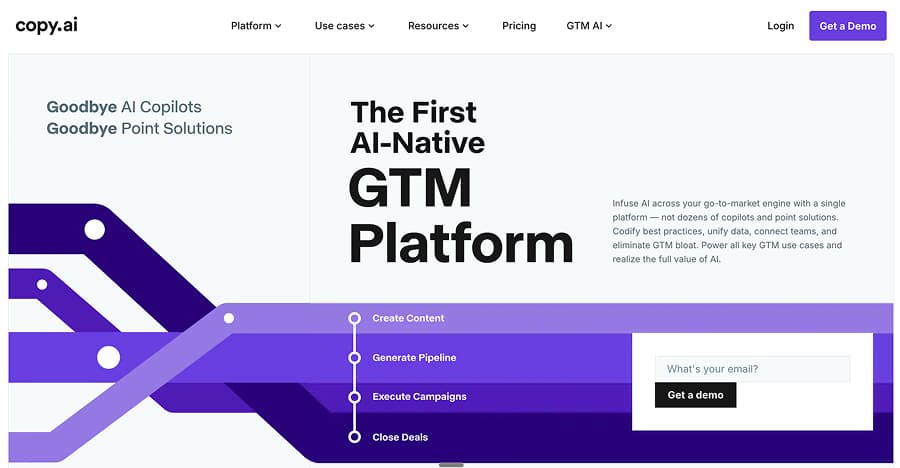
One of the most recognised names in AI content, Copy.ai has evolved from a simple copywriting tool into a full Go-to-Market AI platform since launching in 2020. With over 17 million users and clients including Nestle, Samsung, and Unilever, it carries serious brand weight. It scores 4.9/5 on G2 with a 9.6/10 for ease of use.
At $29/month for 5 seats with unlimited words, it is one of the most accessible options for small teams. The standout feature is its visual workflow builder, which chains tasks like web scraping, research, and text generation into automated sequences. Strong Salesforce and HubSpot integrations make it a natural fit for GTM teams, and users consistently praise the speed and volume of its short-form output.
The trade-off is that there are no real SEO features: no keyword research, no internal linking, no content scoring, and no optimisation. Long-form content also requires heavy editing, with Capterra reviewers noting it works best for short content but needs significant fact-checking for longer pieces. For marketing copy at speed, it delivers. For content that ranks, look elsewhere.
🎯 Best for: Marketing teams and freelancers who need fast, high-volume marketing copy across multiple formats with workflow automation. Not built for SEO content.
Interested in Copy.ai alternatives? Or perhaps why you should choose Copy.ai over ChatGPT: Copy.ai vs ChatGPT
Hyperwrite
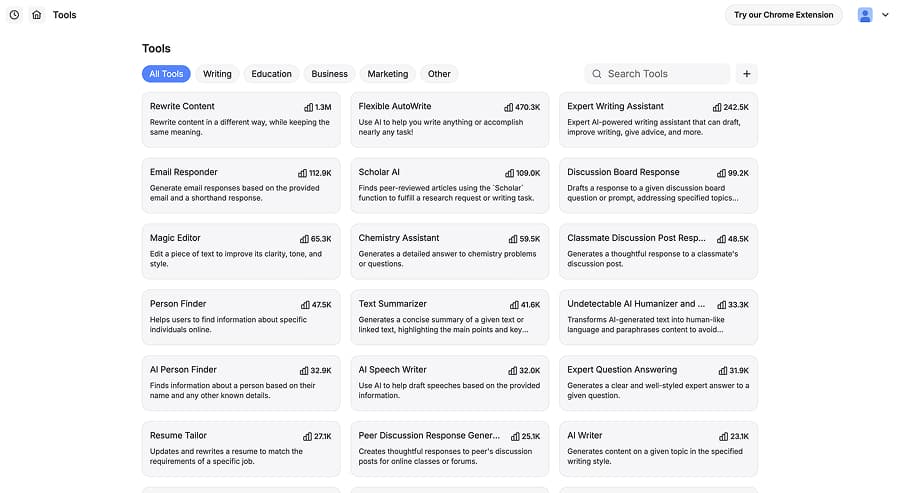
Hyperwrite is a general-purpose AI writing assistant with over 1,000 templates covering everything from blog posts and emails to niche use cases like resume matching and speech writing. The interface is clean and low-friction, with real-time auto-complete suggestions via a Chrome extension that works across Gmail, Google Docs, and other web apps. Forbes named it one of the "5 AI Productivity Tools to Try in 2025."
We tested its long-form output hands-on and it was decent, producing around 1,100 words with a clean references list of 10+ credible sources. However, where HyperWrite really shines is as a day-to-day writing companion for general copywriting and marketing tasks. The Scholar AI feature adds strong research capabilities, and the sheer breadth of templates means it covers almost any writing scenario you can think of.
🎯 Best for: General writers and content creators who want AI assistance across a wide range of formats, with strong research capabilities and a huge template library.
Jasper
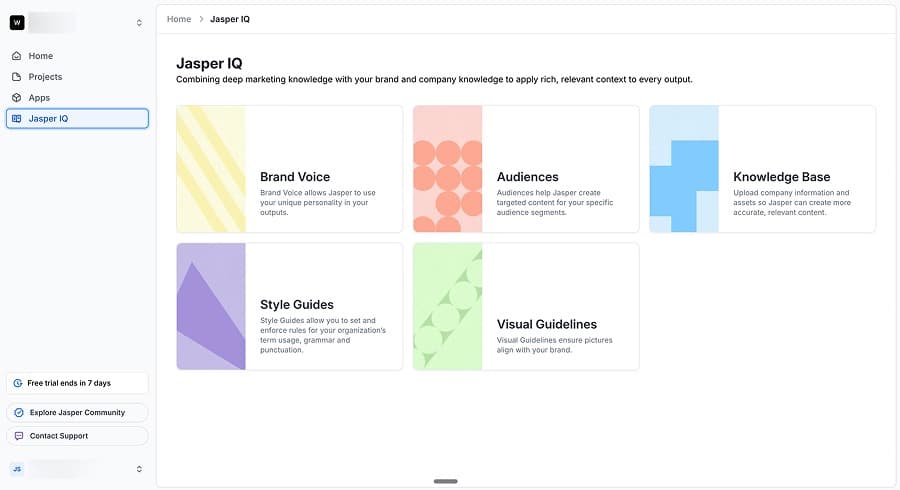
Another very established name in AI content, Jasper has evolved from a simple AI writing assistant into a full enterprise marketing platform used by teams at companies like HubSpot and Morningstar. It holds a 4.8/5 on both G2 (1,700+ reviews) and Trustpilot (4,000+ reviews), with users consistently highlighting the Brand Voice feature and multi-channel campaign capabilities as standout strengths.
At $69/month per seat, Jasper is built for marketing teams who need consistent, on-brand content across blogs, emails, social ads, and campaigns from a single brief. The Brand Voice 3.0 feature learns your tone from uploaded style guides, and the new AI Agents (introduced in 2025) handle tasks like campaign planning and content creation independently. Integrations with Surfer SEO, Grammarly, Webflow, and Google Sheets round out a mature ecosystem.
When we tested its long-form content hands-on, the output was engaging and well-written. That said, Jasper clearly excels as a marketing content platform rather than a dedicated SEO tool, and for teams with the budget, it is one of the most polished options in the space.
🎯 Best for: Enterprise marketing teams with larger budgets who need brand-consistent content across multiple channels, with strong collaboration and campaign management features.
See how Jasper stacks up against Copy.ai
Neuroflash
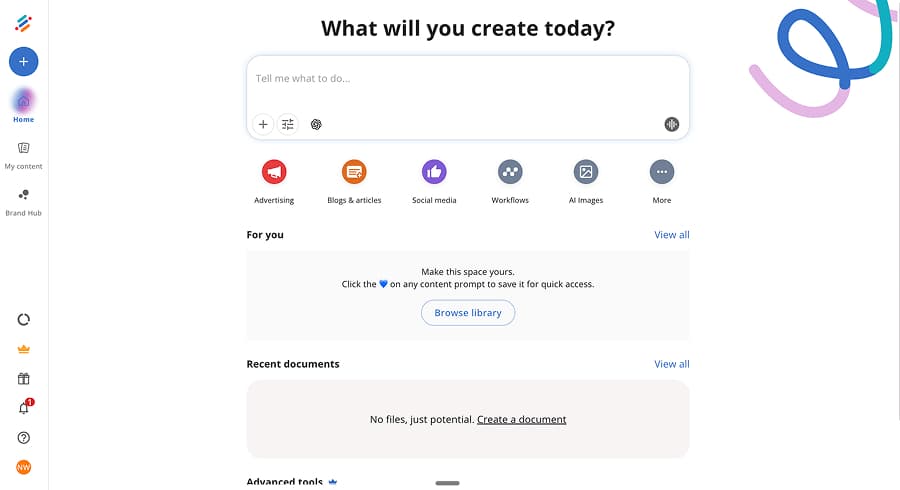
A well-established marketing content platform, Neuroflash offers a template-based system covering blog sections, ads, social media, email, and even HR content. Brand voice and knowledge management features compete directly with Jasper, making it a solid option for teams that need consistent messaging across multiple content types.
Starting from €30/month, with unlimited words unlocked at the €50/month Essential tier, Neuroflash chains components together through its "in-depth SEO article" workflow. This can produce lengthy long-form content with auto-generated meta data, FAQ sections, and curated source links, which saves time on supplementary content. Full SEO analysis features are gated behind the Pro plan at €80/month.
That said, we'd still consider Neuroflash more of a marketing generalist than a dedicated SEO tool. The writing can lean verbose, with transitional padding ("As we have seen," "It becomes evident that") and heavy keyword repetition, and while real citations from sources like Mayo Clinic and PubMed appeared, they were clustered at the end rather than integrated naturally. Like Jasper, it's best evaluated as a multi-channel content platform.
🎯 Best for: Marketing teams wanting a brand-managed content hub with multi-channel content support.
Peppertype (Pepper Content)
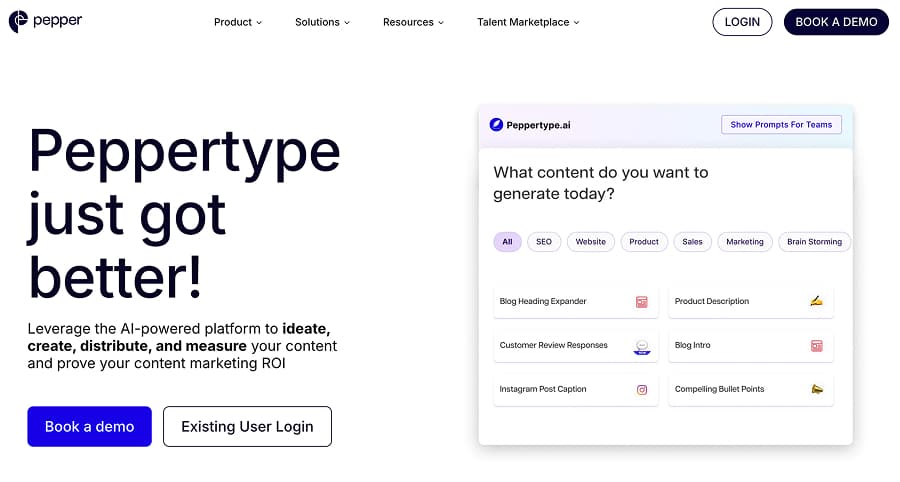
Originally an AI writing tool that gained traction through AppSumo lifetime deals, Peppertype has since rebranded to Pepper Content and repositioned as a full content marketing platform. It now combines AI content generation with a freelance creator marketplace, content analytics, and SEO tools.
I wasn't able to test Pepper Content hands-on as there's no free trial or self-serve signup. You need to book a demo to get started, which positions it firmly as an enterprise team product. While reviews highlight that the switch from Peppertype to Pepper Content has been somewhat controversial and attracted some negativity, praise for the actual tool itself is consistent and clear. Users on G2 and Software Advice specifically highlight the content rewriter and short-form content quality, with the AI engine noted for producing usable text that adapts well to different styles without heavy editing. Longer-form content is where results become less consistent.
🎯 Best for: Enterprise marketing teams with budget for a managed content platform that combines AI generation with human creator services.
Rytr
One of the most budget-friendly AI writing assistants on the market, Rytr offers over 40 use cases covering everything from blog outlines and ad copy to emails, product descriptions, and social media posts. With a free tier (10,000 characters/month), an Unlimited plan at $9/month, and a Premium plan at $29/month, it is firmly positioned for freelancers, solopreneurs, and small marketing teams rather than enterprise users.
We didn't test Rytr hands-on for this article, but user reviews on G2 (800+ reviews, 4.7/5) are consistently positive. The platform is praised for its clean, intuitive interface and the speed of its output, with users regularly highlighting how quickly it turns a brief or a few keywords into a usable first draft. Short-form content is where Rytr gets the most love, particularly for ad copy, product descriptions, and social media posts, with over 20 tone options helping match output to different brand voices. Longer-form content is where reviews are more mixed, with users noting that blog posts and articles often need more editing to reach a publishable standard. Built-in SEO tools like the SERP analyzer and keyword generator are useful additions, though they lack the depth of dedicated SEO platforms.
🎯 Best for: Budget-conscious freelancers and small teams who need a fast, affordable writing assistant for short-form marketing content.
Writing Improvement & Editing Tools
These tools don't generate content; they make your existing content better. If you're using an AI writing tool, running the output through one of these before publishing is almost always worth the effort.
Grammarly is the most widely used: grammar, clarity, and tone suggestions via a browser extension that works alongside any writing tool. The free tier covers basics; premium adds tone detection and full-sentence rewrites.
ProWritingAid goes deeper on stylistic analysis: sentence structure variation, readability scoring, repeated phrases, pacing. Better suited to long-form content editing than Grammarly's sentence-level focus.
Hemingway is the simplest: it highlights complex sentences, passive voice, and hard-to-read passages. The free web version is useful for a quick readability pass. It doesn't suggest fixes; it just tells you what's hard to read.
Wordtune rewrites at the sentence level: tightening, simplifying, or changing tone. Useful for taking AI-generated content and making it sound less formulaic.
Creative & Academic Tools
These are completely different workflows from everything else on this list. I'm including them for completeness; if you landed here looking for fiction writing or academic paper tools, now you know they exist and can stop scrolling.
Sudowrite is built for fiction writers. Story engine, character development, and plot generation. Not for business content.
Jenni AI is built for academic writing. Citation management, research paper structure, and formatting. Not for marketing or SEO.
Didn't Make the Cut
Not every tool belongs on a recommendation list. Some shut down. Some got acquired. Some I tested and wouldn't recommend. Here's what didn't make it and why.
No Longer Available
Longshot AI shut down. You'll still see it on outdated "best AI writer" lists; if a list includes Longshot, you know it hasn't been updated recently.
GrowthBar was acquired by SEOptimer. The product is in transition and the future is uncertain. It was competitively priced at roughly $1.44/article, but I don't recommend investing time learning a product that may not exist in its current form tomorrow.
Tested and Would Not Recommend
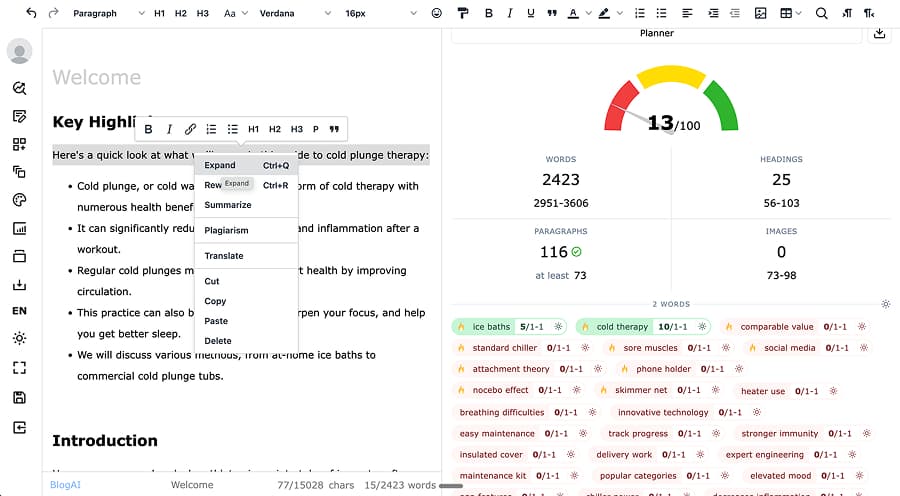
ClosersCopy: This is an editor with a bolted-on AI generator that caps at 200 words per generation. Two hundred words. The SEO scoring system set absurd targets (8 H3 headings for a simple "benefits of cold plunge" topic) and produced irrelevant keyword suggestions (phone holders, carbon hoses). I ran ScaleNut's content through ClosersCopy's scoring system and it scored 13/100. The scoring is broken, and 200-word generations make it functionally useless for article creation.
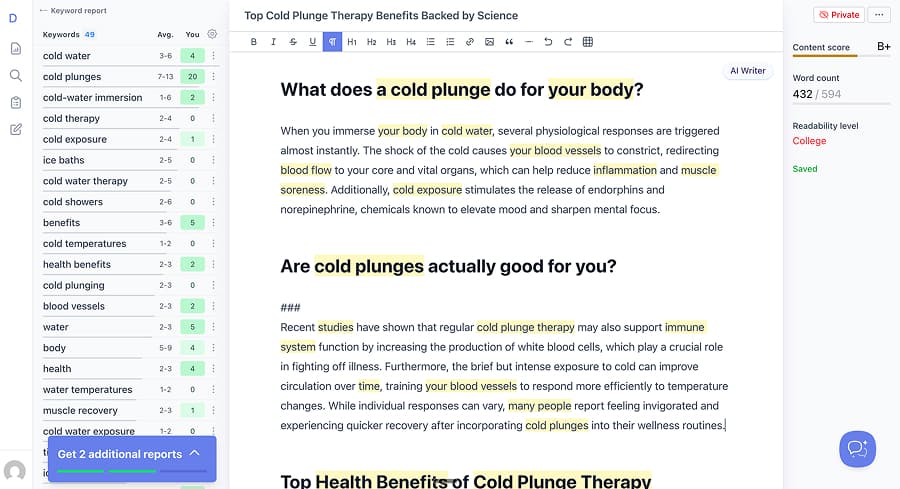
DashWord: The AI writer generates one paragraph at a time, not full articles. In my testing, it produced 432 words out of a target 594, earning a B+ content score, while the tool's own benchmark data shows the top 10 search results average 1,445 words. DashWord's own research tells you the content needs to be 3x longer than what its AI can produce. At $99/month with reports (not articles) as the deliverable, better tools exist at every price point.
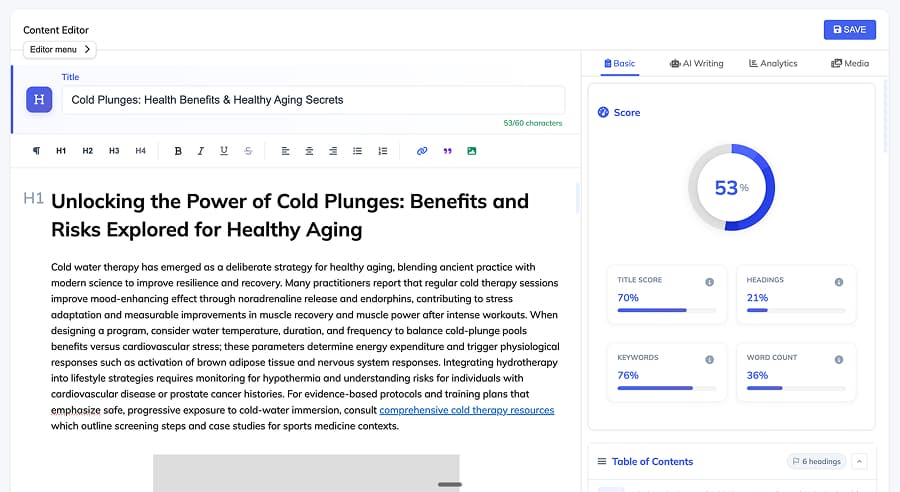
Writecream: The worst content quality I tested. The outline specified a detailed structure with H1–H4 headings; the output was four H2 sections of keyword-stuffed text at roughly 900 words (the interface displayed 2,500). Placeholder links that went nowhere. Placeholder images. Its own optimisation tool scored the output 53%. At $29/month, you get what you pay for.
If a tool appears on other "best of" lists but not here, it's either because it shut down, got acquired, or I tested it and wouldn't recommend it. I'd rather leave a gap than fill it with a bad recommendation.
Pricing Comparison
| Tool | Category | Free Tier | Entry Price | Top Price |
|---|---|---|---|---|
| Koala | SEO Content | Yes | $9/mo | $500/mo |
| Rytr | Marketing | Yes | $9/mo | $29/mo |
| GravityWrite | SEO Content | Trial | $19/mo | $79/mo |
| Outranking | SEO Content | No | $19/mo | $159/mo |
| Neuron Writer | Optimisation | Trial | $23/mo | $117/mo |
| Machined | SEO Content | Trial | $19/mo | $249/mo |
| Writecream | SEO Content | Yes | $29/mo | $79/mo |
| Copy.ai | Marketing | No | $29/mo | Enterprise |
| Neuroflash | Marketing | Yes | $32/mo | $200/mo |
| Cuppa.ai | SEO Content | Trial | $38/mo | $938/mo |
| Frase | SEO Content | No | $45/mo | $349/mo |
| ScaleNut | SEO Content | Trial | $49/mo | $199/mo |
| Writesonic | SEO Content | Trial | $49/mo | $499/mo |
| WordHero | SEO Content | No | $49/mo | $99/mo |
| Anyword | Marketing | Trial | $49/mo | $99/mo |
| Jasper | Marketing | Trial | $69/mo | Enterprise |
| Outrank | Autopilot | Trial | $99/mo | $259/mo |
| Surfer SEO | Optimisation | No | $59/mo | $999/mo |
| Marketmuse | Optimisation | Trial | $99/mo | $499/mo |
| SearchAtlas | Optimisation | Trial | $99/mo | $999/mo |
| Clearscope | Optimisation | No | $129/mo | $399/mo |
| SEO.ai | Autopilot | Trial | $149/mo | $749/mo |
| Peppertype | Marketing | No | Enterprise | Enterprise |
Prices as of February 2026.
How to Choose
We've already done a lot of the legwork by categorising every tool in this guide. Rather than comparing forty-plus platforms side by side, start by figuring out which category matches the area you most need support in, then dig into the tools within that section. The category names are fairly self-explanatory, and most people will know which problem they're trying to solve.
There's a definite spectrum of automation across these tools. On one end, you've got one-click content creation with minimal input and minimal involvement. On the other, you've got platforms like Search Atlas that pack in every possible feature, metric, and data point you could ask for. Personally, I'd recommend somewhere in the middle, but this comes down to how you like to work. If you lean toward hands-off, just know the trade-off is less control and typically less differentiated output. If you lean toward the feature-heavy end, you may end up paying for capabilities you never touch, and more data doesn't always mean better results.
Some of these tools overlap, and it's common to use more than one. You might use a dedicated content writer for the initial draft, then run it through something like Grammarly or Hemingway for a final polish. That kind of layering takes a couple of minutes and almost always improves the output.
If you're currently using ChatGPT, Claude, or Gemini directly for content creation, that's a completely viable approach. These specialised tools are largely built on top of those same models, so you're getting the same back-end system either way. The difference is that these platforms handle a lot of the prompting, structuring, and workflow management for you. Many people are comfortable, or even prefer, working with LLMs directly, but it typically requires more time and effort per piece of content. That's ultimately what these tools are designed to remove.
Final Thoughts
The goal of this guide isn't to crown a single "best" AI writing tool. It's to help you find the right one for what you're actually trying to do, which is why the categorisation matters more than any individual ranking.
Many of the tools in the recommended sections earned their place through hands-on testing, and others through consistently strong user reviews. I've generated real content with a lot of these tools, documented their limitations, and been upfront about where competitors outperform Machined in certain areas. The tools that didn't make the cut went through the same process, and the reasons are documented too.
The AI writing space moves fast. Tools merge, shut down, rebrand, and ship major features on a regular basis. I'll keep this guide updated as things change, but if you spot something outdated, feel free to let me know.
Updated February 2026. Based on hands-on testing, not affiliate rankings.
Further reading: Is AI Content Bad for SEO? · GEO vs SEO: What Actually Matters
About the Author

Nick Wallace
AuthorLong time SEO professional with experience across content writing, in-house SEO, consulting, technical SEO, and affiliate content since 2016.