
Rytr Alternatives: 6 AI Writing Tools for Growing Teams
 Machined Content TeamReviewed by Nick Wallace
Rytr has carved out a loyal following by keeping AI writing simple, fast, and affordable. It works well for short-form marketing copy, quick blog drafts, and everyday content tasks without a steep learning curve. For many users, that ease is exactly its appeal.
As workflows mature, however, some teams begin to look for more than fast text generation. Many seek stronger brand governance and multi-channel automation. Others want research, structure, and SEO intelligence built into the same platform. Still others want publishing, internal linking, or content clustering that turns individual articles into a broader content strategy.
Quick Summary: Looking for Rytr alternatives? Copy.ai is the closest upgrade for short-form marketing workflows with added automation and brand control, while Jasper suits teams that need enterprise-level governance and consistency. For teams moving beyond short-form, Scalenut delivers structured long-form drafts, Cuppa offers hands-on editorial control with SERP visibility, and Writesonic consolidates research, SEO, and content creation into one platform. If the goal is building topical authority rather than drafting individual pieces, Machined stands apart with content clustering and automated internal linking.
This guide compares six Rytr alternatives chosen for people who are actively considering a switch. It covers two common paths:
Short-form first upgrades that keep the same fast drafting workflow but add brand control, collaboration, and automation.
More-than-short-form platforms that move beyond writing into research, SEO structure, and content systems.
Rytr alternatives tend to specialize rather than replicate its full range. Some platforms focus on accelerating short-form campaigns, others invest in research and SEO structure, and a few aim to collapse multiple tools into one workflow. Choosing among them comes down to which part of the content process matters most for the next stage of growth.
Why Look for Rytr Alternatives
Rytr succeeds by staying lightweight, but that focus can create friction as teams scale. Here's why:
Limited workflow depth. Rytr excels at generating text, but it doesn't manage research, internal linking, publishing, or performance tracking. To cover those gaps, teams often rely on a separate set of tools alongside it.
Brand and governance needs. As more writers and stakeholders get involved, maintaining consistent voice, approvals, and compliance can become difficult without more structured controls.
SEO strategy gaps. Rytr supports long-form writing, but it doesn't handle keyword clustering, topical authority building, or SERP-driven content planning.
Automation expectations. Some teams want repeatable workflows for campaigns, product launches, or SEO programs rather than one-off prompt-based generation.
At this stage, the conversation usually moves away from whether Rytr works and toward whether it still fits the scope of what a team is trying to accomplish.
What to Look for in a Rytr Alternative
Choosing the next platform begins with pinpointing which stage of content production matters most right now. That focus makes it easier to separate tools that simply write faster from those that reshape how content is planned, optimized, and delivered. For a broader look at how different AI writing tools handle these needs, see our guide to the best AI writing tools.
Short-form flexibility. If the main value of Rytr is fast copy across emails, ads, and social posts, look for tools that preserve speed while adding brand controls or automation.
Research and structure. Teams publishing long-form content benefit from platforms that integrate SERP analysis, outline building, and citation support.
SEO intelligence. When rankings become a priority, keyword planning, clustering, and internal linking matter more than raw word count.
Publishing and automation. Direct CMS connections and repeatable workflows reduce handoffs and production time.
Pricing and scale. Some platforms charge per seat or per article, while others offer usage-based models. The cheapest monthly plan is not always the lowest cost at volume.
Short-Form Upgrades: Keep the Speed, Add Structure
These tools appeal to teams that like Rytr's fast drafting model but want stronger brand governance, collaboration, or automation across marketing channels. Organizations often choose these alternatives when content creation starts to intersect more closely with sales workflows, campaign management, and cross-team coordination.
Copy.ai
What It Does Differently
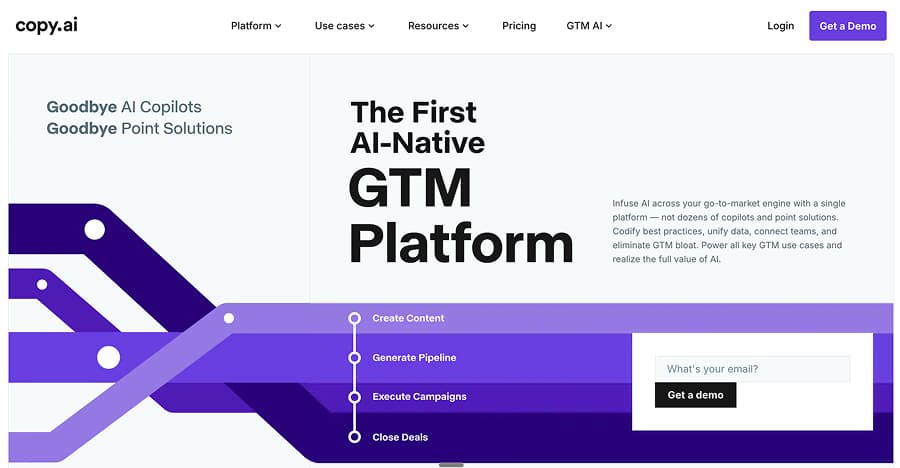
Copy.ai emphasizes go-to-market automation over individual content creation. Instead of focusing on individual pieces of content, it is built around end-to-end workflows that link the stages of a campaign into a single process. The platform includes brand voice management, campaign generation, and automated content sequences for emails, ads, sales outreach, and social posts.
The product centers on repeatability. Users can create workflows that generate multiple assets from a single brief, which shifts the experience from prompting to running systems. An integrated knowledge base lets teams centralize product information and brand guidelines so every output reflects the same messaging standards.
How Pricing Scales
Copy.ai uses a per-seat pricing model, with a Chat plan at $29 per month and custom-priced Enterprise tiers for larger teams. Higher tiers unlock advanced automation, knowledge base capacity, and team governance features. This model favors marketing departments that justify cost through time savings across multiple channels rather than low-cost content volume.
Reviews on Reliability and Support
User feedback frequently highlights strong onboarding and responsive customer success for teams adopting workflow features. Reliability commentary tends to focus on occasional delays when complex workflows run at scale rather than platform outages. Complaints often center on pricing transparency and the learning curve associated with building multi-step automations rather than basic drafting.
Rytr vs. Copy.ai
Rytr focuses on fast, flexible text generation, while Copy.ai prioritizes marketing workflows over standalone content creation. Rytr serves teams that need quick, one-off pieces of copy, whereas Copy.ai users run systems that produce campaigns. The main difference lies in scale and structure rather than writing quality. Teams that rely on short-form content across sales, marketing, and product channels often see Copy.ai as a step up in operational maturity.
We Tried It. Here's Our Verdict
Testing confirmed that Copy.ai shines when generating coordinated assets across channels. Campaign workflows reduced manual repetition, but setup required more upfront planning than a simple prompt-based tool. For pure writing speed, Rytr felt lighter. For teams managing full campaigns, Copy.ai made it easier to turn a single brief into many coordinated pieces of content.
Pros
- Strong automation for multi-asset campaigns
- Centralized brand voice and messaging controls
Cons
- Per-seat pricing scales quickly for teams
- Workflow setup adds complexity for simple tasks
Best for: Marketing and sales teams that want to automate campaign production rather than generate isolated pieces of copy.
Jasper
What It Does Differently
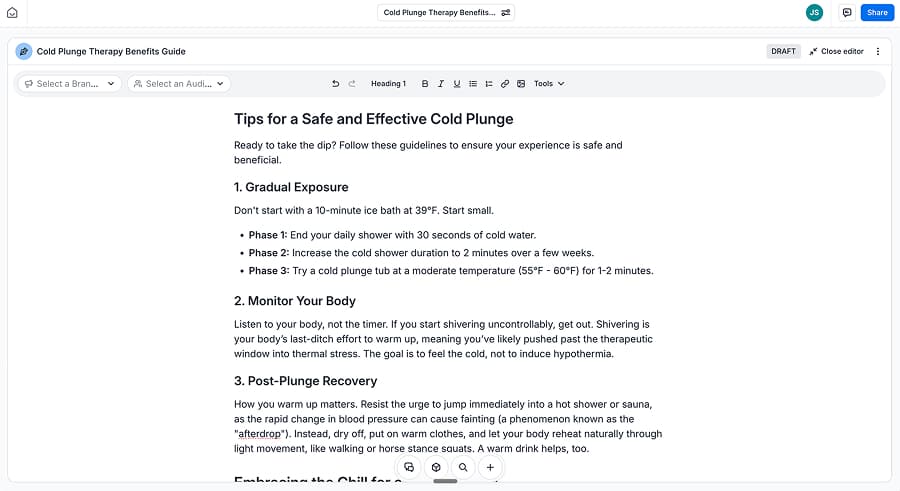
Jasper markets itself as an enterprise-grade AI platform for marketing teams. It extends writing into brand governance, internal knowledge management, and custom AI applications. The platform includes brand voice training, guideline enforcement, and "Agents" that automate tasks across content, public relations, and marketing operations.
Rather than optimizing for SEO or publishing, Jasper optimizes for brand consistency at scale. Teams can feed internal documents, product information, and style guides into the system, which the AI references when generating outputs across multiple formats. This approach helps large teams maintain a unified voice even as content volume and contributor counts grow.
Subscription Model and Seats
Jasper's pricing follows a per-seat structure. Entry-level plans provide access to core writing and brand features, while business and enterprise tiers unlock advanced governance, security, and integration options. Costs increase predictably with team size, which positions Jasper as a budget fit for departments rather than solo creators.
What Users Report About Platform Stability
Reviews often highlight reliable uptime and consistent performance across teams. Support feedback points to strong onboarding for enterprise accounts and dedicated customer success for higher tiers. When users report issues, they are usually related to feature access by plan level and billing adjustments rather than system reliability.
Rytr vs. Jasper
Rytr prioritizes speed and accessibility, while Jasper focuses on brand control and organizational scale. Rytr feels like a writing assistant, whereas Jasper feels like a brand operating system. Teams that need governance, compliance, and cross-department consistency often see Jasper as a structural upgrade rather than a writing upgrade.
We Tried It. Here's Our Verdict
Testing showed polished, readable content with strong brand alignment when we configured guidelines. Setup required more time than with lightweight tools, but the payoff came in consistency across multiple content types. Jasper felt best suited for teams managing many contributors under a single brand umbrella.
Pros
- Advanced brand voice and governance controls
- Reliable performance for large teams
Cons
- Higher cost due to per-seat pricing
- Overkill for simple, one-off writing needs
Best for: Mid-size and enterprise marketing teams that need brand consistency across many writers and channels.
More Than Short-Form: Platforms for SEO and Content Systems
These tools appeal to teams moving beyond quick drafts into research, structure, and content strategy. They fit organizations that plan content around topics and performance goals rather than isolated posts. The shift to one of these tools often reflects a move toward building long-term visibility and authority instead of chasing short-term output.
Machined
What It Does Differently
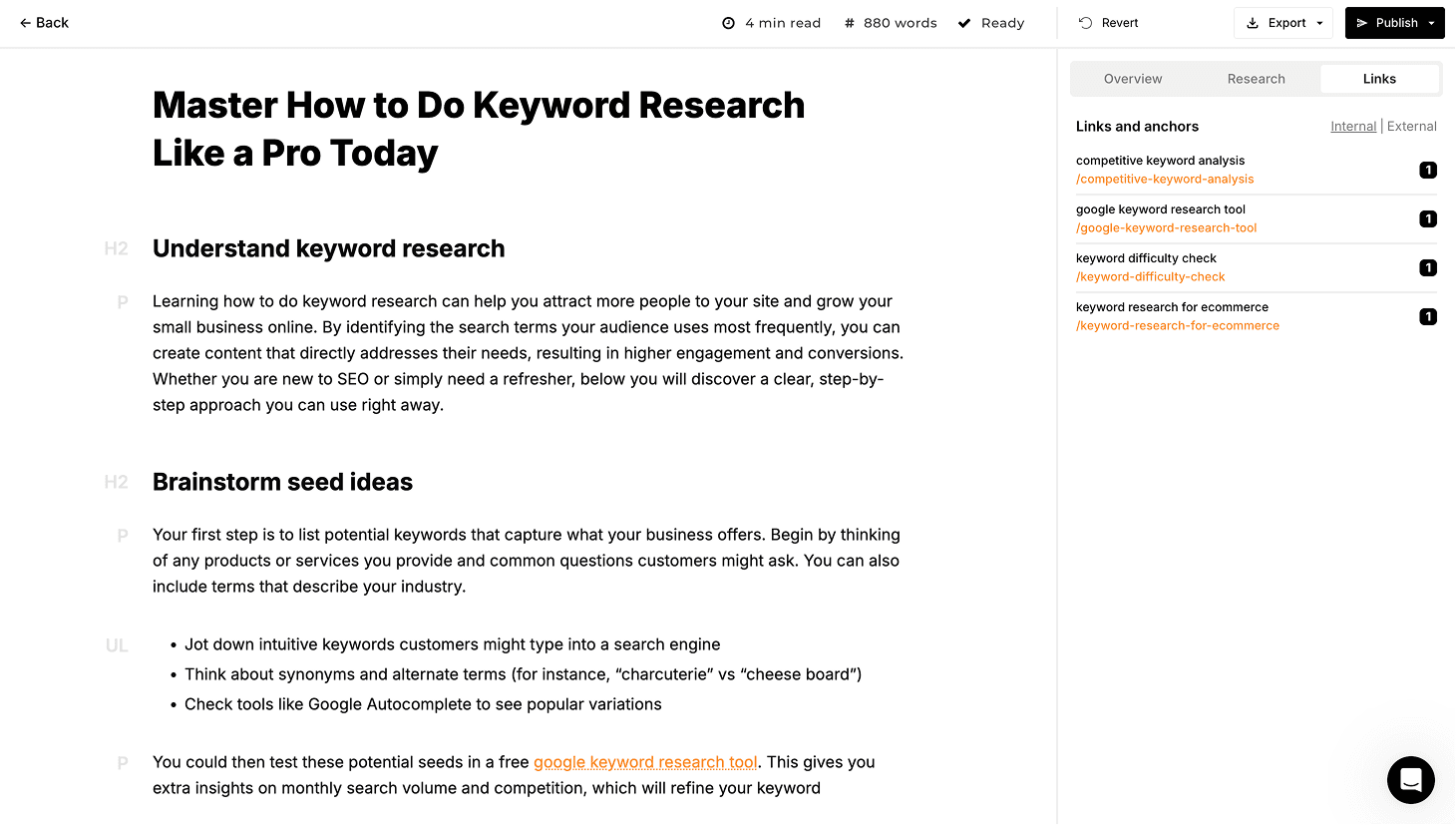
Machined approaches content as a system rather than a stream of articles. The platform builds keyword clusters, generates long-form content, inserts internal links across related pages, and publishes directly to a CMS. The focus is topical authority rather than individual page optimization. This structure helps ensure each article supports a broader subject area instead of competing with related pages.
Instead of prompting for one article, Machined users define a subject area. The platform then creates a pillar page and supporting content, links them together, and deploys them as a cluster. Research agents pull credible sources and integrate citations into the writing process, which supports authority-driven SEO strategies.
Pricing Model and Usage Economics
Machined starts with a 7-day free trial, with paid plans at $19, $49, $99, and $249 per month that add rising article volumes, brand voice controls, team seats, and CMS publishing to WordPress or Webflow. Users pay content generation costs directly to their AI provider via API usage, averaging around $0.20 per article — an approximate figure that varies with article length, research depth, images, and model choice. This keeps marginal costs transparent and avoids per-article markups. At scale, costs behave linearly rather than triggering caps or pricing cliffs.
What Reviews Say About Reliability
Feedback on Machined often highlights consistent performance when running large content batches. Users note that cluster generation and publishing workflows run without frequent interruptions. Support commentary tends to focus on documentation quality and feature onboarding rather than urgent technical issues, suggesting stability is a core strength.
Rytr vs. Machined
Rytr focuses on writing pieces of content. Machined focuses on building content ecosystems. Rytr answers "what should this say?" Machined answers "what should this site cover?" The tools operate at different strategic levels, with Machined shifting the conversation from drafts to authority building. This difference reflects a move from producing individual assets to planning and executing topic-wide coverage.
We Tried It. Here's Our Verdict
Testing confirmed that the cluster workflow delivered end to end. Defining a topic produced a structured set of supporting articles around a clear pillar, with each piece targeting a distinct intent rather than overlapping keywords. Internal links appeared naturally within body content, using relevant anchor text instead of generic phrasing, and connections flowed both toward the pillar and across related pages. Publishing to the CMS completed the loop without manual formatting or link cleanup.
The BYOK pricing model kept costs predictable throughout testing. Article generation and research incurred direct API usage without hidden markups, and producing clusters did not trigger sudden pricing jumps.
The main tradeoffs: output quality varies depending on model choice and prompt configuration, and generated content benefits from editorial review before publishing, particularly for topics requiring nuance or technical accuracy. The BYOK setup also adds an onboarding step that some teams find unfamiliar. The platform is focused on SEO content clustering and doesn't handle ads, emails, social content, or broader marketing tasks.
Pros
- End-to-end content clustering, internal linking, and CMS publishing in a single workflow
- Usage-based costs scale well for high-volume publishing
Cons
- Focused strictly on SEO content, not general marketing copy
- Output quality depends on model choice and settings; editorial review recommended before publishing
Best for: SEO teams and publishers building topical authority across entire subject areas.
Cuppa
What It Does Differently
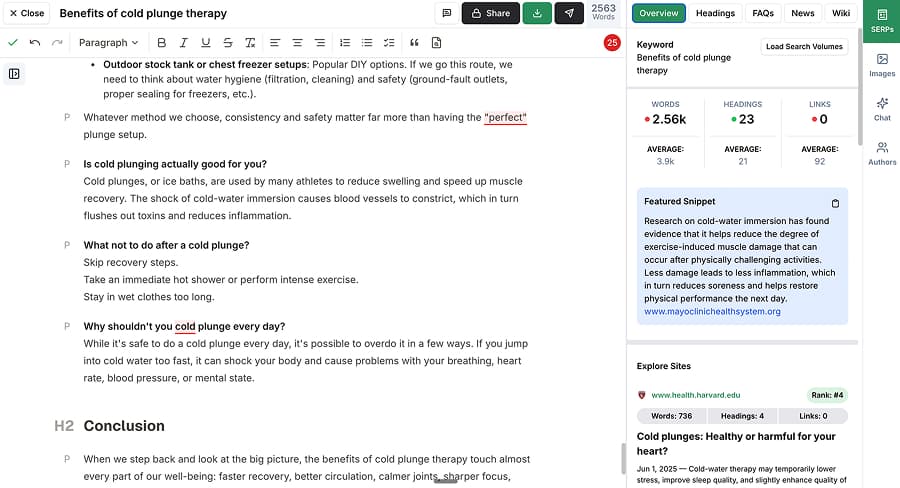
Cuppa emphasizes editorial control. The platform supports multiple AI providers under one workspace and offers a powerful editor with SERP data, competitor headings, and one-click insertion of common search questions. Writers can shape structure before generation, which reduces post-draft editing. This setup gives teams more influence over article organization before the AI produces the final draft.
The platform includes publishing integrations and automation hooks, but advanced research and clustering sit behind higher tiers and external APIs. The design prioritizes hands-on content refinement over automated strategy. Teams typically spend more time shaping individual articles rather than relying on the platform to plan content at scale.
Cost Structure and Feature Gating
Entry tiers follow a BYOK model, meaning users supply their own AI provider credentials to generate content. However, key SEO capabilities such as research and clustering require higher-tier subscriptions, and in some cases, additional third-party API keys. This differs from Machined's BYOK approach, where research and clustering are built into the platform while generation costs come only from the user's AI usage, making Cuppa's structure more layered as teams expand features.
User Feedback on Stability and Service
Reviews frequently praise the editor experience and day-to-day reliability. Support discussions often revolve around plan differences and feature access rather than system failures. Most reported friction stems from understanding which tier unlocks which capability. Some users also mention needing additional setup time when integrating external API services.
Rytr vs. Cuppa
Where Rytr emphasizes speed, Cuppa emphasizes control. Rytr's design allows users to move quickly between tasks, while Cuppa users work inside a structured editing environment. The difference reflects a shift from drafting to refining. This shift often introduces more pre-generation planning and outline shaping before generation.
We Tried It. Here's Our Verdict
In testing, Cuppa produced comprehensive, readable long-form output that compared well with higher-end tools. Drafts covered topics thoroughly without locking into rigid templates, and the writing felt flexible rather than formulaic. The editor stood out as the strongest part of the platform, with SERP context, outlines, and inline guidance visible throughout drafting, which simplified mid-draft decisions and reduced revision cycles.
We encountered roadblocks when enabling research features because they require plan upgrades and external API configuration, but core content generation testing felt polished. Overall, Cuppa excelled as a craft-focused platform rather than an automation engine.
Pros
- Best-in-class editor with SERP visibility
- Flexible multi-provider AI model support
Cons
- Advanced SEO features gated by tier and APIs
- Limited automation for large-scale strategies
Best for: Writers and SEO teams that want hands-on editorial control with SERP insight.
Scalenut
What It Does Differently
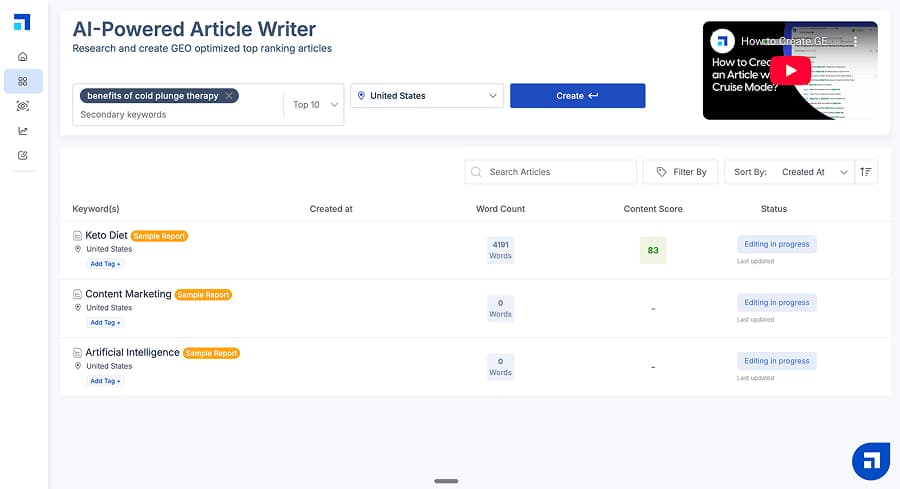
Scalenut produces highly structured long-form content by default. Articles often include tables, FAQs, and summary sections without heavy configuration. The platform blends writing, keyword planning, and basic optimization into a single interface. This combination helps teams move from keyword selection to a publish-ready draft with minimal manual formatting.
The workflow favors completeness over customization. Writers start with keywords and references, review an outline, and generate a draft that arrives largely formatted and organized. This approach reduces the amount of structural editing required after generation. It also encourages consistency across articles, though it can limit flexibility for teams that prefer fully custom layouts.
Plan Design and Output Limits
Scalenut prices its product around three tiers that bundle AI visibility tracking with GEO content creation and optimization. On monthly billing, its Starter plan is $59 per month, its Plus plan is $89 per month, and its Professional plan is $199 per month.
Starter includes one workspace (domain), tracking up to 10 prompts on weekly refresh, and a monthly allowance of five GEO articles plus five GEO optimizations. The Plus plan increases to two workspaces, 25 tracked prompts, 30 GEO articles, and 30 optimizations per month, and adds a GEO content audit for up to 200 web pages. Plus users also gain access to internal linking, topic gap recommendations, traffic analysis, and auto-publish to WordPress and Shopify.
Professional expands to unlimited workspaces, 100 tracked prompts, 75 GEO articles, 75 optimizations, and a content audit allowance of up to 1,000 web pages each month. This tier also unlocks cannibalization analysis, dedicated support, and access to Perplexity (lower tiers only offer ChatGPT and Google AIO).
In practice, Scalenut's pricing works best when the workflow uses both sides of the bundle: AI visibility tracking and creation/optimization. If the workflow mainly needs drafting volume, the AI visibility layer can feel like paid overhead; if the workflow needs visibility reporting plus steady publishing, the tiers map cleanly to growth stages.
Reliability and Support Notes
Scalenut feedback often points to consistent generation and a stable interface. Support commentary centers on billing questions and plan upgrades rather than outages. Most friction appears tied to understanding how limits apply across multiple projects. Some users also mention needing clearer visibility into usage tracking and remaining article allowances.
Rytr vs. Scalenut
Rytr prioritizes flexibility and speed, while Scalenut prioritizes depth and structure. Rytr suits short-form workflows, whereas Scalenut excels at long-form SEO publishing. This contrast reflects a move from quick drafts to comprehensive guides, which often aligns with teams that value ranking performance and content completeness over rapid turnaround time.
We Tried It. Here's Our Verdict
Testing produced some of the most structurally complete drafts in the group. Tables and FAQs reduced editing time, but keyword strategy felt shallow. Scalenut delivered reliable output for drafting but relied on users for deeper SEO planning. The platform performed best when paired with external keyword research and content strategy tools.
Pros
- Strong long-form structure with minimal setup
- Stable generation experience that produces consistent drafts
Cons
- Basic keyword clustering with limited intent grouping or cannibalization prevention
- Hard monthly caps that restrict publishing volume as content production expands
Best for: Teams that want well-structured SEO drafts without managing complex tools.
Writesonic
What It Does Differently
Writesonic behaves like a full SEO platform. It includes keyword research, competitor analysis, site audits, visibility tracking, and AI content generation. The goal is consolidation rather than specialization. This approach allows teams to manage multiple stages of content strategy without switching between platforms. It also positions the tool closer to traditional SEO suites than lightweight AI writing assistants.
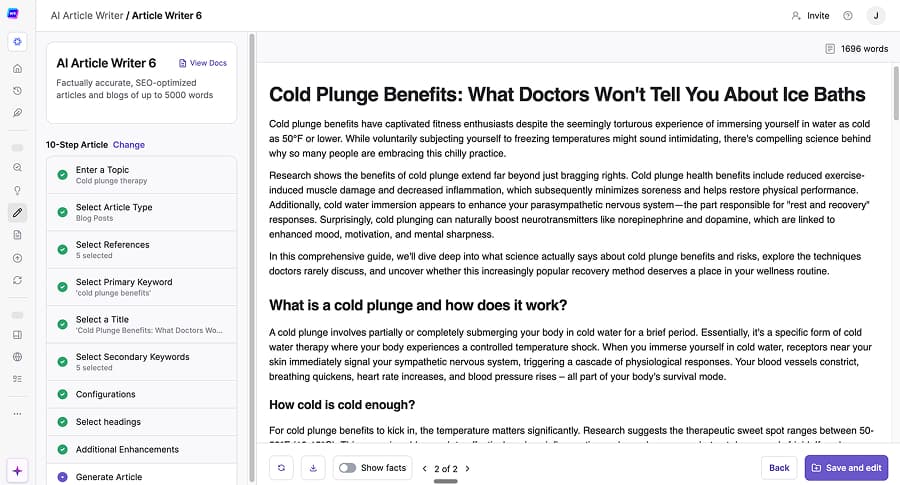
The platform's guided article workflow integrates research selection, outline building, and publishing. This breadth reduces the need for separate SEO tools but adds complexity to the writing process. Users must make more decisions during setup compared to simple prompt-based generators. For teams accustomed to structured SEO workflows, the additional steps often feel worthwhile despite the learning curve.
Pricing and Capacity Planning
Plans range from $49 per month on the Lite tier (15 articles) to $499 per month on the Advanced tier (75 articles). The $99 per month Standard tier includes 30 articles, and the $249 per month Professional tier includes 50 articles. Enterprise customers can access custom pricing with additional model access, multiple languages, and AI visibility actions. Projects and sites remain capped even at top levels. The structure works best for teams that value predictability over unlimited scale, and requires agencies and multi-brand teams to carefully manage project allocation within their plan limits.
What Users Say About Performance
Feedback frequently mentions slower generation times compared to lightweight tools. Support reviews describe mixed experiences, with some users praising responsiveness and others citing delays for billing and plan changes. Reliability issues tend to center on the waiting period between requesting content and the platform finishing generation rather than system downtime. Some users also report that longer generation queues can disrupt high-volume publishing schedules.
Rytr vs. Writesonic
Rytr delivers fast, straightforward content generation built for quick execution. Writesonic provides a broader environment that combines research, analysis, and content production within one platform. Rytr typically supports teams that need rapid output with minimal setup, while Writesonic suits teams that want strategy and production tools working together. The main difference comes down to workflow scope, with Rytr streamlining writing tasks and Writesonic supporting the entire SEO content lifecycle.
We Tried It. Here's Our Verdict
Our Writesonic test confirmed strong research-backed output, but generation speed slowed production. The platform delivered substance, yet the wait time created friction for bulk workflows. Writesonic fits best for teams that want one platform to manage most SEO tasks. The platform performed most efficiently when we prioritized research depth and consolidation over rapid publishing speed.
Pros
- Broad SEO feature set in one system
- Solid research integration that supports more data-informed article creation
Cons
- Slow generation speed that can interrupt production flow
- Restrictive project and user limits that can create scaling challenges
Best for: Teams that want to consolidate SEO research, audits, and writing into a single platform.
Comparison Chart
| Tool | Pricing | Core Strength | Main Limitation | Best Use Case |
|---|---|---|---|---|
| Rytr | Free (limited) / Unlimited: $9/mo / Premium: $29/mo | Fast short-form content across many formats | Limited research, SEO, and workflow depth | Quick drafts, short-form marketing copy |
| Copy.ai | Chat: $29/mo / Enterprise: Custom | Campaign and go-to-market automation | Costs scale quickly with team size | Marketing and sales workflow automation |
| Jasper | Pro: $69/seat/mo / Business: Custom / Free trial available | Brand governance and consistency at scale | Higher cost and setup overhead | Enterprise marketing teams |
| Machined | 7-day free trial / Launch: $19/mo / Growth: $49/mo / Pro: $99/mo / Scale: $249/mo / BYOK: $99/mo + API costs | Content clustering and topical authority | Limited to SEO-focused content | Authority-driven SEO publishing |
| Cuppa | Hobby: $38/mo / Power User: $75/mo / Business: $150/mo / Agency: $250/mo / Enterprise: Custom | Editorial control with SERP-aware editing | SEO features gated by tier and APIs | Hands-on SEO writing and refinement |
| Scalenut | Starter: $59/mo / Plus: $89/mo / Professional: $199/mo | Structured long-form drafts with minimal setup | Hard caps on articles and domains | Long-form SEO draft production |
| Writesonic | Lite: $49/mo / Standard: $99/mo / Professional: $249/mo / Advanced: $499/mo / Enterprise: Custom / Free trial available | Consolidated SEO platform | Slow generation and capped projects | All-in-one SEO workflows |
Pricing as of February 2026. Many tools offer discounts for annual billing.
TL;DR
Closest like-for-like Rytr replacement: Copy.ai. It still supports fast short-form output across marketing formats, but adds workflow structure and cross-team coordination that Rytr doesn't provide.
Best for research-first workflows: Writesonic. It integrates research inputs, SEO analysis, and guided drafting in a single environment, which fits teams that want research baked into creation rather than added later.
Best for consolidating your tool stack: Writesonic. Its footprint covers multiple SEO functions (research, audits, tracking, content) that otherwise require separate tools.
Best for building topical authority: Machined. It builds clusters, internal links, and topic-wide coverage that move beyond one-off drafts into authority-driven content systems.
Best for pairing with Rytr: Scalenut. Rytr can handle fast short-form copy, while Scalenut can take over structured long-form SEO drafts when a workflow needs both quick assets and deeper guides.
Bottom Line: Rytr remains a strong option for fast, flexible content creation, but its simplicity creates clear tradeoffs as content needs expand. Some alternatives improve short-form workflows with stronger brand control and automation, while others shift the focus toward research, structure, and SEO strategy. Choosing a replacement comes down to process, not prose. The real question is whether the next tool improves efficiency, expands responsibility, or reshapes the way content is built from the ground up.
About the Authors

Machined Content Team
AuthorOur content team combines detailed research and industry knowledge to create comprehensive, unbiased, and useful articles for anyone ranging from small business and startup owners to SEO agencies and content marketers.
Nick Wallace
ReviewerLong time SEO professional with experience across content writing, in-house SEO, consulting, technical SEO, and affiliate content since 2016. Nick reviews all content to ensure accuracy and practical value.