Compare
Copy.ai vs Rytr: Head-to-Head Comparison
Copy.ai or Rytr? Which is the right AI content tool for you?
· Machined.ai Content Team · updated 2026-10-12
Copy.ai and Rytr are two of the most popular AI writing assistants.
If you’re contemplating signing up for one, whether to counter writer’s block or to improve your team’s writing process, you’ve come to the right place.
For more comparisons, see our Jasper AI vs Rytr and Copy.ai vs Jasper analyses.
In this guide, we’ll break down how both tools perform across real-world use cases, highlight their strengths and weaknesses through side-by-side testing, and help you determine which tool best fits your content needs.
We examine key metrics, including content quality, ease of use, personalized configuration, pricing models, and more.
Quick Comparison: Rytr wins on affordability ($7.50/mo) and ease of use, while Copy.ai delivers more polished output ($29/mo for self-serve, enterprise pricing for workflows). Both excel at short-form content, but neither is designed for large-scale SEO content clustering.
Rytr AI writer
Rytr is AI writing software that can produce content for a range of use cases, including email copy, ad copy, press releases, web copy, product descriptions, blog posts, social media posts, and more.
From what we’ve seen of it while putting it through its paces, it seems geared for both personal and business needs.
Right off the bat, you’re asked if you want to use Rytr primarily for “writing emails, messages, or replies” or “writing articles or marketing content.”
Aside from generating content for you, Rytr also has additional functionality, such as:
Magic Command
As the name suggests, you can send custom commands to Rytr with this feature.
It’s practically a way to instruct it on what you want and how you want it.
You can also increase the creativity to give the AI tool more wiggle room to be expressive.
Similarly, you can choose from different tones or voices, such as convincing, funny, formal, informational, joyful, and passionate.
Here’s an example of what the Magic Command can do with the prompt below:
Write a convincing letter to the CEO of my company asking them to let me work from home and seeking a reduction in my work hours from 8 hours daily to 5 hours per day without a change in my salary.
And here’s the output:
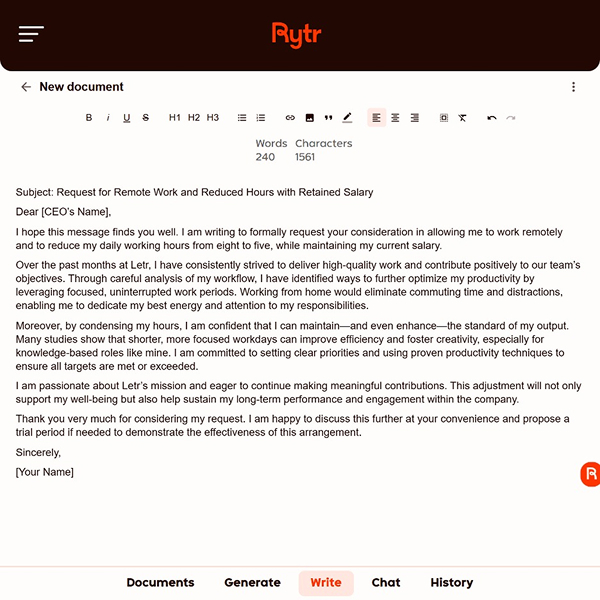
The format looks good and reads like a professional email. The research reference is also a nice touch.
Overall, all the paragraphs added make sense, and nothing seems out of place.
MyVoice
MyVoice is another interesting feature available to you in Rytr.
This feature lets you configure custom tones and voices you can use at any time.
The main idea behind MyVoice is to train Rytr to write like you.
So, you can create different MyVoices for various kinds of writing you do or clients you write for.
Custom Use Cases
This feature helps you train the artificial intelligence on different use cases, such as recipe writing, white papers, tech documentation, and much more.
Pros
- The sign-up process is swift and straightforward. You can access the free version without providing your credit card details
- Has a Chat feature for creating content quickly
- Can also generate images for written content
- User-friendly interface and intuitive design
- Superb for short-form content
- Over 40 supported use cases
- Supports 40+ languages
Cons
- Charges for each variant it produces on each prompt
- Limited integrations with other tools like Zapier
- Sometimes, you may need to explain multiple times while using the Chat feature before it grasps what you want
- Not super great for long-form content, as it sometimes becomes repetitive
- Limited characters for describing what you want
- Limited keyword research capabilities
Copy.ai
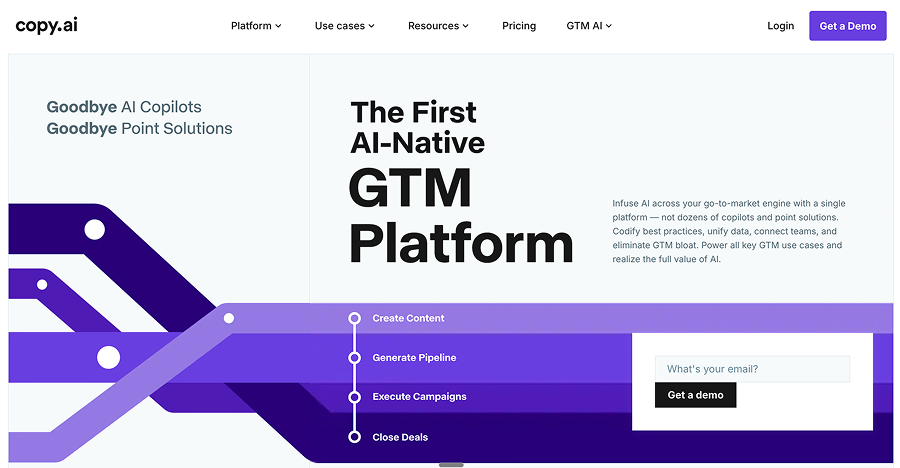
It would be simplistic to describe Copy.ai as an AI-powered writing assistant. The platform has evolved into a GTM (Go-To-Market) AI platform.
Simply put, users have AI across their sales and marketing processes, including writing.
Of course, we would judge Copy.ai solely on its content-generation capabilities.
Here are a few of its writing features:
Brand Voice
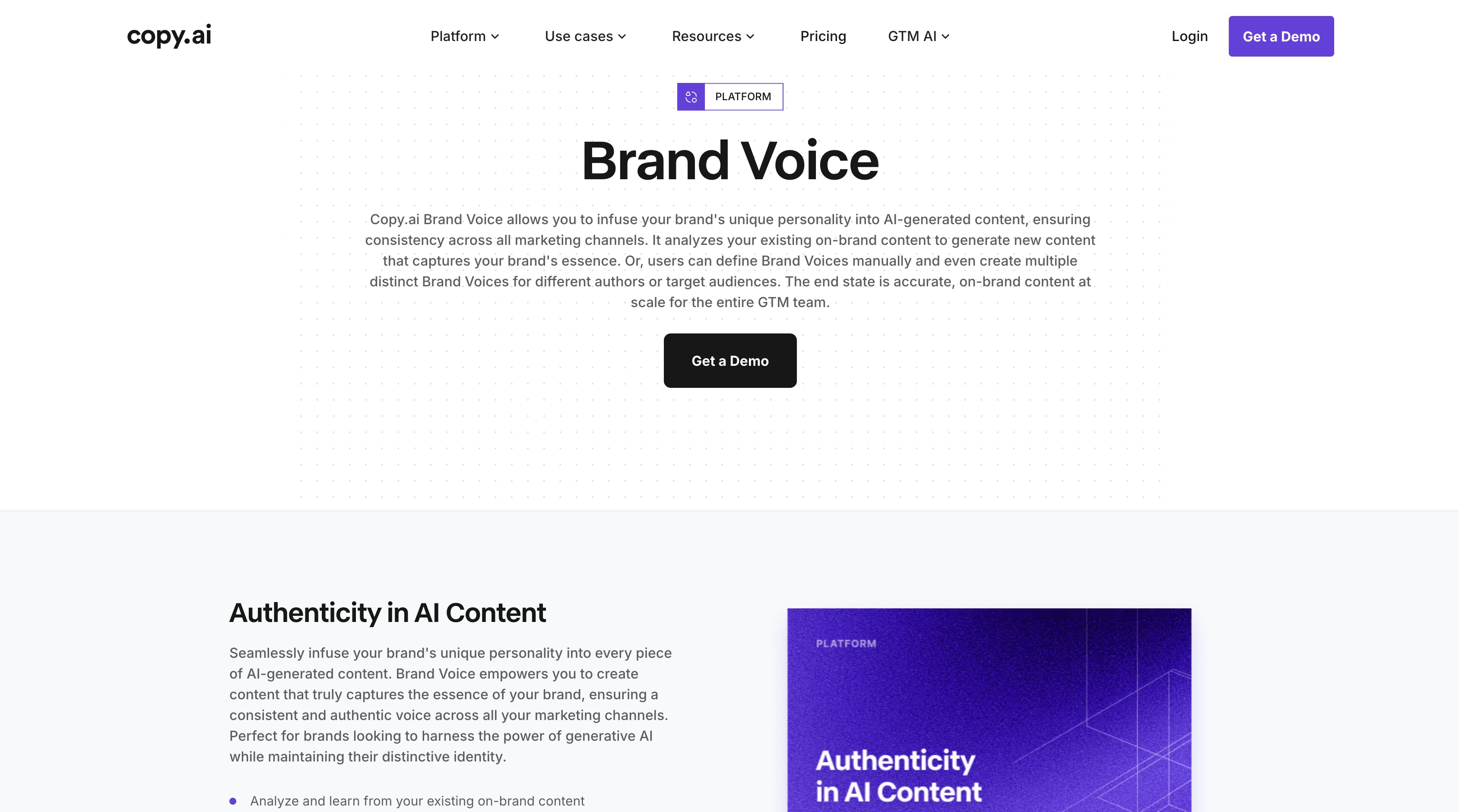
Through this feature, you can configure your own brand voice and set up as many as you want.
All you need to do is produce a description of what your writing sounds like, such as:
Be funny, transparent, and conversational. Always write like you’re having a friendly chat with a friend in a coffee shop. The audience is regular folks looking for how to make simple meals after a long day at work.
Chat
Works similarly to ChatGPT and can access real-time information.
What we like about this feature is that you have access to prompt templates to help you get started fairly quickly and broaden your perspective of what’s possible.
Pros
- Very customizable
- A broad range of templates to ease the high learning curve
- Multi-language support
- Supportive community
- Organize generated content by projects
Cons
- If you’re looking for a simple writing tool, Copy.ai may feel a tad overwhelming
- A major cause of complaints among users is the “steep pricing”
- Takes time to generate answers, especially for complex tasks
Testing Rytr and Copy.ai side by side
This comparison will not be complete without testing both using similar prompts.
For this purpose, we would test these tools across writing email copy and a full article.
1. Email Copy
For this section, here’s the prompt we are using:
Write a persuasive email copy for a cold outreach to potential customers to offer our (Make It Happen Inc.) data analytics and automation services.
Audience: Operations managers and CTOs in mid-sized companies
Goal: Book a 20-minute discovery call
Tone: Professional, concise, and value-driven
Be sure to outline the main pain points, such as manual processes, slow reporting, and operational bottlenecks, and then show how data analytics and automation alleviate these issues. Lastly, ensure there’s a strong persuasive CTA.
And here are the results:
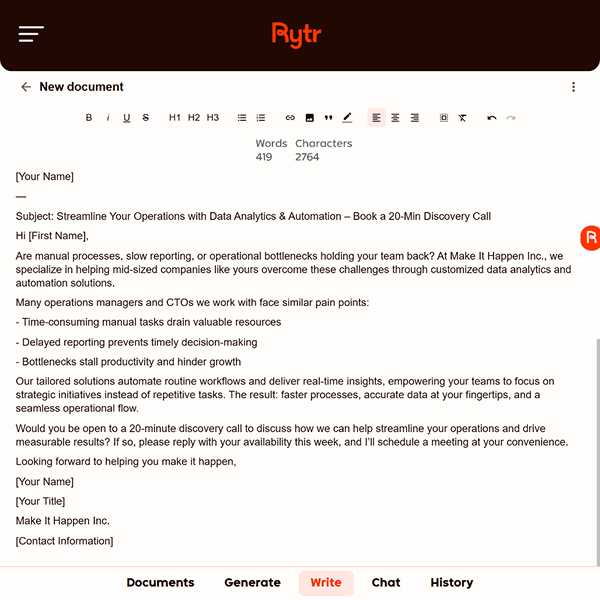
Rytr:
Copy.ai:
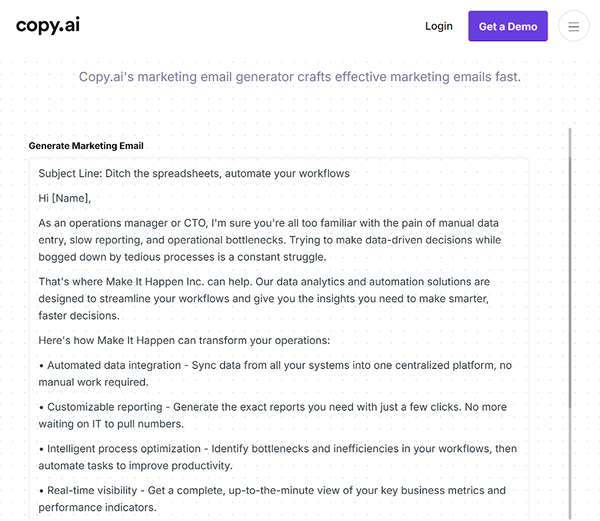
Personally, if I got these emails, I’d be more inclined to go with Copy.ai’s output rather than Rytr.
Rytr’s output sounds too formulaic and robotic.
Neither tool uses data points to buttress its points, which is a bit disappointing. Copy.ai wins this round.
2. Article Writing
For this prompt, here are the prompt or details we would be using:
Write a 900–1,100-word SEO rich article titled ‘How Predictive Analytics Helps Businesses Save Costs and Improve Efficiency’.
Our target audience is business leaders and decision-makers, and the article’s tone should be authoritative, accessible, and non-technical. However, the last paragraph and CTA should be highly persuasive - we want them to take the next steps.
Make sure to include two real-life case studies. Some of the keywords to include are: ‘predictive analytics,’ ‘business efficiency,’ ‘cost reduction,’ and ‘data-driven decisions.‘
Of course, no keyword stuffing.
Here are the results:
Rytr
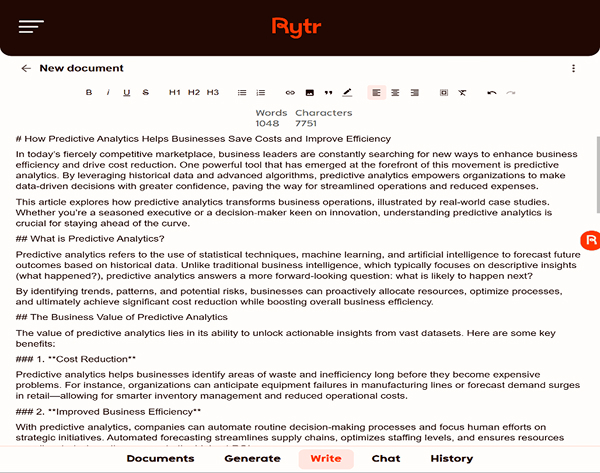
Overall, not the worst piece you’ll ever see.
I see a lot of popular phrases such as “not just survive but thrive,” “In today’s competitive landscape,” and more.
On the positive side, it captures the essence of the topic with headings that explain how to get started, why to start now, and the business value of making the switch.
Again, the output could do more with more data in the introduction. It also kept to the word count and used the keywords sparingly and organically.
Copy.ai
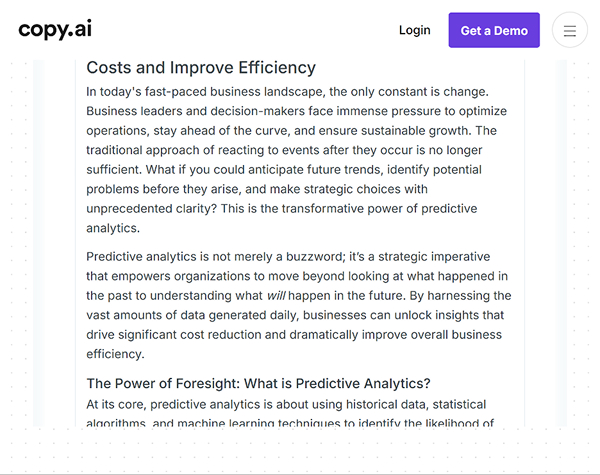
One of the very first observations was that Copy.ai is a bit verbose, so we were not surprised that, in the end, the word count exceeded the instructed limit by about 400 words.
Although the content is polished, it does not provide as much value as Rytr’s output. Rytr won this round.
Rytr vs Copy.ai: A Detailed Comparison
Having used both for a bit, here’s a comparison of their performance:
Content Quality
This assessment is based on each tool’s performance across a few prompts.
As with AI, one person may find greater joy with a tool based on improved prompts, customized configuration, and the AI’s mood (just kidding!).
That said, the content quality is okay on both Rytr and Copy.ai, though it can be a complete miss sometimes. You can never know what to expect.
For Rytr in particular, the variants it produces are barely different.
Overall, I think Copy.ai’s output is much more polished and engaging than Rytr’s.
Personalized Configuration
Rytr offers users two main ways to personalize content output. The first is adding a custom tone of voice, and the second is using any combination of the built-in 20+ different tones and over 40 use cases.
Copy.ai also offers tons of ways to personalize your experience. You can curate a set of tones or voices for the type of content you write using Brand Voice.
Additionally, with the Chat feature, you can give AI a personalized message for whatever idea you want to bring to life.
Pricing
Both Copy.ai and Rytr offer two paid plans.
By far, Rytr’s offering is more affordable, with the most expensive plan at $24.17 per month, compared to Copy.ai’s most costly, its unlimited plan at $29 per month.
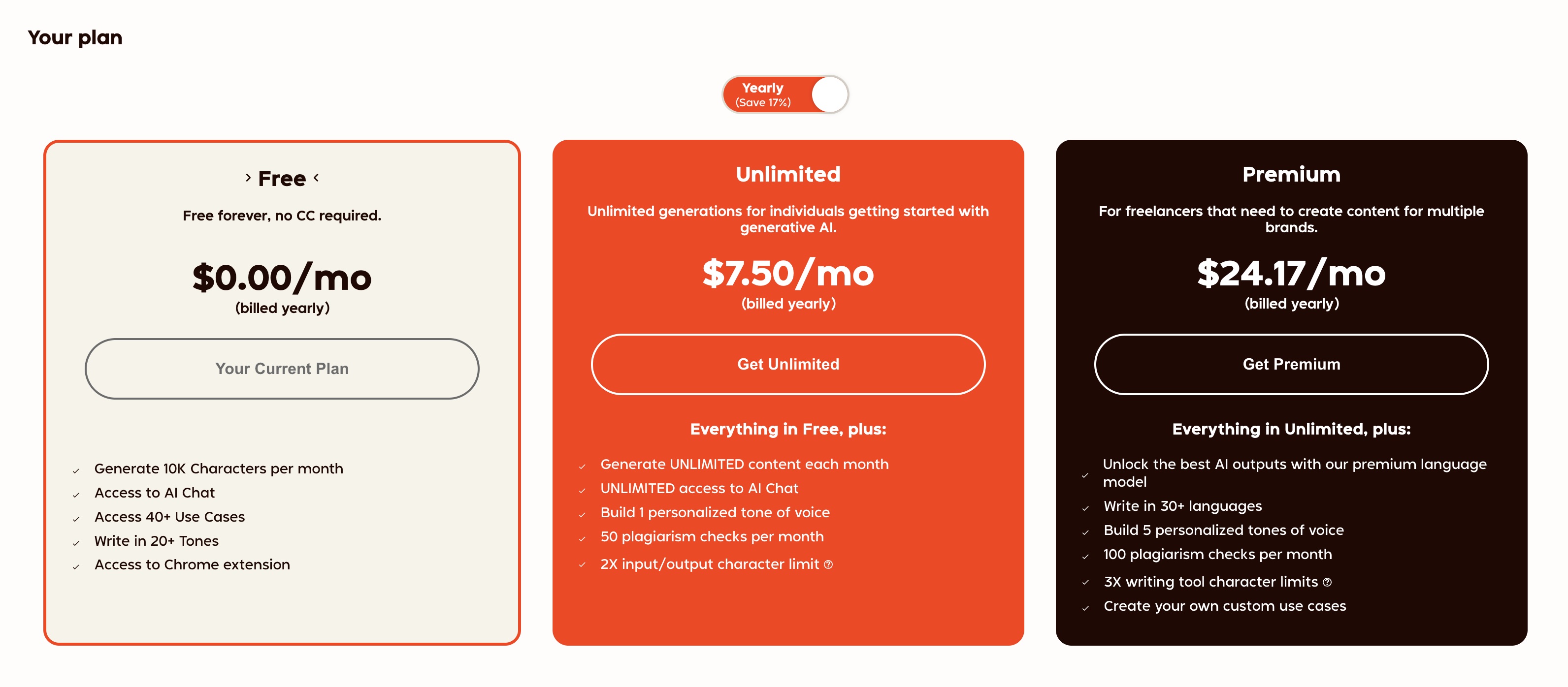
Copy.ai’s $288 per year gives access to only 5 user seats, but unlimited words in chat.
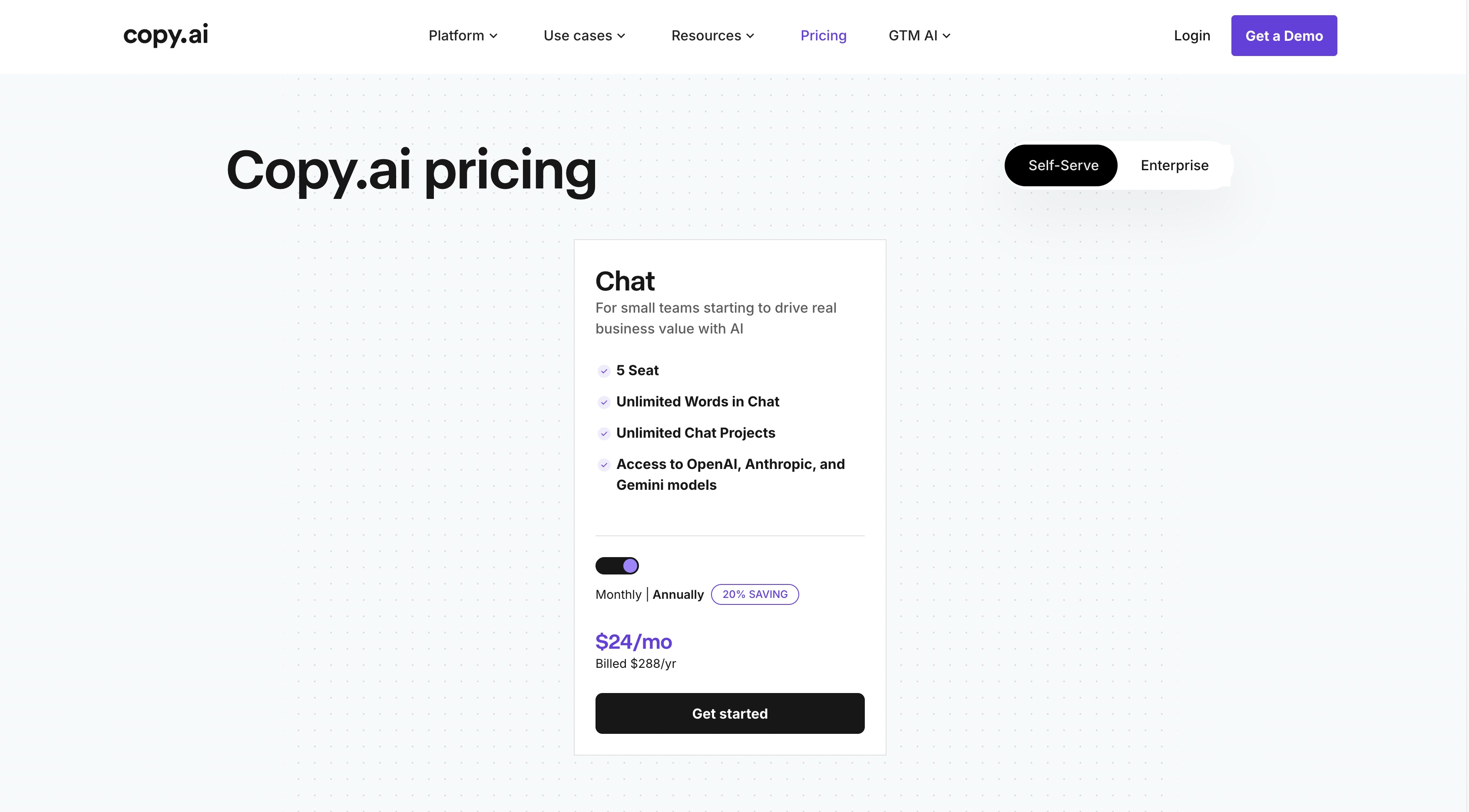
You can get substantially more seats for less with Rytr. You can also generate unlimited characters per month with the Rytr paid plan.
Grammar and Plagiarism Checker
Neither tool has an in-built grammar checker, nor is there a way to integrate with a third-party grammar checking tool.
So, you’ll need to be eagle-eyed or use a third-party editor.
Rytr and Copy.ai both use Copyscape to check for plagiarism, though with different workflows.
Languages Supported
Rytr supports 35+ languages, including English, Dutch, Turkish, Chinese, Hindi, and more. However, multiple languages are only available on the Premium plan.
Copy.ai, on the other hand, supports 25+ languages, including Polish, Turkish, Greek, Estonian, and many more. You can also translate one language to another on Copy.ai.
SEO Capabilities
Both tools have basic, built-in search engine optimization capabilities, such as SEO title and meta description generators, but nothing comprehensive enough to replace your primary keyword research tools.
Ease of Use
When I think about my experience on both platforms, Rytr excels here, but that is not to say Copy.ai is not easy to use - far from it.
The point with Copy.ai is that there are so many advanced features and clickable buttons staring you in the face, enough to feel a little overwhelmed at first.
User Reviews
Copy.ai has a 4.4 overall rating from 67 user reviews on Capterra, while Rytr has a 4.6 rating from 18 reviews on the same platform.
Quick Comparison Summary of Rytr vs Copy.ai
Below is a quick table of all features compared side by side:
| Feature | Copy.ai | Rytr | Summary |
|---|---|---|---|
| Content Quality | Output is generally more polished and engaging. | Output is okay, but variants are barely different and can be a complete miss. | Copy.ai is noted for higher quality and polish. |
| Personalized Configuration | Offers Brand Voice feature for curating a set of tones and a Chat feature for giving the AI a personalized message/idea. | Offers a custom tone of voice, along with 20+ in-built tones and 40+ use cases. | Both provide good personalization, with Copy.ai highlighting Brand Voice and Chat. |
| Pricing (Most Expensive Plan) | $249 per month (gives access to only 10 seats). | $24.16 per month (can get substantially more seats for less). | Rytr is significantly more affordable. Both have free plans with limited use. |
| Grammar Check | No in-built checker; no third-party integration. | No in-built checker; no third-party integration. | Both require a third-party editor for grammar checks. |
| Plagiarism Check | Leverages Copyscape (with its own workflow). | Leverages Copyscape (with its own workflow). | Both use Copyscape for checking plagiarism. |
| Languages Supported | 25+ languages supported, plus the ability to translate one language to another. | 35+ languages supported (multiple languages only on Premium plan). | Rytr supports more languages overall. Copy.ai offers translation. |
| SEO Capabilities | Basic, built-in features (SEO title and meta description generators). | Basic, built-in features (SEO title and meta description generators). | Both have basic features, but neither can replace comprehensive keyword research tools. |
| Ease of Use | Very easy to use, but the volume of features and buttons can feel a little overwhelming initially. | Excels here with a simpler, more streamlined experience. | Rytr is considered easier to use and less overwhelming. |
| User Reviews (Capterra) | 4.4 overall rating (from 67 user reviews). | 4.6 overall rating (from 18 user reviews). | Rytr has a slightly higher user rating, but with fewer reviews. |
Which Tool Is Right for You?
Choosing between Rytr and Copy.ai depends on several factors: the type of content you typically produce, the scale of your operations, your content-creation process, your budget, and your long-term goals.
Choose Rytr if:
- You need affordable, short-form content at volume
- You want a simple, streamlined interface
- You’re working solo or with a small team
- Budget is a primary concern (plans starting at $7.50/mo)
Choose Copy.ai if:
- You need polished marketing copy across multiple channels
- You want advanced workflow automation and AI agents
- You’re managing complex marketing operations
- You can invest in a more robust platform ($29/mo self-serve, enterprise for workflows)
Both tools excel at general-purpose writing assistance.
However, if your primary goal is building topical authority through SEO content clusters, neither tool is specifically designed for that use case—which is where specialized platforms come into play.
When You Need More Than General Writing Assistance
Both Copy.ai and Rytr excel at what they’re designed for: creating short-form marketing copy, social media posts, emails, and general content quickly.
However, neither tool is built for large-scale SEO content operations that require strategic clustering and interlinking.
If your goal is to produce high-value content that builds topical authority and ranks well on search engines, you need a platform that can:
- Perform keyword research and create content strategies
- Generate topic clusters with internal linking
- Produce well-researched long-form articles (1,600-3,200 words)
- Enable large-scale content production
- Publish directly to your CMS
This is where specialized platforms like Machined.ai come into play.
Machined.ai: SEO Content Clustering at Scale
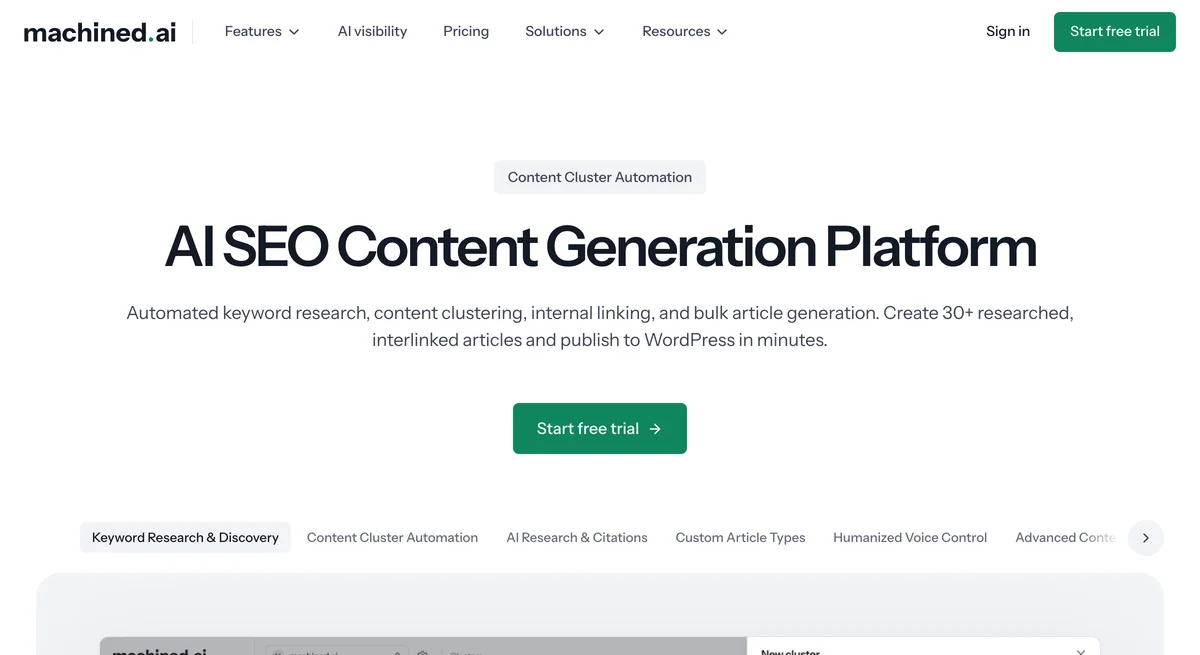
Machined.ai takes a different approach from general writing assistants.
Rather than creating content in isolation, it helps you build interconnected content clusters designed for topical authority.
Key capabilities:
- Bring Your Own Key (BYOK) pricing: Pay only for content you generate via your OpenAI account, eliminating markup costs
- Smart bulk content creation: Input a single keyword and generate multiple interlinked articles
- Content research with citations: E-E-A-T compliant output with proper sourcing
- Automated internal and external linking: Built into generated content
- Direct publishing: WordPress and Webflow integration with auto image generation
Best for: In-house marketing teams, SEO agencies, and bloggers focused on building search authority through content clusters rather than individual articles.
Pricing: Launch ($19/mo), Growth ($49/mo), Pro ($99/mo), Scale ($249/mo), plus a BYOK plan ($99/mo) - view full pricing details.
For teams focused on SEO content clusters at scale, explore Machined.ai’s 7-day free trial: full access to the Launch plan to test the clustering approach.
Final Takeaway: Choose Based on Your Content Goals
If there’s any takeaway from this comparison of Rytr and Copy.ai, it’s that no single AI platform is the universal “best” tool for every user.
Rytr excels at quick, short-form tasks at an affordable price point, while Copy.ai delivers polished marketing copy with advanced workflow features.
For creators focused on social media posts, YouTube descriptions, Google ads, emails, product descriptions, or general marketing content, either tool can serve you well.
The decision ultimately rests on your specific needs:
- Budget-conscious with straightforward needs? → Rytr (see more Rytr alternatives)
- Need advanced marketing workflows? → Copy.ai
- Building SEO content authority at scale? → Consider specialized clustering platforms
Both Rytr and Copy.ai solve the problem of staring at a blank page.
Choose the one that aligns with your content goals, workflow preferences, and budget—and you’ll have a valuable writing assistant in your toolkit.