Workspaces
A workspace is the top-level container for everything in your Machined account — your projects, team members, billing, and API keys all live at the workspace level.
When you sign up, a workspace is automatically created for you.
Workspace settings
To access your workspace settings, click your account icon in the top right and go to Settings.
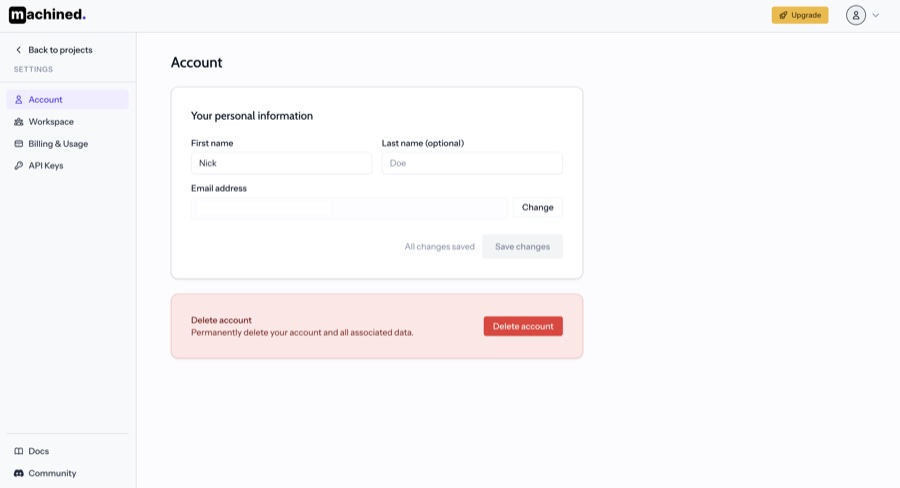
The settings sidebar contains:
- Account — your personal information (name and email)
- Workspace — workspace name and general settings
- Billing & Usage — your plan, usage, and payment details
- API Keys — manage platform keys and BYOK API keys
Projects
Your workspace contains one or more projects. Each project is typically a website or content destination, with its own clusters, articles, voices, and CMS connections.
Each project is created when you connect a CMS — see Connect to WordPress or Connect to Webflow.
Billing & usage
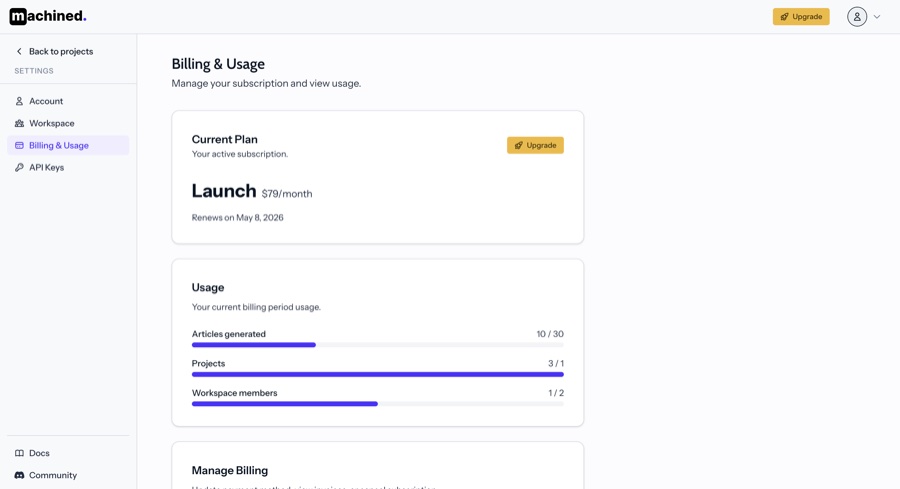
Billing is managed at the workspace level. Your plan and usage apply across all projects in your workspace.
To view your current plan, usage, and billing details, go to Settings → Billing & Usage.
API keys
By default, your workspace uses Machined's platform key — no setup required. If you'd prefer to bring your own API key (BYOK), you can add it in Settings → API Keys.
See API modes for a full explanation of platform key vs BYOK.
Workspace members
You can invite members to collaborate on content within your workspace. There are three roles — Owner, Admin, and Editor — each with different levels of access. Members have access to all projects in the workspace.
See Members & Roles for details on inviting members and managing roles.