Writing defaults
Writing defaults are the settings every new article and cluster in a project starts from. Set your preferred model, voice, research, images and more once, and you won't need to change them each time you write.
To set them, open Project settings and select the Writing defaults tab.
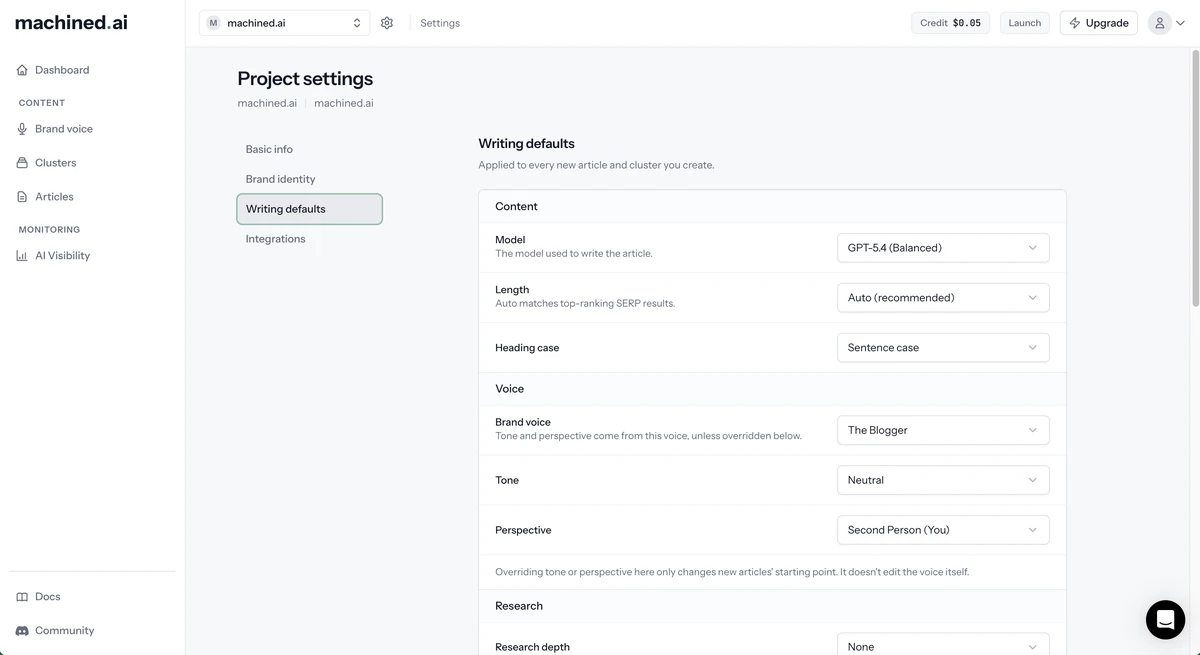
What you can set
| Section | Settings |
|---|---|
| Content | Model, Length, Heading case |
| Voice | Brand voice, plus Tone and Perspective for built-in voices |
| Research | Research depth, Citation style (shown once research is on) |
| Media | Featured image, Images in the article, YouTube videos, Image provider, Image style |
| SEO | Internal links, FAQ section |
| Rules and sources | Custom instructions, Domains to exclude from research, URLs to include in research |
Click Save defaults to apply your changes. If you try to leave with unsaved changes, Machined asks you to confirm first.
If you haven't saved any defaults, a project uses Machined's standard settings: the default model, Auto length, sentence case headings, no research, The Blogger voice, and images, videos, internal links and FAQ section all off.
What isn't a default
Some settings are chosen for each article rather than for the whole project:
- Content type: detected from the keyword for single articles, and proposed per keyword in clusters
- Country, language and target audience: these come from your project's Basic info, and can be changed per article or cluster
- Unique insights and secondary keywords: added per article
How defaults are used
- Single articles: every new article starts from your defaults. You can change any setting for that article before writing. Internal links aren't offered for single articles.
- Clusters: every article in the cluster table starts from your defaults until you edit its settings. Once you change any setting on an article, it keeps its own settings and no longer follows your defaults.
Changing your defaults never changes articles you've already saved or written. If you have a cluster open while you change your defaults, reload the page to see the new defaults.
When a default isn't available
A default can stop being available, for example if you remove an API key or change plan. When that happens, Machined uses the standard setting instead and shows a notice when you create an article or cluster:
Some of your writing defaults aren't available right now. Articles will still be written, using the standard settings instead.
Click Review defaults to update them.
If a saved default is no longer offered at all, such as a retired model, the Writing defaults tab tells you it has been reset to the standard value. Click Save defaults to keep the change.